

Jazziette
Android Expert
Anyone try Cachecleaner Legacy?
Nevermind. NG is upgrade from same peeps.
Junior...just wanted to say it is very nice to have you here in the forum with us!!

Follow along with the video below to see how to install our site as a web app on your home screen.
Note: This feature may not be available in some browsers.
Anyone try Cachecleaner Legacy?
Nevermind. NG is upgrade from same peeps.

Junior...just wanted to say it is very nice to have you here in the forum with us!!
Thanks. I'm already enjoying the experience and look forward to learning more about my device and chillin with ya'll!
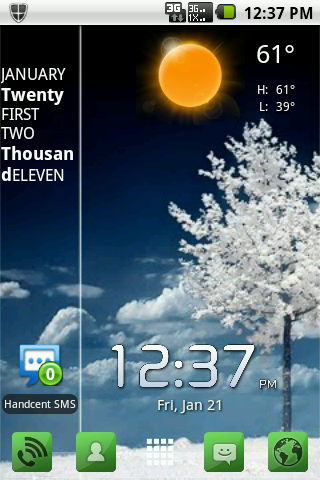
Thats actually pretty cool. Nice and clean.
Thanks. It is even cleaner now. I'll be posting a new screenshot soon over on the Share your Desktop thread.
What is the weather widget you are using?

 | Android Assistant(12 features) by Aaron. 50,000 downloads, 1041 ratings (4.4 avg) | Free
|


Recreated with the help of my friends here in this thread! Thank you all for your contributions!
Clearing your Cache
Clearing the cache on your Android is a necessary thing to keep it running fast and smoothly. Just as it is with your PC, so it is with your phone.
When your phone gets cluttered with temporary files it will lag and perform poorly. Simply clearing the cache can free up space and eliminate lag.
There are several ways to do this and some depend on if your phone is rooted or not.
Normally, on an unrooted Android, you can go to Applications and sort by size and then clear the cache of all that need clearing, e.g.: Photo Album, browser, the market, etc. It is also helpful to clear your call history now and then - Click phone, menu, call history, menu and delete all.
If you keep your cache clear it will also help to alleviate a lot of the problems you experience that make you think your phone is malfunctioning.
There are some also some very good Cache Cleaners available at The Market.
For rooted users Cache Mate for Root (attribute: KOLIO) has been highly recommended. I can concur with that! It's available free at the Market.
Also, Cache Cleaner NG (attribute: ROB281) has been said to work well in conjunction with Cache Mate. This is also only for rooted phones and is free at the market.
It has also been suggested (attribute: NY11725) that disabling Wallpaper Scrolling can create an increase in home screen speed: go to menu/preferences/appearance settings, disable wallpaper scrolling.
when i so to menu,settings,sd card & phone storage then software upgrade, i can tap on upgrade via sd card...1, should i do this and 2, what does this mean, what kind of an upgrade is this and how often should i check for upgrade by doing this....i am a tool when it comes to stuff like this i am used to the plan old simple phones of just pressing numbers to dial a person...lol

