
Jamie Hill
Lurker
I may go that route eventually. Right now the only down side I see is it doesn't load the company logos on email. Which is actually kind of nice since the email load a little faster.
Follow along with the video below to see how to install our site as a web app on your home screen.
Note: This feature may not be available in some browsers.
I had similar results. In settings, applications, app manager, android system web viewer, clicked disable, it asked if I wanted to restore the
original version. I did and it's working with some odd flashing.
Thanks Jamie, it did work fine for me!May have just come up with at least a temp fix by searching similar issues. Went to settings- apps- app manager- android system webviewer. Hit disable which rolls it back to an earlier version. Seems to be forwarding or replying now on over ten tests


I have this same problem but managed to take care of it (at least temporarily) by pulling up the program in the play store and uninstalling the updates. Then I went into SETTINGS and APPLICATION MANAGER and disabling ANDROID SYSTEM WEBVIEW. It seems that one of the last updates created this problem. At the moment it works and hopefully by disabling it, there won't be any updates to create the problem again. I will eventually enable it and see if the problem has been fixed.OK, in the Android Email app, not gmail, but the actual Email app, I can receive messages. I can send a new message. But any time I try to reply to a message, as soon as I click reply, the compose window opens and then there is a box that says "Loading messages..."
This is on a Samsung Note 3 phone. My email comes in just fine on my Samsung Tab E tablet. The server settings and credentials are all set correctly. Just start happening today. Have gone into the application manager to email, and cleared the cache for the email app.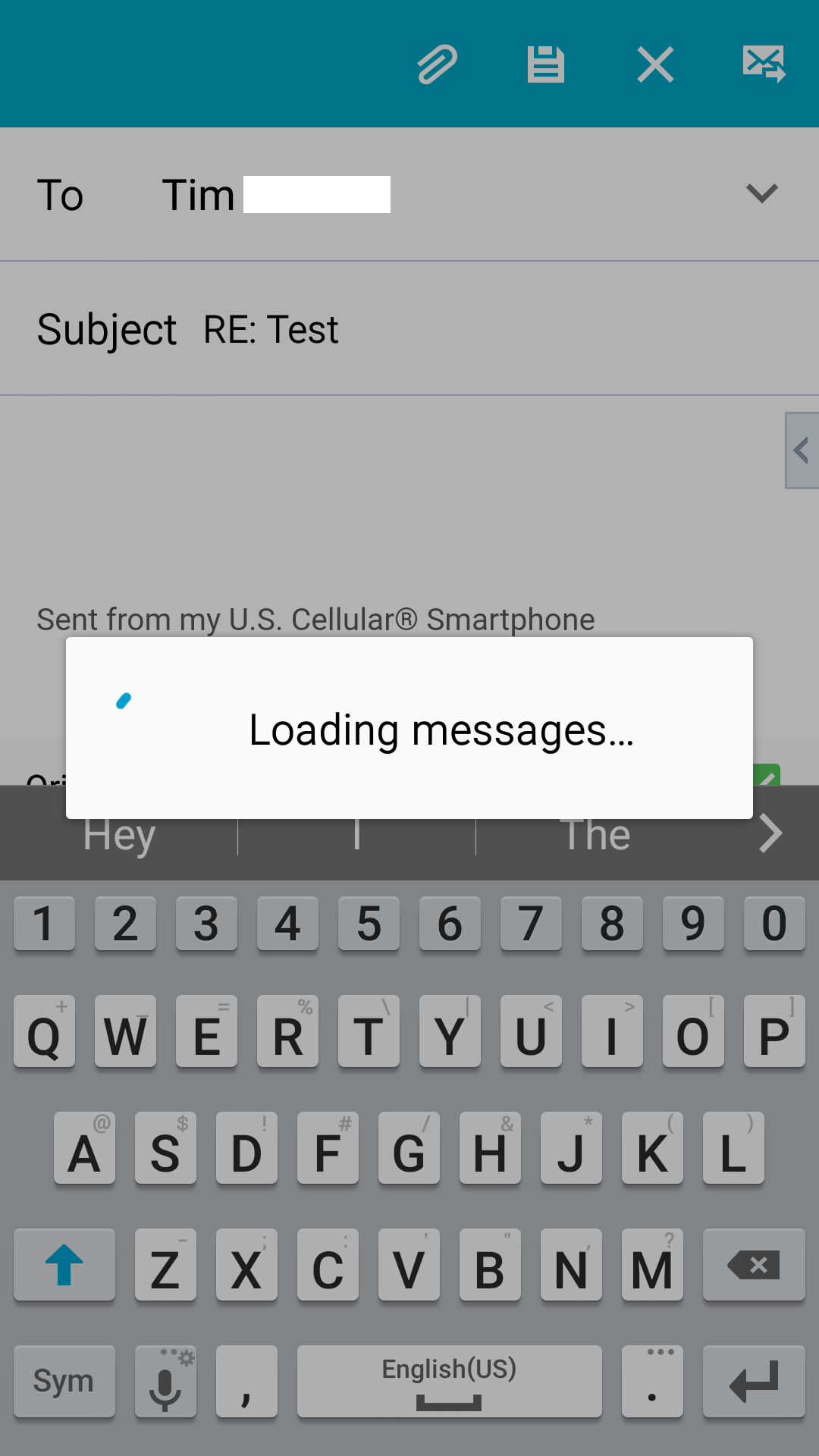
Any suggestions would be greatly appreciated....

May have just come up with at least a temp fix by searching similar issues. Went to settings- apps- app manager- android system webviewer. Hit disable which rolls it back to an earlier version. Seems to be forwarding or replying now on over ten tests

For the sake of testing if this System WebView app is indeed causing the trouble, I just got the newest App version back and Email app got stuck immediately....so it really is the cause of problem. But I uninstalled it again and Reply works just fine again...I will try to avoid the automatic updates of this app until I get confirmation that the newest version gives a fix to this problem...if anybody gets the news that we are safe to install the newest updates, let us know. Thanks.


Just an off-hand defense for developers, debugging code is not a trivial task, and especially when it involves multiple parties. It's not just the Android operating system itself but several different vendors (both hardware and software) that add in their own software to the mix so what you receive in your mobile device is actually a huge compilation of work from multiple sources. All it takes is one random instruction conflicting with another currently running process to cause a problem, the issue involving hundreds if not thousands of lines of code that need to interact with each other in any given moment....I could not figure out how to fix it aftet 4 days so many thanks for the fix I roll back the web viewer and it's working now amazing how can they do an update without proper debugging. I am sure many of the people will have the same issue.

May have just come up with at least a temp fix by searching similar issues. Went to settings- apps- app manager- android system webviewer. Hit disable which rolls it back to an earlier version. Seems to be forwarding or replying now on over ten tests

