• After 15+ years, we've made a big change: Android Forums is now Early Bird Club. Learn more here.

Root First Bionic ROM: UNL3ASH3D-V1.0

This seems good. No bugs that i can find. We will see how battery life goes tomorrow. This guy knows how to push out a rom quickly that has no real problems.
 
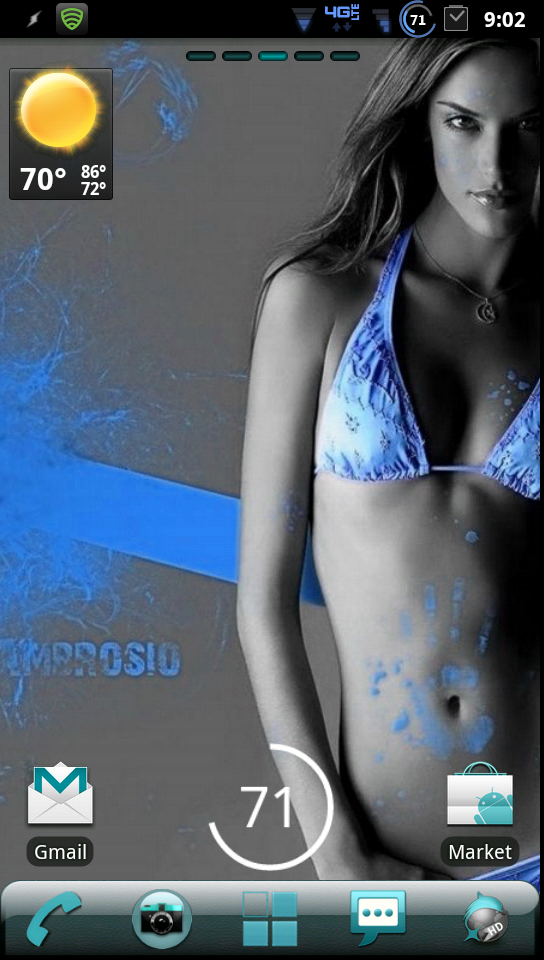
Screen shot of me running version 1.3

photobucket-4420-1317215127763.png
 
Fixing to take the plunge... Good luck to me! One quick question-Do I have to use 1.0 first then do the updates 1.2 and then 1.3 or does 1.3 incorporate all?
 
I haven't followed the "aftermarket" tweaks for the bionic too much yet, but is one pretty safe with the whole rooting/flashing this custom ROM with bootstrapper installed?
 
I haven't followed the "aftermarket" tweaks for the bionic too much yet, but is one pretty safe with the whole rooting/flashing this custom ROM with bootstrapper installed?

Works without any kind of problems for me for 2 days now (thats when I flashed it) :)
 
I haven't followed the "aftermarket" tweaks for the bionic too much yet, but is one pretty safe with the whole rooting/flashing this custom ROM with bootstrapper installed?

It is safe. We can flash back to stock to repair just about any screw up.
Always follow developers instructions
Always make a backup before you screw up
And if you don't know ask until you do.
If you follow this you should be just fine and if not there are plenty of people here willing to help you get out of a jam.

This goes for any modding of your phone.
 
I'm up to 1.3 now and its great. No bugs I've seen so far. Id like to see about some matching
clock fonts, battery % fonts, and the alarm icon is a bit blah. Don't get me wrong though, this is awesome and I love it!
 
I use to successfully too, but I sorely miss the CM-style power widget in the notification pulldown. That would make me a happy camper.
 
There is a power widget you can get from the market called widgetsoid 2.x. The only difference is when you click on it a window pops up to give you the options to select. It can't turn things on from the pull down yet.
 
i'm sorry if this is a dumb question, but i'm pretty new to rooting/flashing.

if im looking to get this rom installed on my phone i will first root it using the root FAQ thread. second, i install the bootstrap. third, I run the steps outlined on that video tutorial?

just want to get all the steps right :o
 
i'm sorry if this is a dumb question, but i'm pretty new to rooting/flashing.

if im looking to get this rom installed on my phone i will first root it using the root FAQ thread. second, i install the bootstrap. third, I run the steps outlined on that video tutorial?

just want to get all the steps right :o


Personally I would install ROM Manager as step 3, step 4: make a backup, 5: flash the rom,

ps welcome to the darkside :cool:
 
Running 1.4 right now, going good so far. OP should probably changer the thread title to reflect the new version.
 
Just tried installing 1.4 even though the file just said update. :P So just so people know that causes a bootloop! Waiting for files to download right now to fix it but if your going to use 1.4 make sure you install 1.3 first!
 
Just tried installing 1.4 even though the file just said update. :P So just so people know that causes a bootloop! Waiting for files to download right now to fix it but if your going to use 1.4 make sure you install 1.3 first!

Completely 100% not true, I came from Liberty debloated. I wiped system, dalvik and cache. Uploaded 1.4 through boot loader. Working perfectly fine all day.

It is possible that for you during download something became corrupt. I would re download 1.4 and re install.
 
Sounds like he was updating from an older version of Unl3ash3d possibly. I did the wipe before installing 1.4 even thought I was coming from 1.3. I have done 1.0 to 1.1, 1.1 to 1.2, and 1.2 to 1.3 updates with no issues before. I have yet to skip revisions so it could be possible to bootloop from older versions.
 
I have having FC issues with my Contact Storage. This is after wiping and installing 1.4. Nothing has been frozen or removed. Am doing another wipe to see if I can fix this problem.
 
Completely 100% not true, I came from Liberty debloated. I wiped system, dalvik and cache. Uploaded 1.4 through boot loader. Working perfectly fine all day.

It is possible that for you during download something became corrupt. I would re download 1.4 and re install.

Nope, because I flashed the exact same zip file after flashing back to stock and flashing 1.3 and it worked fine.

The first time I came from stock and installed 1.4 and the Black and white Gmail and the deblue zip right away. Maybe thats what caused it.
 
All I know is I'm really enjoying seeing this ROM quickly evolving into a full-featured ROM. Just a few features from CM7, and I'll be extremely happy.
 
This ROM is amazing. Version 1.4 is the best so far, as you would expect. The best part of this is that you do not lose any normal functioning of the phone. Speed is amazing and battery life seems to be the best I have seen.

Coming from the X there were only a few developers that were able to keep all the functionality when they built their ROMs. I know CM7 lost HD recording and HDMI out. I am not willing to give that up on the Bionic in anyway this time. There are only three features that I liked in CM7 that this does not have. 1-Custom Auto Brightness settings (even though not a big deal since unless I am outside min is always enough) 2-Lock screen gestures and 3-Theme Manager.

Not only is this ROM amazing it also has great support from the developer which is always a huge plus. Also the blur framework is still there so if there is an app removed you should be able to put it back on yourself. I know there are some people that really like blur and others who hate it. I don't hate it, but I don't use any of it either.
 
Back
Top Bottom