V SuperUser V
Android Expert
This Guide will show those who would like to and still have the Carrier text on the pull down notification bar where usually our service provider's name is (MetroPCS) how to change it.
-Download and unzip the eri.zip.(http://dl.dropbox.com/u/51753039/eri.zip)
-Open the eri.xml with Notepad++ (Notepad++ Home)
-Ctrl + f your text here.
-Replace all three with your text. Make sure all three of you texts are EXACTLY the same and do not use any symbols.
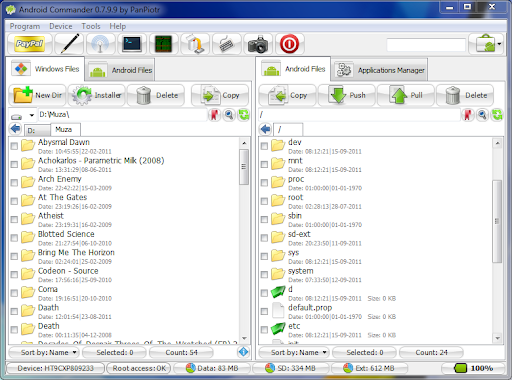
-Push the eri.xml inside /data/
-Reboot and done.
This is what it could look like

Would you like to learn how to change text that shows on your lock screen? By popular demand i will release a "small" guide showing how to do this as well.
-Download and unzip the eri.zip.(http://dl.dropbox.com/u/51753039/eri.zip)
-Open the eri.xml with Notepad++ (Notepad++ Home)
-Ctrl + f your text here.
-Replace all three with your text. Make sure all three of you texts are EXACTLY the same and do not use any symbols.
-Save and Exit<EriFile VersionNumber="1357" NumberOfEriEntries="3" EriFileType="1">
<CallPromptId Id="0" CallPromptText="CallPromptId0"/>
<CallPromptId Id="1" CallPromptText="CallPromptId1"/>
<CallPromptId Id="2" CallPromptText="CallPromptId2"/>
<EriInfo RoamingIndicator="1" IconIndex="1" IconMode="0" EriText="your text here" CallPromptId="0" AlertId="0" /><EriInfo RoamingIndicator="99" IconIndex="1" IconMode="0" EriText="your text here" CallPromptId="0" AlertId="0" /><EriInfo RoamingIndicator="123" IconIndex="1" IconMode="0" EriText="your text here" CallPromptId="0" AlertId="0" />
</EriFile>
-Push the eri.xml inside /data/
-Reboot and done.
This is what it could look like
Would you like to learn how to change text that shows on your lock screen? By popular demand i will release a "small" guide showing how to do this as well.
 . I respect Devs' work so i won't make a guide about it.