• After 15+ years, we've made a big change: Android Forums is now Early Bird Club. Learn more here.

[Guide] Creating Custom Lockscreens

I would, however I'm not sure if this is 100% possible yet. I did see someone mention something about a clear lockbar, but not a clear lockscreen. The file that would normally be edited is now a .jpg instead of a .png. Jpg files can't have transparency so we are screwed. This is of course unless the file that needs edited is elsewhere that I am unaware of yet.
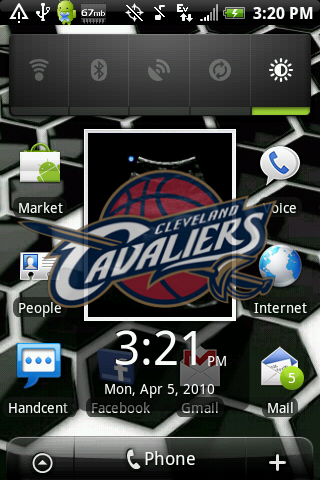
 
Ahh ha ha ha ....It works it works.

Notice....This is based off of Fresh 2.0d!!!!!

snap20100405_152128.png


Signed zip can be downloaded here

Very important though...Before you flash this zip, you MUST clear your current lockscreen either with kitchen or with adb:

Code:
adb remount
adb shell
cd /data/misc/lockscreen
rm *
exit
Also, make note of this. Being that 2.1 is packaged differently than 1.5, it is necessary to have another apk in here. The second apk is what will have your Rosie in it. This is built off of the default fresh rosie, which is Espresso. What this means, is if you have another launcher, other than Espresso right now and you flash this file, it will change it back to espresso.
 
in the second APK.. is it just the 3 png files for the lockscreen (all 3 clear ones) that need to be replaced if using a different launcher?
 
I haven't confirmed that yet, but it would make sense. Basically, if you pull yoru com.htc.resources apk and compare the 2 files, you should be able to confirm.
 
Indeed. When I get some free time I'll edit it up and get things rolling. Will probably just add another section with 2.1 instructions. They are very similar, just different folders, and a few other things.
 
I have the JDK installed but i keep getting a java error when trying to sign. Other have posted they had this and fixed it but no one has posted the steps to fix. Anyone able to help? Thanks,
 
I have the JDK installed but i keep getting a java error when trying to sign. Other have posted they had this and fixed it but no one has posted the steps to fix. Anyone able to help? Thanks,


make sure that the path to the JDK is in you system environmental for windows
 
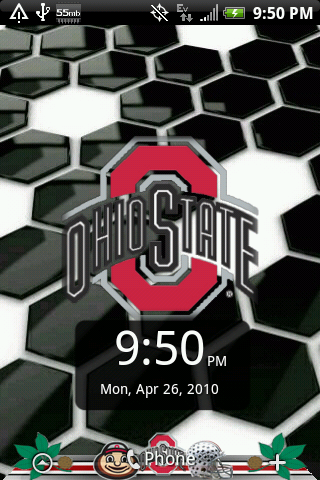
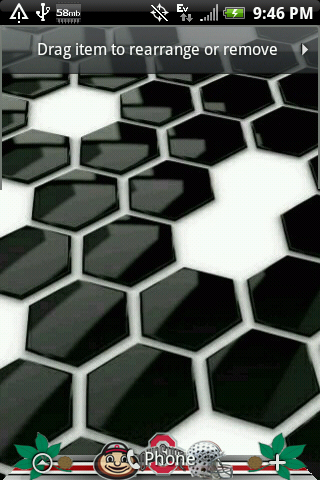
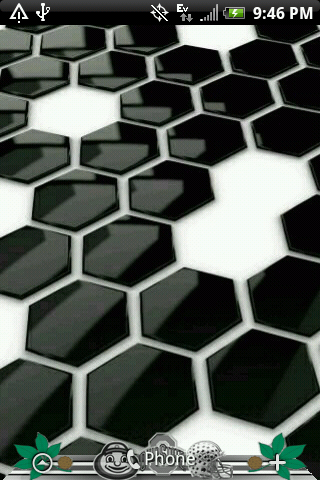
So I finished this after work today. I think I have it all working. This is a flashable zip. This will change your lockscreen to the clear one displayed below. You will also have the launcher as shown. It is built off of Fresh 2.0d.


*Note*
You may need to clear your cached lockscreen, especially if you are still running the default stock lockscreen. Do the following:


Code:
adb remount
adb shell
cd /data/misc/lockscreen
rm *

cd /system/customize/resource
rm htc_wallpaper*

exit

You may or may not have anything to delete in /system/customize/resource, so if you get an error message, don't worry
*Note*


Download Signed Zip Here:

Lockscreen:
snap20100426_215031.png


Launcher Resting:
snap20100426_214800.png


Launcher Pressed:
snap20100426_214724.png


Add or App Drawer Pressed (look at right leaf):
snap20100426_214714.png


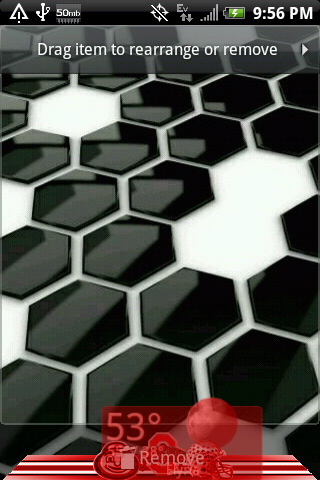
Remove:
snap20100426_215602.png
 
Some Sprint users may have issues with the original clock graphics being places over the new lock screen graphic. (The arc shaped bar that's on the lock screen.) I'd assume that this is exclusive to the Sprint version, but if it gives you issues, here's how to resolve it. I pulled all of the files off of my phone that I was able to and looked through them to see where those graphics where. So, when I looked in /system/framework/com.htc.resources.apk, I found two folders with the graphics on the lock screen in them, so I edited them to be fully transparent. After that, I packaged them up into a signed zip the same way as this tutorial showed you how to for the other APK and used that to mod the phone so that only the new graphic shows. 1.) Download the modded file here: http://anna-marie-smith.com/null_lockscreen_signed.zip 2.) Plug your hero into your computer and mount the USB. 3.) Copy the downloaded file to your SD card. (Keep it in the top level directory and not in any folders.) 4.) Restart your phone in restore mode and click flash Zip from SD Card. Select your Zip file and restart your phone to see if it worked.
 
Back
Top Bottom