Install the app
How to install the app on iOS
Follow along with the video below to see how to install our site as a web app on your home screen.
Note: This feature may not be available in some browsers.
-
After 15+ years, we've made a big change: Android Forums is now Early Bird Club. Learn more here.
You are using an out of date browser. It may not display this or other websites correctly.
You should upgrade or use an alternative browser.
You should upgrade or use an alternative browser.

tatonka_Hero
Android Expert
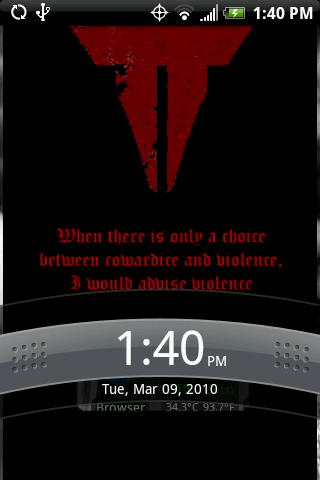
Here's mine. I editted Aloysius rom and put my name at the top. I like the transparent lockscreens.

wow, your name is "your name"? That's got to be confusing when someone asks 'what's your name' and you answer 'your name'

heh, of course I did some photoshop editting before postingwow, your name is "your name"? That's got to be confusing when someone asks 'what's your name' and you answer 'your name'
I went through the whole process and followed everything exact, double checking everything along the way. Put the zip onto the sd card, flashed via Recovery, rebooted via Recovery, and now the lockscreen is still exactly the same. I didn't get any errors while going through the process and tried it a couple times with no success. If it helps I'm rooted with fresh 1.1, and gumbo kernel.
John_Droid
Member
In all likelihood you messed up the structure of the folders in the zip file you signed.I went through the whole process and followed everything exact, double checking everything along the way. Put the zip onto the sd card, flashed via Recovery, rebooted via Recovery, and now the lockscreen is still exactly the same. I didn't get any errors while going through the process and tried it a couple times with no success. If it helps I'm rooted with fresh 1.1, and gumbo kernel.
Best bet, just to verify, is to grab a known working lockscreen from the posts above, and open the zip to compare its contents & structure to your own.
If you got it wrong, it typically won't break anything when you flash, as you have noticed, you just won't see the results as expected.
In all likelihood you messed up the structure of the folders in the zip file you signed.
Best bet, just to verify, is to grab a known working lockscreen from the posts above, and open the zip to compare its contents & structure to your own.
If you got it wrong, it typically won't break anything when you flash, as you have noticed, you just won't see the results as expected.
Alright I'll check that out, I'm at work right now so one I get home I'll redo the whole thing and see if that makes a difference and let yall know.
John_Droid
Member
That would indicate that you did not successfully sign the zip. Did you use 'fresh' to attempt to sign? Did you run the checks (?) in the pre-kitchen to see if you got a checkmark for Java? If not, you may need to install.Just checked out the difference with the .zip files and got another users to work and noticed that inside the .zip file was a folder called "META-INF" is that why mine didn't work? I didn't see anything in the tutorial about putting that in, but I could just be ******ed lol

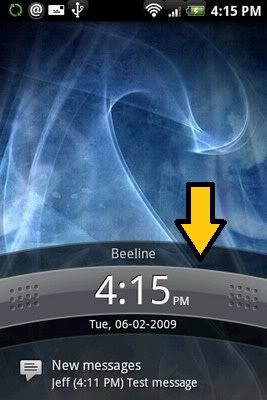
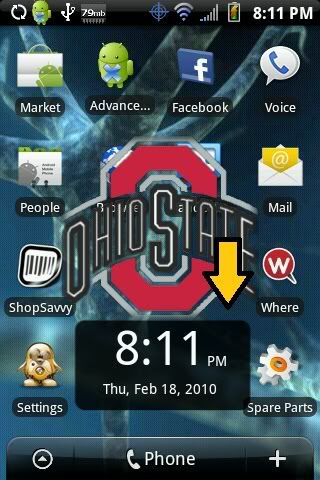
that's not what I'm looking for, I guess I'm not being really clear so sorry about that. What I'm looking for is how to change the clock on the lockscreen from being the normal bar (arrow pointing to on image 1) to being that square that fits inside the new lockscreens (arrow pointing to on image 2).