• After 15+ years, we've made a big change: Android Forums is now Early Bird Club. Learn more here.

Root (Guide) (WIP) Apps safe to remove

Will add more as i delete and make sure the phone does not soft brick. if you can confirm apps that do not brick phone let me know and i will add to the list...

App Store
Application Manager
Astro
Car Home
Email
Email Widget
Emergency Alert
Gmail
Google Maps
Google Music
Google Search
Google+
Guided Tours
Into Now
Live Wallpaper Picker
Metro Block-it
MetroPcs Easy Wifi
Music Player 2
Music Player 3
MusicFX
My Metro
Photo Frame
Rhapsody
Smartshare
Social+
Sportacular
Streetview
Task Manager
Total Protection
Video Wiz
Voice Dialer
Voice Recorder
Voice Search
Weather
World Clock Widget

Google Movies and or Google Books will both soft brick your phone if uninstalled

what is a "soft brick"
 
The Soft brick in this case means that your phone will not boot to the animation at all. It will state that there is a security error and you have to use the unbrick method or factory reset to get your system running again.
 
The Soft brick in this case means that your phone will not boot to the animation at all. It will state that there is a security error and you have to use the unbrick method or factory reset to get your system running again.

Factory reset won't fix it ;) only unbrick.
 
Social+, I'm looking to delete it, but can't seem to find it. ??????


Never mind I found it.

System/data/ com.lge.sns i just deleted the folder in case anyone wants to know
 
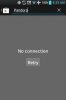
I would remove "metro pcs easy wifi" from this list. Whenever i freeze or remove it, i end up with a "No Connection. Retry" loop in the google play store
 
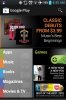
Nope, as soon as i unfreeze easy wifi, it fixes the issue
I have metro pcs easy wifi on my phone right now. I just disabled/enabled it, and it had no recognizable affect on my google play store. What method are you using to freeze the app?
 
Well at the time i first froze it, the only app i could get to install capable of freezing was Gemini so that is what i used

Edit: i should also note that it was after i rebooted my phone that the issue started
 
Notice in the pictures below. First one, metro wifi is frozen, second one its after i unfroze it
 

Attachments

  • uploadfromtaptalk1357306413609.jpg
    uploadfromtaptalk1357306413609.jpg
    13.9 KB · Views: 152
  • uploadfromtaptalk1357306426711.jpg
    uploadfromtaptalk1357306426711.jpg
    37.6 KB · Views: 155
@SwoRNLeaDejZ
Unfreeze the metro easy wifi, then refreeze it like this:
Home Screen > Menu Key > App settings > Tap "All" on the top row > Tap on metropcs easy wifi > Tap Disable

That's how I freeze it. In the OS internally, "disabling" an app is the same as freezing.
 
@SwoRNLeaDejZ
Unfreeze the metro easy wifi, then refreeze it like this:
Home Screen > Menu Key > App settings > Tap "All" on the top row > Tap on metropcs easy wifi > Tap Disable

That's how I freeze it. In the OS internally, "disabling" an app is the same as freezing.

Exactly, I've had it like that since I first got this phone and have had no problems.

Sent from my typewriter.
 
I don't really know if it's going to brick it yet but I uninstalled play music play books and play movies and its doing fine so far. So we will see. Btw how do we post pictures? I got screenshots i wanna share?

Well i deleted GOOGLE PLAY MOVIES and that bricked my phone THANKS to this site i revived it twice already. trust me im pretty sure is GOOGLE PLAY MOVIES. I honestly think not all phones might work exact da same. But dats my opinion!
 
how 'bout hot the 4g hot spot? on my first try of unbricking my phone when i UNINTENTIONALLY *not saw the orange warning* soft bricked it.

I tried to get all of the app's gone except the 2 that would literally soft bricked the phone :> but i'm just curious why is it not in your list?
 
Do any of you know if it's okay to uninstall the stock launcher and replace it with another i.e. holo or golauncher?
 
just add it to the system app and freeze or set ur launcher as default

I was able to remove the stock launcher completely with Titanium Backup, it doesn't cause a soft brick or makes morningcall cry. BUT you need to install a replacement launcher first, I'm using Nova Launcher with no problem.
ONE ISSUE though is that if you go to "settings" and press the "home screen" option the settings menu will close. But other than that you're golden :D

GOOGLE CHROME is safe to remove completely with Titanium Backup
 
Back
Top Bottom