• After 15+ years, we've made a big change: Android Forums is now Early Bird Club. Learn more here.

Root How to "root" the LG Ally

The one click app should work as long as you have unknown sources checked under applications in the settings page. the phone came with 2.1 update 1 so yes it will work. 2.2 will remove root access. so best bet is to not install the 2.2 update and wait till its rooted if you want root and 2.2
 
The one click app should work as long as you have unknown sources checked under applications in the settings page. the phone came with 2.1 update 1 so yes it will work. 2.2 will remove root access. so best bet is to not install the 2.2 update and wait till its rooted if you want root and 2.2

I'm sure we will find a way around it. I can think of a few right now off the top of my head :)
 
The one click app should work as long as you have unknown sources checked under applications in the settings page. the phone came with 2.1 update 1 so yes it will work. 2.2 will remove root access. so best bet is to not install the 2.2 update and wait till its rooted if you want root and 2.2


This happened to my room mate when he got his EVO 4G, it came with 2.1 and he got an OTA announce for 2.2 within the first 2 hours of service.

He applied it without researching and sure enough it was incompatible with all the EVO rooting tools.

After a few days a root method came out but if I remember right it involved downgrading back to 2.1 to install the recovery then flashing a rooted 2.2 custom rom.

I could be wrong though it has been a few weeks, and he didnt root it so I cannot verify if it even worked.
 
If I go through this method, will I have access to edit wap and the dns settings? Thats the only thing I'm looking to do really. Thanks.
 
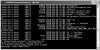
I got all the way to step 9 and I am stuck. I have checked all of the files that you say i should have per the other posts in the forum. There is a screen shot of where i get stuck at attached to my post.


Where do I go from here?? I have the files on my SD card and i am just stuck!!:confused:
 

Attachments

  • Root Questions.jpg
    Root Questions.jpg
    51.3 KB · Views: 130
I'm having a problem with rooting my ally. I have the ally and it has firmware 2.1-update1 kernel 2.6.29 [EMAIL="lge@android-build"]lge@android-build[/EMAIL] #2 if any of that matters and I downloaded PDAnet but when I try to install, I plug in phone, enable debugging and PDAnet cant detect phone so thats as far as I am. So im stuck.,
 
8a) adb push c:\android\sdk\tools\su\asroot2 /data/local/
8b) adb push c:\android\sdk\tools\su\su /sdcard/su
8c) adb push c:\android\sdk\tools\su\Superuser.apk /sdcard/Superuser.apk
8d) adb shell chmod 0755 /data/local/asroot2
8e) adb shell

*****************************************

If you are getting "permission denied" errors while trying to do "adb push <file> <file>" please see my post here and try that out.

*****************************************

*you will get a "$" prompt in your command window - you are now connected into your phone*

9) At this point, I had to unmount the SD card in my phone and remove it completely (Settings -> SD Card & Phone Storage Settings -> click "Unmount SD card"). I don't know why, but this was the only way the next command would give me the root prompt.

10) once the SD card is unmounted and removed from your phone, type in "/data/local/asroot2 /system/bin/sh". Whether or not it's successful, you'll see a line similar to "SUCCESS! Enjoy ...". After that line (or whatever it says), you should see a "#" prompt instead of a "$" prompt. This is the root prompt. If you don't see this prompt don't try to continue. go back and figure out what might have gone wrong. More than likely the asroot2 program didn't work correctly for you.

I do not get the "SUCCESS! Enjoy..

C:\android\sdk\tools>adb shell chmod 0777 /data/local/asroot2
C:\android\sdk\tools>adb shell
$ /data/local/asroot2 /system/bin/sh
/data/local/asroot2 /system/bin/sh
[+] Using newer pipe_inode_info layout
Opening: /proc/2543/fd/3

and nothing

Thanks
 
Hi Everyone, ive been following these forums for a while now and see that there may have been a way to root the VZ LG ally, I have repeatedly tried the asroot2 method mentioned everywhere and can never get the root $hell. Shortly after I bought my verizon droid a system update downloaded. when trying to run .adb as root user I get the message ADB as root cannot be run on production builds. Im looking to ultimately run barnacle, If anyone has found a way to root the ALLY after this ERE27, VS740ZVB update please help me out!

thanks


Im using Ubuntu 10.04 with ADB toolkit
 
Hi Everyone, ive been following these forums for a while now and see that there may have been a way to root the VZ LG ally, I have repeatedly tried the asroot2 method mentioned everywhere and can never get the root $hell. Shortly after I bought my verizon droid a system update downloaded. when trying to run .adb as root user I get the message ADB as root cannot be run on production builds. Im looking to ultimately run barnacle, If anyone has found a way to root the ALLY after this ERE27, VS740ZVB update please help me out!

thanks


Im using Ubuntu 10.04 with ADB toolkit

You cannot root using the command line way with ZVB. Go here Android Ally

Go to the Universal Androot section and download either one of those versions. Place it on your sdcard. Then go to settings > applications > and check the unknown sources box. Then use a file manger from the market to install it.
 
THANKYOU! dots, you rock. the package from the link worked great, sometimes I guess it's just easier to simply ask on a forum.

Again thankyou much!

Reposted is the link to the page containing the Androot information
Android Ally
(This 1.6.2beta worked for a Verizon Droid2 on an LGAlly)
 
These are the exact steps that I used to get root access on my phone.

OS used: Windows XP (windows 7 should be close to the same)

1) Download the software zip that heffe2001 created MEGAUPLOAD - The leading online storage and file delivery service

2) unzip that software to your C:\ drive (you should have a "C:\android" folder when done)

3) Download and install PDANet (Download PdaNet)
-during the install you will have to plug in the phone to your system
-Skip through all the "LG USB Modem" installs
-Make sure the "Android ADB" driver gets install succesfully

4) Enable USB Debugging on the Ally (Settings -> Application Settings -> Development -> check the box next to "USB Debugging" and click "OK" on the next screen)

5) Open a command prompt (Start --> Run --> type in "cmd" and press enter)

6) type in "cd c:\android\sdk\tools" and press enter

-do this step only if you haven't installed the Android SDK toolkit yet -

6a) if you don't have the SDK installed at this point run the SDKSetup program (type in "C:\android\sdk\SDK Setup.exe" then press enter - please use the quotes for this command only.) and proceed to install it. Once it's installed, forget about the update error it will throw at you and just cancel/close out of the program.

7) you should be in the C:\android\sdk\tools directory so type in "adb devices" and press enter. this is to confirm that adb can see the phone that is hooked into your computer. You should see a couple lines, one of which should read "* daemon started successfully *" then the line "List of devices attached". Under that should be a line with some odd long string of letters and numbers. if you don't see that line or any line what-so-ever under the "List of devices", adb can not communicate with your phone. Go back through the instructions and make sure you have done everything to a "T".

8) Once you can confirm adb can see your phone, type in these next few commands:

8a) adb push c:\android\sdk\tools\su\asroot2 /data/local/
8b) adb push c:\android\sdk\tools\su\su /sdcard/su
8c) adb push c:\android\sdk\tools\su\Superuser.apk /sdcard/Superuser.apk
8d) adb shell chmod 0755 /data/local/asroot2
8e) adb shell

*****************************************

If you are getting "permission denied" errors while trying to do "adb push <file> <file>" please see my post here and try that out.

*****************************************

*you will get a "$" prompt in your command window - you are now connected into your phone*

9) At this point, I had to unmount the SD card in my phone and remove it completely (Settings -> SD Card & Phone Storage Settings -> click "Unmount SD card"). I don't know why, but this was the only way the next command would give me the root prompt.

10) once the SD card is unmounted and removed from your phone, type in "/data/local/asroot2 /system/bin/sh". Whether or not it's successful, you'll see a line similar to "SUCCESS! Enjoy ...". After that line (or whatever it says), you should see a "#" prompt instead of a "$" prompt. This is the root prompt. If you don't see this prompt don't try to continue. go back and figure out what might have gone wrong. More than likely the asroot2 program didn't work correctly for you.

************************************

as per travel_rob, if you get stuck here, type in "chmod 0777 /data/local/asroot2" then do step 10 over again

if you're still having issues cdsmith has a good post and a couple tips here

**************************************

11) Once you have the root prompt, type in the following command:

mount -o remount,rw -t yaffs2 /dev/block/mtdblock4 /system

This is important. If you don't do this, you won't be able to add any file to the "/system" directory on the phone

12) At this point, push the SD card back into the phone and wait for the phone to re mount it. should take only about 5-10 seconds.

13) finish up with the following commands:

13a) cat /sdcard/Superuser.apk > /system/app/Superuser.apk
13b) cat /sdcard/su > /system/bin/su
13c) chmod 06755 /system/bin/su
13d) reboot

Your phone should reboot and when it comes back up, check your programs. You should see the "Superuser Permissions" icon. Congrats, you're "rooted" (which really just means you have administrator access to your phone)...

cant get past step 3 help?
 
Hi everyone. Im planning to root my LG Ally to remove all the bloatware apps like skype and hopefully try the apps2sd. Im want to use universal androot but it doesn't say the Ally is supported. Has anyone here used universal androot and successfully rooted the ally with the ZVB update? Also, if i do root using universal androot, will i need to make a backup and how?
 
Hi everyone. Im planning to root my LG Ally to remove all the bloatware apps like skype and hopefully try the apps2sd. Im want to use universal androot but it doesn't say the Ally is supported. Has anyone here used universal androot and successfully rooted the ally with the ZVB update? Also, if i do root using universal androot, will i need to make a backup and how?

You can't make a backup until you flash a custom recovery which you need root to do. As far as Universal Androot.

Android Ally

Download either version. They have been confirmed to work with ZVB on the ally.
 
Thank you Dots. I just rooted my ally and i'm currently installing titanium backup. I was wondering if i could unroot device after uninstalling stock apps?
 
Thank you Dots. I just rooted my ally and i'm currently installing titanium backup. I was wondering if i could unroot device after uninstalling stock apps?

You can use the unroot option in universal androot but the superuser apk will still be installed after unrooting. Takes a bit of work to uninstall.
 
Yes, but say i uninstall "Skype Mobile" which is a system apk can i unroot the device without having to install skype mobile again?
 
Back
Top Bottom