• After 15+ years, we've made a big change: Android Forums is now Early Bird Club. Learn more here.

Help HTC ONE battery discussion (usage, charging, etc.)

EarlyMon,

Thanks I'll definitely install that and see if it helps. Do you think it would make a difference if I kept Wi-Fi off at work tomorrow? If it is a WiFi related issue, then there should be some improvement right?
Incidentally, what is your set up and how is your battery life?
 
EarlyMon,

Thanks I'll definitely install that and see if it helps. Do you think it would make a difference if I kept Wi-Fi off at work tomorrow? If it is a WiFi related issue, then there should be some improvement right?
Incidentally, what is your set up and how is your battery life?

It couldn't hurt to try leaving it off and may be helpful revealing some more information. I would.

My setup doesn't count, I'm still on last year's HTC, the Sprint version of the One X. :o

Fwiw, I've found that keeping Bluetooth and NFC off unless / until I actually need it, and keeping location services off altogether helped me. That last bit messes with some apps though - no location services = no Google Now for example.
 
Have any of you guys been using the Qualcomm Snapdragon battery guru? I've heard really good things. I installed tonight. I'm curious to see if I get the results others are claiming. Some review s are saying they are getting 25 hours when they would only get 8 prior to installing it
 
Hey JimKnuckles,

Personally, I have not found BatteryGuru to make a difference for my HTC One, in fact I uninstalled it last night as I noticed that it was at the top of my list in GSam Monitor's list of apps waking my device.
But do try it and let us know, personally I feel that the HTC One's Power Saver mode is more than sufficient.
 
EarlyMon,

Thanks I'll definitely install that and see if it helps. Do you think it would make a difference if I kept Wi-Fi off at work tomorrow? If it is a WiFi related issue, then there should be some improvement right?
Incidentally, what is your set up and how is your battery life?

Any radio being left on will cause a draw on the battery, especially WiFi. You can test that outfrom home. Fully charge the phone then leave WiFi on. Even if it's not downloading data there will still be a draw on the battery.

My WiFi is setup to sleep when the screen is off. And you really need to use power saver if your phone is not being used and you will see a difference in the battery when the phone is sitting there just idling.

From my early estimates this phone can give you between 5-6 hours of battery life watching movies.

Just had a thought. I wonder if you can negate the WiFi draw by deselecting the various notifications tied in with the settings for WiFi? Those notifications must mean the phone scans for WiFi networks on a schedule or something right?
 
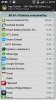
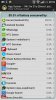
I have an HTC One, not sure which version of android that runs. When I go to settings > power > usage, I am given a screen showing the percent of each app that has contributed to overall battery drain, in addition to phone idle and other system contributions.

As far as I know, there is no details whatsoever on the timeframe this represents so I'm left to guess that it's for the lifetime of the phone. Is there a way to get details for like the current day, or perhaps for the month? Does what I'm saying make sense?

To the best of my knowledge, those percentages are actually the amount of power each app has used since you last unplugged your phone, or since the last time you recharged to full, not the amount it has used over the life of the phone.

You're spot on GuitarG20, the App Usage list clears on cessation of a charge, either before or at 100%. If you check it immediately after removing charge you only see HTC Sense and Android System (which does make 'sense' - no pun intended!! :rolleyes:)

:)
 
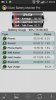
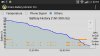
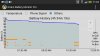
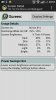
Turned off Wi-FI (and uninstalled BatteryGuru) after leaving for work today at 0730h (Airplane mode activated throughout the night and so active cycle from 0630h and I pulled in about an hour of screen on time by 0900h.
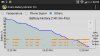
Again, I did not touch the phone much from 1000h - 1200h and the drain was ok as evidenced by the graphs attached. For some reason the standby drain in the afternoon got a little bit worse but I ended up pushing the phone to less then 10% past 2000h which is an improvement.

I suppose that my leaving the phone untouched for long periods of time (such as between 0900h and 1130h) has kind of helped but there is still a reasonable amount of drain. I will do a factory reset and hold tight for the 4.2.2 update, otherwise it's just a matter of being judicious with usage in order to make till the evening, which is easier said than done with this beautiful handset :)
 

Attachments

  • Screenshot_2013-06-25-20-34-01 (450x800).jpg
    Screenshot_2013-06-25-20-34-01 (450x800).jpg
    175.1 KB · Views: 226
  • Screenshot_2013-06-25-20-34-26 (450x800).jpg
    Screenshot_2013-06-25-20-34-26 (450x800).jpg
    173 KB · Views: 200
  • Screenshot_2013-06-25-20-34-54 (450x800).jpg
    Screenshot_2013-06-25-20-34-54 (450x800).jpg
    77 KB · Views: 206
  • Screenshot_2013-06-25-20-35-13 (450x800).jpg
    Screenshot_2013-06-25-20-35-13 (450x800).jpg
    82.1 KB · Views: 230
  • Screenshot_2013-06-25-20-37-26 (800x450).jpg
    Screenshot_2013-06-25-20-37-26 (800x450).jpg
    117.4 KB · Views: 200
  • Screenshot_2013-06-25-20-33-36 (450x800).jpg
    Screenshot_2013-06-25-20-33-36 (450x800).jpg
    148.4 KB · Views: 200
Turned off Wi-FI (and uninstalled BatteryGuru) after leaving for work today at 0730h (Airplane mode activated throughout the night and so active cycle from 0630h and I pulled in about an hour of screen on time by 0900h.
Again, I did not touch the phone much from 1000h - 1200h and the drain was ok as evidenced by the graphs attached. For some reason the standby drain in the afternoon got a little bit worse but I ended up pushing the phone to less then 10% past 2000h which is an improvement.

I suppose that my leaving the phone untouched for long periods of time (such as between 0900h and 1130h) has kind of helped but there is still a reasonable amount of drain. I will do a factory reset and hold tight for the 4.2.2 update, otherwise it's just a matter of being judicious with usage in order to make till the evening, which is easier said than done with this beautiful handset :)

Have you ran the test in power saver mode with all items selected? It makes a huge difference when the phone is just sitting there. You should lose about 1% an hour if that much at all.
 
Tlicious,

I do keep my One on Power Saver mode all the time, the only option I uncheck though is the screen brightness option.

I've had quite the interesting day with my One today.

- I did a factory reset the previous night and installed Advanced Task Killer.
- Removed phone off charger at 0630h, clocked around 45mins screen on time by close to 0900h
- I ended up getting pretty decent standby time relative to my previous times. Incidentally, my increased responsibilities at work have resulted in my inability to reach for my phone every 25 mins or so (usually Blinkfeed/Flipboard/News Republic/WhatsApp).
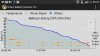
- The Power vs Percentage data in GSam Battery is pretty darn useful, it's basically a log of every percentage change throughout the battery cycle! In the attached screen you will notice that I lost only 1% between 0859h and 0946h and similarly just 1% between 0948h and 1042h! It should be noted that my usage over the past two mornings have been severely curtailed but there is a marked improvement in standby in today's performance.
- Battery life depleted faster in the afternoon as I decided that I had to sneak in some private time with the One (It's like the Kate Upton/Ryan Gosling of cell phones :p). Still I left it alone from 1637h til 1730h and lost just 1%
- After leaving work at around 1820h the battery life was 47% (with around 1hr 20 mins screen on time) and I played some music (not streaming) whilst going through apps (LinkedIn, Yahoo Finance, Seeking Alpha, BlinkFeed) for around 30-35 mins and I lost more than 10%
- Reached home by 2000h with the phone at around 25/20%
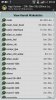
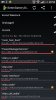
-There is actually a reduction of the msm_hsic_host wake lock, if you notice my screens provided, this is the lowest time listed in kernel wakelocks: 4hrs 44mins and 2,590 wakelocks at 2300h when I usually get more than 6hrs and 4,000 wakelocks by 1900h/2000h. I cannot be sure if the factory reset has helped with that but definitely EarlyMon's advice on Wi-Fi has made a difference as I have kept Wi-Fi off at work as my phone could be trying to pick up a weak signal from an adjacent office. I am hopeful that the 4.2.2 update will greatly reduce this wakelock.
- Keeping away from the One is another major contributing factor, although I have had bad standby drain before when not using it. I suppose that the increased length of time that I do not wake up the One has had some effect although I am fairly confident that I still cannot pull off more than a 24 hour cycle with this phone due to the drain but I am more than happy if a phone can last for 15/16 hours from 0630h up to 2100h
- Note that I do not use my phone for gaming, I did not touch the camera today and I only played one 7 minute YouTube video over Wi-Fi at home at around 2000h which seemed to drain about 3%! I swear it's like the phone will drain a little bit faster when the screen is one just to negate whatever savings were made earlier. (Yes, I have considered the possibility that I am becoming a wee bit obsessed by battery life!)
- All things said if this pattern continues then I will be fairly satisfied and as mentioned previously, I hope that the 4.2.2 update can improve my kernel & msm_hsic_host wakelocks issues.
- Plenty of screens attached as usual!
 

Attachments

  • Screenshot_2013-06-26-22-58-41 (450x800).jpg
    Screenshot_2013-06-26-22-58-41 (450x800).jpg
    173.4 KB · Views: 189
  • Screenshot_2013-06-26-23-23-39 (450x800).jpg
    Screenshot_2013-06-26-23-23-39 (450x800).jpg
    144.9 KB · Views: 201
  • Screenshot_2013-06-26-22-59-02 (450x800).jpg
    Screenshot_2013-06-26-22-59-02 (450x800).jpg
    83.1 KB · Views: 229
  • Screenshot_2013-06-26-22-57-59 (800x450).jpg
    Screenshot_2013-06-26-22-57-59 (800x450).jpg
    113.8 KB · Views: 219
  • Screenshot_2013-06-26-18-20-58 (450x800).jpg
    Screenshot_2013-06-26-18-20-58 (450x800).jpg
    218.3 KB · Views: 204
  • Screenshot_2013-06-26-11-02-42 (450x800).jpg
    Screenshot_2013-06-26-11-02-42 (450x800).jpg
    208.1 KB · Views: 246
  • Screenshot_2013-06-26-11-02-18 (800x450).jpg
    Screenshot_2013-06-26-11-02-18 (800x450).jpg
    108.4 KB · Views: 201
Do you have geotagging turned on in your camera? If so, do you need it?

Other HTC ICS and Jellybean has that keeping Maps and location actions running much more frequently, including just running the Gallery. I keep mine off.

Automatic task killers tend to eat more power than they save in the long run, keep an eye on that. They tend to get into a fight with the Android task and memory management.
 
This came from Sprint today via the HTC Tutorial for the One.

Leaving Wi-Fi, Bluetooth, Mobile Hotspot, and 4G LTE on when not actively in use can drain the battery faster.

For network settings select CDMA only. (I tried this when I first got my One but didn't see a difference. But then again I do not think I was using power saver mode. The premise behind this selection is that your phone will not scan for 4G LTE.Thereby saving you battery juice. If you don't have 4G LTE in your area it's probably a good thing to use.

Stopping running applications can help conserve battery life. (Double tapping home button and closing apps that are running. This one might be debatable on this forum as to whether this helps or not.)
 
Does double tapping the home button give you the active/running applications? Or, it just shows the previous applications you have used?
 
How are peoples battery life with power saver on with cpu,and data connection savers on,with WiFi usage,and gps off.I'm in sprint with 3g/4g on all the time until in location of a WiFi hotspot.
 
I was using Matrix 3D Cubes 3 Live Wallpaper. After going with a static background that app was a huge vampire on the battery. And it was the reason the phone was taking awhile to reach a full charge. I didn't think this live wallpaper could be such a battery hog because the wallpaper is just amazing to view on the One.

Also, I was charging my phone and surfing the net. My Battery Bot Pro app said the phone would be fully charged in about 2 hours. I'm using a longer USB/power cable than what comes with the phone so I can charge and surf in comfort. Anyway, after I double tapped the home button and closed every application running. The charge time dropped from 2 hours to 1 hour and 4 minutes. Can we all conclude that closing apps saves battery power now? The Battery Bot Pro app does an amazing job of measuring the exact time your phone will be fully charged.
 
Battery consumption is a function of the resources used by apps, and their run state. Not all apps are equal in those regards at any given time. :)

I've never met a live wallpaper that didn't consume more power than I wanted. Bummer but there it is.
 
Battery consumption is a function of the resources used by apps, and their run state. Not all apps are equal in those regards at any given time. :)

I've never met a live wallpaper that didn't consume more power than I wanted. Bummer but there it is.

I was always under the impression the apps were not "doing anything" but just sitting there and not consuming any battery power. Those apps were in a "static" state until called upon again. But I guess that's not the case.
 
I was always under the impression the apps were not "doing anything" but just sitting there and not consuming any battery power. Those apps were in a "static" state until called upon again. But I guess that's not the case.

A great many are exactly that way - hence my statement about run mode.

When an app's mode = sleep, it consumes 0% power and it's presence in memory doesn't matter - unlike the processor, power draw for ram is constant, whether filled or not.

I'd like to say that applies to most apps for most users.

Some apps won't sleep - best examples off the top of my head, various monitors and system loggers, or, your music player - that'll keep going while you run something else or even turn the screen off.

Some turn on, do their thing, see if they're in use, go back to sleep if not, and later wake up and repeat the same cycle. Many apps do that - email, weather and the like.

So it's true that background apps normally sleep but that varies by type.

Then comes resources used.

Some apps want your location, and some will go for it with GPS. And if one wants location details, it'll start Google Maps in the background. Now you've got two apps running and tapping wifi and GPS if they can - when all you wanted was geotagging on your pictures or some nice weather widget playing.

But other apps will simply do their thing, and maybe write some data to storage for you, and that's all, such as a good email app.

So, always look at app permissions before installing a new app - you can predict a lot about what to expect the more you know about those. We have a sticky thread in our Applications forum explaining those by a real expert.

And maybe keep a good monitor handy, lately I've been recommending Gsam Battery Monitor, because sometimes a bad app, or bad installation of one, or bad configuration can sneak up and cause trouble.

I think you've seen my battery graphs here - I'm highly conscientious about my apps. I don't tinker with my radios or killing apps. When I turn my screen off, my phone sleeps. The battery usage is practically a horizontal line. And so if I want to get a faster charge, rather than kill apps, I turn off the screen.

That comes with tradeoffs though.

Some apps that I like, I won't use. I still miss my favorite live wallpaper, but I chose battery life.

I like keeping a live news feed so I can see what I need at a glance. But I gave that up in favor of battery life and having to surf and refresh.

I like trying new apps, but I don't keep the ones I try and like until I'm convinced that they don't cause sleep issues.

I think of it as battery vs fun.

The more fun features you're using, the more power, ask any 3D gamer for example.

Some people have no fun and use their phone bare bones because they want days-long battery life.

So the best I can offer are some rules of thumb rather than rules because we're all individuals with individual preferences on how we do things and what we want.

Sorry this got so long, hope it helps! :)
 
On Sunday 30th June 2013, I hit my best personal screen on time on my HTC One ever! I finally hit 5 hours of screen on time! :smokingsomb:

- Spent the entire day at home and for the first time I turned off mobile data and just left Wi-Fi on. You can definitely tell a difference when mobile data is in use, even the msm_hsic_host wakelock is greatly reduced.
- Speaking of wakelocks, check out the attached screen from the Wakelock Detector app. Before I did a factory reset, my top 3 wakelocks used to Android System, Google Services & 1013 and now you can't even find those in the latest attached screen shot! (of course I have now turned off Google Now but I think the factory reset eliminated the 1013 wakelock)
- Auto brightness as always but since I was not in any brightly lit rooms, the screen was automatically dim as you can see from the stats whereas when I am out and at the office the brightly lit environment usually results in the majority of the screen brightness as being medium.
- So I have learnt that if I actually leave the phone alone for long periods of time, it will sleep properly and drain less battery as opposed to when I wake the screen every 10 minutes or so and lose 1% pretty much whenever I do so. I feel asleep from 1630h or so up to close to 1900h, check out that straight line in the battery graph!
- Pretty damn happy but I don't expect this when I go back to work tomorrow and have no Wi-Fi to rely on. Still the one thing I have learned is not to turn on the phone every 10 mins or so, if I want to make it past the evening I have to let it rest for certain periods of time, and as I am quite busy at work now, especially in the mornings, that is not an issue anymore.
- EarlyMon, Tlicious1020: This would have not happened without you guys, thanks for the assistance and let's hope that 4.2.2 update gets rolled out soon!:thrasher:
 

Attachments

  • Screenshot_2013-07-01-00-55-09 (450x800).jpg
    Screenshot_2013-07-01-00-55-09 (450x800).jpg
    151.2 KB · Views: 220
  • Screenshot_2013-07-01-00-55-34 (450x800).jpg
    Screenshot_2013-07-01-00-55-34 (450x800).jpg
    133.7 KB · Views: 223
  • Screenshot_2013-07-01-00-56-16 (450x800).jpg
    Screenshot_2013-07-01-00-56-16 (450x800).jpg
    176.4 KB · Views: 213
  • Screenshot_2013-07-01-00-57-35 (450x800).jpg
    Screenshot_2013-07-01-00-57-35 (450x800).jpg
    174.7 KB · Views: 253
  • Screenshot_2013-07-01-00-58-13 (800x450).jpg
    Screenshot_2013-07-01-00-58-13 (800x450).jpg
    120 KB · Views: 232
  • Screenshot_2013-07-01-00-58-35 (450x800).jpg
    Screenshot_2013-07-01-00-58-35 (450x800).jpg
    191.2 KB · Views: 234
  • Screenshot_2013-07-01-00-58-50 (450x800).jpg
    Screenshot_2013-07-01-00-58-50 (450x800).jpg
    138.1 KB · Views: 234
  • Screenshot_2013-07-01-00-59-01 (450x800).jpg
    Screenshot_2013-07-01-00-59-01 (450x800).jpg
    152.5 KB · Views: 225
I've got a question; Is it bad for the battery if whenever I can, I charge the One?

Let's say I get up at 7am, pull the phone off the charger, and then at noon, place the phone back on the charger (at 85% to 100%). And then maybe around 4PM, place the phone back on the charger (until 100%). And then lastly around midnight when the phone is at 40% or less, place it on the charger again until the next day (7am).

Will this degrade the phone's battery life over time?

Thank you!
 
I've got a question; Is it bad for the battery if whenever I can, I charge the One?

Let's say I get up at 7am, pull the phone off the charger, and then at noon, place the phone back on the charger (at 85% to 100%). And then maybe around 4PM, place the phone back on the charger (until 100%). And then lastly around midnight when the phone is at 40% or less, place it on the charger again until the next day (7am).

Will this degrade the phone's battery life over time?

Thank you!

Not a problem.

http://batteryuniversity.com/learn/article/charging_lithium_ion_batteries

The concerns noted in the article are addressed by the charging and safety circuitry in your phone.

You care more about heat.

Don't run your battery down if your phone is running hot, don't charge near freezing temperatures and if it's getting very hot while charging, shut down the phone. Those ought happen rarely.
 
Greetings all. So I was thinking of picking up the Mophie Juice Pack Powerstation Duo portable charger. What I'm wondering is this:

The charger has an output of 2.1 amps. Will charging at 2.1 amps damage my One? Or will the One only allow the charger to charge at 1 amp, which is what the One's user manual suggests.
 
The phone/tablet limits the amount of amperage needed.
So the charger's ability of amperage could be bigger than the phone's/tablet's needing, but should not less.

Using a higher voltage than the 5V standard USB voltage can destroy an USB device ... and not the charger's ability to supply a higher amperage at request.

For better understanding the thinking model of electricity for beginners might help :)
Think of flowing water in a pipe (the phone/tablet would be the pipe).

Voltage is the pressure of the water supply, amperage is the flowing amount of water and the pipe is the electrical consumer (its electrical resistance).
The pipe determines the amount of water when the pressure is steady.
There're only two ways for increasing the flowing amount of water:
- A bigger pipe for less resistance.
- Higher pressure of the water supply.
But higher pressure might destroy the pipe.

Harry
 
The phone/tablet limits the amount of amperage needed.
So the charger's ability of amperage could be bigger than the phone's/tablet's needing, but should not less.

Using a higher voltage than the 5V standard USB voltage can destroy an USB device ... and not the charger's ability to supply a higher amperage at request.

Harry

So here's part of the description from the Mophie power station.

" 500 mAh, 1- and 2.1-amp power options
To meet your charging needs. The special high-out design allows for swift charging."

So I believe the powerstation is able to detect the amperage needed to charge the One?
 
So here's part of the description from the Mophie power station.

" 500 mAh, 1- and 2.1-amp power options
To meet your charging needs. The special high-out design allows for swift charging."

So I believe the powerstation is able to detect the amperage needed to charge the One?

No, the one will only pull as many amps as it needs the powerstation can provide a maximum amperage, but the device connected chooses how much to pull.
 
Back
Top Bottom