
Install the app
How to install the app on iOS
Follow along with the video below to see how to install our site as a web app on your home screen.
Note: This feature may not be available in some browsers.
-
After 15+ years, we've made a big change: Android Forums is now Early Bird Club. Learn more here.
You are using an out of date browser. It may not display this or other websites correctly.
You should upgrade or use an alternative browser.
You should upgrade or use an alternative browser.
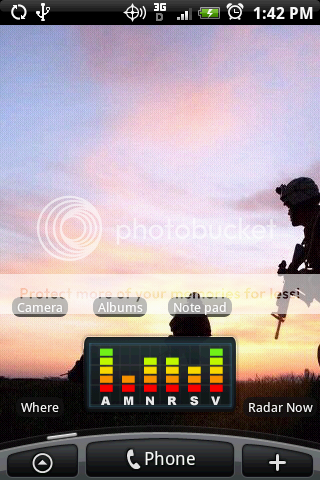
Lets see your UI layout!
- Thread starter GrdLock
- Start date
-
- Tags
- htc droid eris


Awesome, thanks! How do you make icons on your phone? I don't know how...
Download a program called better cut, its pretty cheap and will elet you use any icon.
BetterCut v2.0 Application for Android | Tools

karib
Android Enthusiast
Calendar

I love this Android Agenda Widget, just downloaded it but I'm having one hell of time trying to get the dates (on the left hand side, looks like they are on a calendar) to show up like that. Can anyone give me some hints? I'm new to the smart phone world and its been fun learning how to do things but also infuriating. Any help will be greatly appreciated!
Never mind, I'm an idiot!
ok, can you help me figure it out now? lol
karib
Android Enthusiast
Lock Screen
From far left to far right:
Calendar
I know someone just asked you how you got the white square canlendar like date to show up on the agenda widget, but he figured it out! I can't seem to get mine to look like that. Do you know what settings you used?
 (almost)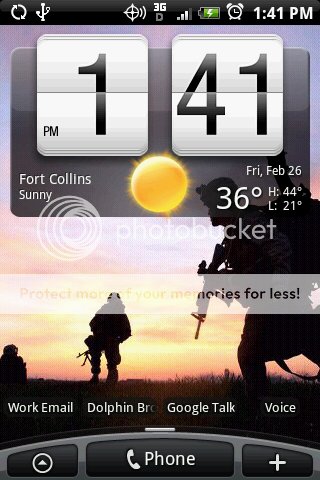
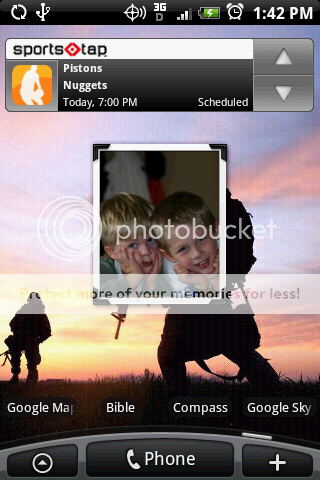
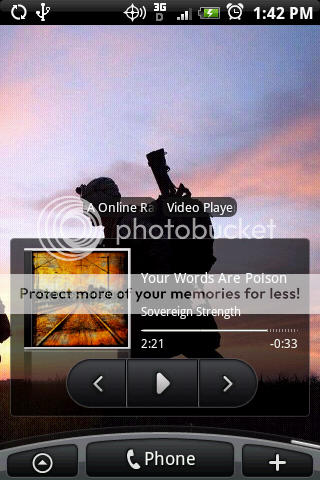
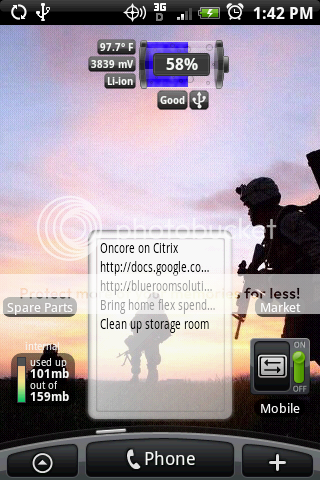

hattrick
Well-Known Member
I had the same problem and would also like to know the answer.I know someone just asked you how you got the white square canlendar like date to show up on the agenda widget, but he figured it out! I can't seem to get mine to look like that. Do you know what settings you used?

the208
Well-Known Member
I know someone just asked you how you got the white square canlendar like date to show up on the agenda widget, but he figured it out! I can't seem to get mine to look like that. Do you know what settings you used?
In widget's settings, make sure you uncheck the "Use simple layout" box.

Does anyone know what skin this is?...
And what wallpaper is that?...
And how do you get rid of the little search magnifying glass in open home?...
Thanks...

thetomlin2
Guest
I had a request for a couple icons ... here they are


thetomlin2
Guest
I know someone just asked you how you got the white square canlendar like date to show up on the agenda widget, but he figured it out! I can't seem to get mine to look like that. Do you know what settings you used?
Go into settings (the hammer and wrench icon at the bottom of the calendar) > Event Settings > Un-check One date icon per day.
I had a request for a couple icons ... here they are
hey thanks a lot man, these are exactly what i was looking for! i'll post some pics of it soon.
thetomlin2
Guest
After seeing the Pure Messenger Widget on a few peoples screenshots I decided to buy it ... it looks great, but I am having a hell of a time getting it to update on a regular basis. Has anyone had this problem and fixed it? I use it for Twitter and Facebook, not email or text.
hattrick
Well-Known Member
I only use it for messages and mail so I can't help. But I would email the developer, Koxx. He's a member here and seems to be very responsive.After seeing the Pure Messenger Widget on a few peoples screenshots I decided to buy it ... it looks great, but I am having a hell of a time getting it to update on a regular basis. Has anyone had this problem and fixed it? I use it for Twitter and Facebook, not email or text.

Philosophre
Well-Known Member
Thanks to all who took the time to post up their screenies. Gave me a good amount of ideas.
I got two questions tho.
1) Why do people like to put a clock on their home screen? It isn't like there isn't a clock at the top of the screen already. Even if you are in a hurry and just need the time for those of you who don't use a watch, the lock screen itself has the clock.
2) I like widgets. I got the Eris for widgets. So I want Sensu. But I want to edit my screens to my personality. Plus I got lots of time. So my question is which editor does what specifically? I know there are three. And I believe one of the three does not function with Widgets. Which one of Dxtop, BetterCut, or A Home?
I really want to personalize my eris, but spending $2 here and there gets expensive. So the editor that allows me to do more with less spending would be great.
Thanks.
I got two questions tho.
1) Why do people like to put a clock on their home screen? It isn't like there isn't a clock at the top of the screen already. Even if you are in a hurry and just need the time for those of you who don't use a watch, the lock screen itself has the clock.
2) I like widgets. I got the Eris for widgets. So I want Sensu. But I want to edit my screens to my personality. Plus I got lots of time. So my question is which editor does what specifically? I know there are three. And I believe one of the three does not function with Widgets. Which one of Dxtop, BetterCut, or A Home?
I really want to personalize my eris, but spending $2 here and there gets expensive. So the editor that allows me to do more with less spending would be great.
Thanks.


davros
Android Enthusiast
Does anyone know what skin this is?...
And what wallpaper is that?...
And how do you get rid of the little search magnifying glass in open home?...
Thanks...
look s like the hero 1.2.1 skin. in open home with out the app tray in use I have it. see the star to the right its an app slider.
the magnify glass option is in the settings uncheck it
Philosophre
Well-Known Member
Well I just grabbed dxTop, AnyCut (BetterCut's predecessor), and Open Home Lite which were all free.
And it is still pretty hard to decide which one to go. Anyone got any inside info to sway me?
ATM I am switching between those 3 and the original Sense.
And it is still pretty hard to decide which one to go. Anyone got any inside info to sway me?
ATM I am switching between those 3 and the original Sense.
thetomlin2
Guest
Well I just grabbed dxTop, AnyCut (BetterCut's predecessor), and Open Home Lite which were all free.
And it is still pretty hard to decide which one to go. Anyone got any inside info to sway me?
ATM I am switching between those 3 and the original Sense.
It depends on what you want to do. I dont want to use a home replacement, so I use bettercut to replace icons and still use sense. In the end it depends on what you want to do.

semmtexx
Newbie
I really want to post my Layouts, but I downloaded the SDK but I don't see a .dmg to open or "execute". (Gasp, I don't have have a PC, and would rather avoid turning on my fusion ware windows xp..it makes me feel gross.)
Am i doing something wrong?
Edit: Tampering with forces of nature, downloading Eclaire or something, hoping that this has a DDMS file or something like that.
I guess being at apple has made me want everything to kind of just work, very simply. :/
W4LLY: The DDMS application is located in the "tools" folder in the android sdk main folder. USB debugging must be enabled on your device under settings>applications>development. You also need to have the android USB drivers installed. The deirections for this are located on the android code site under installation. Also, you have to have a Java runtime environment already installed on your machine like Eclipse or IDE.
Yeah it's alot of steps and will be alot easier when we get root access. Here is a link to some good directions for taking a screen shot this way. Pay attention to the details.
Taking screenshots on an Android-based phone
the208
Well-Known Member
1) Why do people like to put a clock on their home screen? It isn't like there isn't a clock at the top of the screen already. Even if you are in a hurry and just need the time for those of you who don't use a watch, the lock screen itself has the clock.
This is a good question. After a bit of analysis, I realized that I don't use the clock on the home screen. It's the lock screen clock that I use. I think I'm going to remove it and fill the space with something else.


Podivin
Android Expert
Thanks to all who took the time to post up their screenies. Gave me a good amount of ideas.
I got two questions tho.
1) Why do people like to put a clock on their home screen? It isn't like there isn't a clock at the top of the screen already. Even if you are in a hurry and just need the time for those of you who don't use a watch, the lock screen itself has the clock.
I put a clock on my home screen for quick access to the alarms. Some days I have to park all day at a meter, and I use an alarm to tell me when it's time to go feed the meter.
semmtexx
Newbie
Thanks to all who took the time to post up their screenies. Gave me a good amount of ideas.
I got two questions tho.
1) Why do people like to put a clock on their home screen? It isn't like there isn't a clock at the top of the screen already. Even if you are in a hurry and just need the time for those of you who don't use a watch, the lock screen itself has the clock.
Different strokes for different 'folks, my friend. Ever watch the very first Sens UI Hero demos by HTC's John Wang? The point is personal customization. You could have all seven screens blank for all I care. I just laugh every time I hear "Why would someone want to..."? If I want to put 4 analog clocks, all different time zones on one screen, who cares? The point is that there is no right or wrong with Sense UI. You decide how it looks and feels.

dewalist
Android Enthusiast
Well I just grabbed dxTop, AnyCut (BetterCut's predecessor), and Open Home Lite which were all free.
And it is still pretty hard to decide which one to go. Anyone got any inside info to sway me?
ATM I am switching between those 3 and the original Sense.
I use dxTop and can't imagine using anything else. Having the home screens arranged in a diamond pattern is genius - all four of my screens are one finger flick away no matter which I am on at the time. No more flick-flick-flick-flick-flick to get from one screen to another. In addition, they allow you to flip the bottom row into a 5-item dock, while still retaining the "all programs" list and their task manager by using long-press on menu and back buttons. App categorization is also very important to me, and dxTop has it built-in. So now I have "apps" and "games" shortcuts on my home screen, and I rarely have to pull up the "all programs" list.
Just my $.02 - I'm sure it isn't for everyone...


refthemc
Well-Known Member
Download a program called better cut, its pretty cheap and will elet you use any icon.
BetterCut v2.0 Application for Android | Tools
I just tried putting some custom icons but they came out all pixelated....bummer
Edit: The desire icons you posted worked great. Thanks mothy. But the Icon packs from bettercut still came out goofy