

Install the app
How to install the app on iOS
Follow along with the video below to see how to install our site as a web app on your home screen.
Note: This feature may not be available in some browsers.
-
After 15+ years, we've made a big change: Android Forums is now Early Bird Club. Learn more here.
You are using an out of date browser. It may not display this or other websites correctly.
You should upgrade or use an alternative browser.
You should upgrade or use an alternative browser.
Root [MOD] Apex V1.4 Circle Battery
- Thread starter ECFfighter7232
- Start date
-
- Tags
- motorola droid x
Anyone else having an issue launching the Dialer after applying the circle mod?
When I try to open the Dialer the screen blinks, and it looks like I lose cell and data signal for a second.
Going back to the original framework or clearing the dialer data did not help.
When I try to open the Dialer the screen blinks, and it looks like I lose cell and data signal for a second.
Going back to the original framework or clearing the dialer data did not help.
ECFfighter7232
Android Expert
Anyone else having an issue launching the Dialer after applying the circle mod?
When I try to open the Dialer the screen blinks, and it looks like I lose cell and data signal for a second.
Going back to the original framework or clearing the dialer data did not help.
nope, I just tested out mine and it works fine....
nope, I just tested out mine and it works fine....
hmm, I restored and am trying it again.
ECFfighter7232
Android Expert
It looks like it might not break until I modify the screen density using jrummy's overclock app.
Yup looks like it breaks after I run a build.properties mod.
I THINK I remember reading this somewhere before but for the life of me cant find the post now
ECFfighter7232
Android Expert
I think several people have commented on "one" dialer and liked it... I think I have that name right

I am getting closer, just missing that Gingerbread Blue circle battery.
I'm working on it now... should have PNGs to you shortly. I got back in later than I thought so I had to wait until now to start on them. Will keep you posted.
No worries, beggers can't be choosers.I'm working on it now... should have PNGs to you shortly. I got back in later than I thought so I had to wait until now to start on them. Will keep you posted.
OK, here are links to revised green icons and all new blue icons. Fab, feel free to update the toolbox with both if you want to offer both:
Blue Icon Pack - PNGs ONLY (Battery Status): http://dl.dropbox.com/u/1842772/blue_icons.zip
Green Icon Pack - PNGs ONLY (Battery Status): http://dl.dropbox.com/u/1842772/green_icons.zip
Blue Icon Pack - PNGs ONLY (Battery Status): http://dl.dropbox.com/u/1842772/blue_icons.zip
Green Icon Pack - PNGs ONLY (Battery Status): http://dl.dropbox.com/u/1842772/green_icons.zip
Here is the GingerBlue I am rolling with:
<see attachment>
Before you ask for the theme, this is my first port attempt and I don't think I am too close to releasing something workable. I have a couple of issues to work out and the biggest one is how to make it a flashable zip. No real ETA and there is a decent chance someone like Fab who knows what they are doing will port or make the GingerBlue before me, but at least you now have the circle battery pngs thanks to bhmstuff.
<see attachment>
Before you ask for the theme, this is my first port attempt and I don't think I am too close to releasing something workable. I have a couple of issues to work out and the biggest one is how to make it a flashable zip. No real ETA and there is a decent chance someone like Fab who knows what they are doing will port or make the GingerBlue before me, but at least you now have the circle battery pngs thanks to bhmstuff.
Attachments

How hard was it to do the other graphics? I was thinking of trying an all orange theme (instead of the default green) but I didn't want to get in over my head.
And glad you like it! I'm actually going to be working on the 3G and Wireless icons next.
Since I am working on "porting" another theme, I didn't create the images, I am basically taking the images from an already created theme and replacing pngs from the stock apeX apks.
So, basically if you find another theme you really like, you can strip out the pngs and port them over. Obviously before you circulate it, you should double check with the original themer and give them some credit for their work.
If you want to be uber lazy like me, I found this worked pretty well.
Port Any Android Theme to Any Build | xda-developers
I am not sure if it copied over all the modifications, hence I am not real close to releasing it, but it seemed to do a decent job. I did get a lot of messages saying the file does not exist but it did seem to work.
Port Any Android Theme to Any Build | xda-developers
I am not sure if it copied over all the modifications, hence I am not real close to releasing it, but it seemed to do a decent job. I did get a lot of messages saying the file does not exist but it did seem to work.
OK, here are links to revised green icons and all new blue icons. Fab, feel free to update the toolbox with both if you want to offer both:
Blue Icon Pack (Battery Status): http://dl.dropbox.com/u/1842772/blue_icons.zip
Green Icon Pack (Battery Status): http://dl.dropbox.com/u/1842772/green_icons.zip
While trying to flash the the green icons zip, clockwork freezes up. and i have to battery pull to recover.
While trying to flash the the green icons zip, clockwork freezes up. and i have to battery pull to recover.
That is just a file of the PNGs and is not meant to install. Try this link instead:
http://dl.dropbox.com/u/1842772/Apex-1.4_Green_Circle_Alpha.zip
Second one for those who would like it.
100%-80% is Blue
70%-60% is Green
50%-40% is Yellow
30%-20% is Orange
15%-0% is Red
You can get it HERE
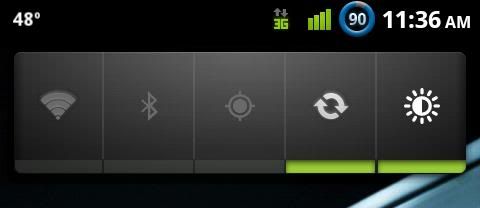
After downloading the file what should i do extract it to get the different color icons and then i can install the one i want ? . Do the other colors look like the green ? , the style of the green is very nice .

ECFfighter7232
Android Expert
After downloading the file what should i do extract it to get the different color icons and then i can install the one i want ? . Do the other colors look like the green ? , the style of the green is very nice .
no, you install the zip in clockwork. the colors of the battery symbol change depending on how much battery percentage you have left... just like the breakdown describes. starts off blue with a full battery then goes to green yellow orange and red as your battery goes down


Raptor912
Android Enthusiast
Does this install through boot strap recovery and then just install the zip or how?
Yes, install the zip through bootstrap, just like a ROM. I am not sure if you have to mount the system or not though.