• After 15+ years, we've made a big change: Android Forums is now Early Bird Club. Learn more here.

***Official Photon 4G Accessories Discussion Thread***

Looks like my 1950mah batteries should be here within the next few days. Once I get them and charge, I'll test out one of the batteries for a full day, prior to reporting my findings.
 
Got my 1950mah batteries in and the charger. 1st thing I noticed, USB port doesn't work (usually use that to charge my bluetooth, but not a deal breaker).

Next thing I noticed, the 1950mah battery (labeled as bf6x on the ebay listing I purchased) is slightly thicker than the OEM Motorola battery. At first, it seemed like it wouldn't fit, until I realized that it did fit and actually was just extremely snug (which is good because that means no excess movement). On top of that, the battery cover actually feels tighter as far as it being clamped onto the phone. You know the "squeaky" sensation that some have been experiencing (myself included). No longer there with this thicker battery (which I'm hoping is somewhere near the 1950mah that was advertised.

As for the battery life, I just put it into the MoPho, so I'll report back tomorrow since I don't intend on charging the entire day, just to test this out. I also know that I have to use the NAV a couple times tomorrow, so that'll be at least 1.5 hours of driving without charging and the NAV being in use.
 
Don't have any problem with battery life. I was however interested in the desk dock. The one that came from Motorola is a little more money than what I want to spend. It also does a lot more. All I was interested in was a charging cradle, maybe one that can sync as well. I found one, after market. They don't have a picture so I am not getting one just yet. I would like to see what it looks like but I thought I would post the link for anyone else with an interest in such a thing. $25 USB Sync and Battery Charger Cradle Dock for Motorola Photon
 
I also got these 1950 mAh batteries with a charger yesterday from seller hk_plaza. Delivery took a long time, almost a month. After charging, I think that one battery (our 3 purchased with the chager) is dead. I have also a problem with attaching the back cover. Are there any tricks to snap this cover without trial and error?
 
I also got these 1950 mAh batteries with a charger yesterday from seller hk_plaza. Delivery took a long time, almost a month. After charging, I think that one battery (our 3 purchased with the chager) is dead. I have also a problem with attaching the back cover. Are there any tricks to snap this cover without trial and error?

Um, I have to revise what I said earlier. At first, it was no problem. As soon as I took the back cover off again, when I tried to reattach the cover, it had gaps on the bottom near the kickstand. The battery might be slightly too thick to work with this back cover.

I'm going to charge another battery during the day and see if it makes any difference.

As far as battery life is concerned. Bad idea to compare it using nav on 2 45 minute drives without using the charger. My battery was dead by the time I was headed back home...LOL. Now, considering I left the phone without charging over night, that's not "entirely" bad, but still not sure if these are truly 1950mah. Seems like they really could be, considering they're definitely thicker than the OEM, but it doesn't work perfectly with the back cover as I originally thought.
 
So I tried the batteries that I won on ebay. They are not 1500 mah. They stink. When they charge they charge from 0-50% normally, then hops to 90% magically. It discharges the same way, normally from 100-50, then drops to 5%. Not planning on using these expect for emergencies.
 
I'm SO happy that Motorola considers the back cover an "accessory" that's covered under their 1 year warranty. Because of that, I already had a backup cover. I can confirm that, even though the back cover initially worked with the 1950mah battery, once I tried to remove it...a couple of the clips likely chipped off just enough (when removing the back cover) that they would not hold the back cover on anymore (not even with the OEM battery).

So, I've decided to only use the 1950mah batteries, in the event of emergency situations.

But, for those of you whose back covers might have slightly broken the clips (due to using the bigger 1950mah), I'd highly suggest chatting with Motorola on their website and they should be happy to send you a replacement cover at no charge (covered under their warranty policy).
 
I am having trouble using my car dock with the hard gel case I have. When I go to put my MoPho in the cradle, it wont recognize that it'd on the dock. It works when not in the case. Is anyone else having this problem? Its a TPU case and yes, I am removing the insert.

 
I bought 2 of the tpu cases from amazon. A light and dark smoke argyle. I decide to keep the dark smoke,I would like to sell the light smoke one.
Do we have a marketplace or can I just sell it here?
 
I have a BlueAnt Q2 (I had a Q1 I used with my Pre), which I really like. Small, simple, lightweight, loud, clear incoming call quality... and I love the voice commands.


Does anyone have a bluetooth headset that they actually like and goes well with the MoPho? I'm thinking of getting the Motorola H720.
 
Same issue here - it's a fit and finish issue - the tolerances aren't close enough. ...and I have to wonder how long before one of these connectors fail due to all the having to be jiggled and shoved into one dock or charger.

Coming from a Pre with mutiple touchstones - I find plugging in to charge is SO 20th century. ;-)

Magnetic induction charging and wireless sync should be universal on all phones - like it is with toothbrushes.

FYI to former Pre/touchstone users -the touchstone can actually be used as a stand for the Photon. The magnet in the touch stone is strong enough to hold the Photon - by the kickstand! Not solid as a rock - but it works great on the coffee table and in portrait mode it works better than the kickstand IMHO, anyway.


I am having trouble using my car dock with the hard gel case I have. When I go to put my MoPho in the cradle, it wont recognize that it'd on the dock. It works when not in the case. Is anyone else having this problem? Its a TPU case and yes, I am removing the insert.
 
Daily Deals, 1 Sale A Day has 32gb micro SD, class 4 on sale for $34.98 shipped. Hurry up before it's sold out.
Well, I bought this the very same day you posted it. (Actually bought 4 of them) :D One each for my two Photon 4Gs, one for my sisters EVO4G and one for my Notion Ink Adam tablet.
And after much waiting and waiting and waiting, I started to get the feeling that it was a scam. So I looked into it. Apparently the company is from NYC. It has two addresses the first one at 471 Cozine Ave and the other at 961 Elton Street, which ironically is the same corner 40,000 sq ft warehouse building. The reviews on that second link is troubling though. :eek:
Anyway, the item finally got shipped home today. total wait time, 15 days from order to home (felt like they were coming from China direct). :eek:
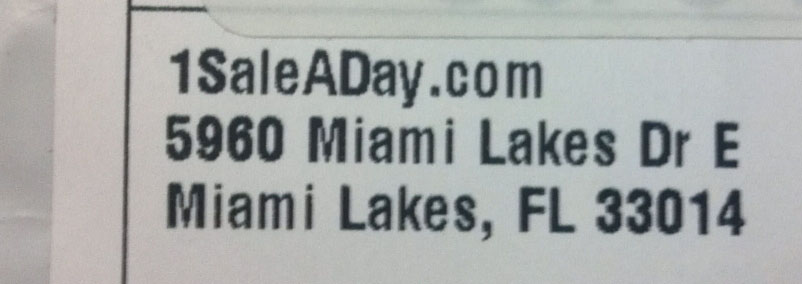
Another thing, the shipment came from Miami Lakes Florida. (Right across from the Police Dept.) lol So I guess that's one of the guys warehouses.
1saleadayAddress.jpg

Full chat with the owner here and here.
Bottom line that site is much like Woot.com before they were bought out by Amazon. So it seems legit.

Anyway, all 4 sd cards came in, and I immediately went to test them to see if they are fakes. I used two testing apps to test the sd cards.
There is one called h2testw which ebay recommends (helpful when doing a dispute for those sd cards you buy on ebay and end up not being as advertised).
and the other is CrystalDiskmark.

With h2testw the results are..
Test finished without errors.
Writing speed: 5.55 MByte/s
Reading speed: 16.5 MByte/s

With CrystalDiskmark, the result is...
Seq Read: 17.97
Seq Write: 6.130

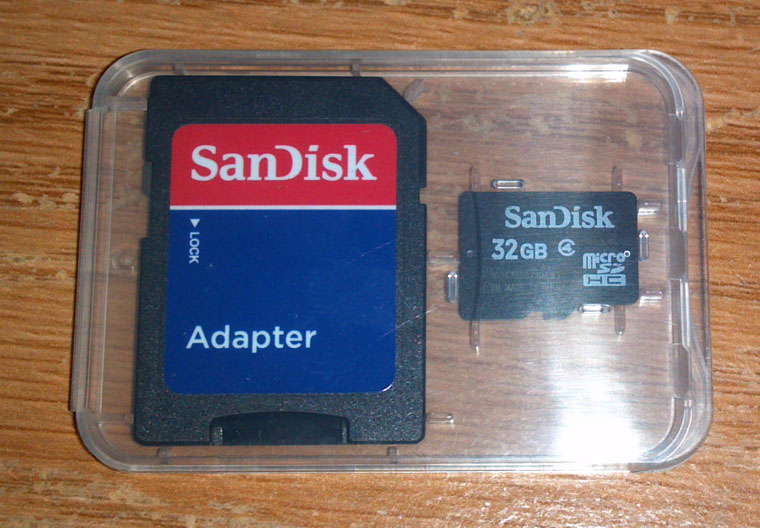
So although the site may seem questionable and they do take a long time to ship stuff, I am happy to report that they did get here and are as advertised Sandisk 32GB Class 4 (or more acording to the test) cards.
Sandisk32GB_01.jpg


TS out
 
Well, I bought this the very same day you posted it. (Actually bought 4 of them) :D One each for my two Photon 4Gs, one for my sisters EVO4G and one for my Notion Ink Adam tablet.
And after much waiting and waiting and waiting, I started to get the feeling that it was a scam. So I looked into it. Apparently the company is from NYC. It has two addresses the first one at 471 Cozine Ave and the other at 961 Elton Street, which ironically is the same corner 40,000 sq ft warehouse building. The reviews on that second link is troubling though. :eek:
Anyway, the item finally got shipped home today. total wait time, 15 days from order to home (felt like they were coming from China direct). :eek:
Another thing, the shipment came from Miami Lakes Florida. (Right across from the Police Dept.) lol So I guess that's one of the guys warehouses.
1saleadayAddress.jpg

Full chat with the owner here and here.
Bottom line that site is much like Woot.com before they were bought out by Amazon. So it seems legit.

Anyway, all 4 sd cards came in, and I immediately went to test them to see if they are fakes. I used two testing apps to test the sd cards.
There is one called h2testw which ebay recommends (helpful when doing a dispute for those sd cards you buy on ebay and end up not being as advertised).
and the other is CrystalDiskmark.

With h2testw the results are..
Test finished without errors.
Writing speed: 5.55 MByte/s
Reading speed: 16.5 MByte/s

With CrystalDiskmark, the result is...
Seq Read: 17.97
Seq Write: 6.130

So although the site may seem questionable and they do take a long time to ship stuff, I am happy to report that they did get here and are as advertised Sandisk 32GB Class 4 (or more acording to the test) cards.
Sandisk32GB_01.jpg


TS out

TS, u totally should've asked me if they're legit. Yes, it's just like woot and I've purchased a bunch of things from them before, so I can confirm they have good products. Bought my jawbone icon for 30 b4 and even have tablets on sale from time to time. I can also confirm, shipping sometimes takes forever, but worth it for some prices they have.
 
Only difference is that it says refurbished and only a 90 day warranty. The 1saleaday deal didn't say that.

TS

Good point, TS. Yeah, it's hit or miss with some deals being new vs. refurbished. Sometimes they have new items, other times refurbished.
 
I got the TPU case and I really like it, thanks for the recommendation TS, I also got a no glare screen protector that I like as well. Thanks for the recommendations guys, its helpful to have your honest reviews!
 
Okay folks time for another review. :D

I've notice that throughout the thread and forum for that matter, we are in constant search of compatible batteries and I for one have amassed a nice collection of them. The only problem is I only have two official Motorola Wall chargers. So with about 6 batteries to charge and only two chargers I really need another one.

In my last review on Sept 3rd (see post #204) I bought the charger off of ebay and it works really well except that the side usb port does not have enough juice to charge the Photon if connected via usb cable.

Well it seems that I finally found perfect charger, one that is universal and well.. just read the review. (I'm not letting you get off that easy.) :p

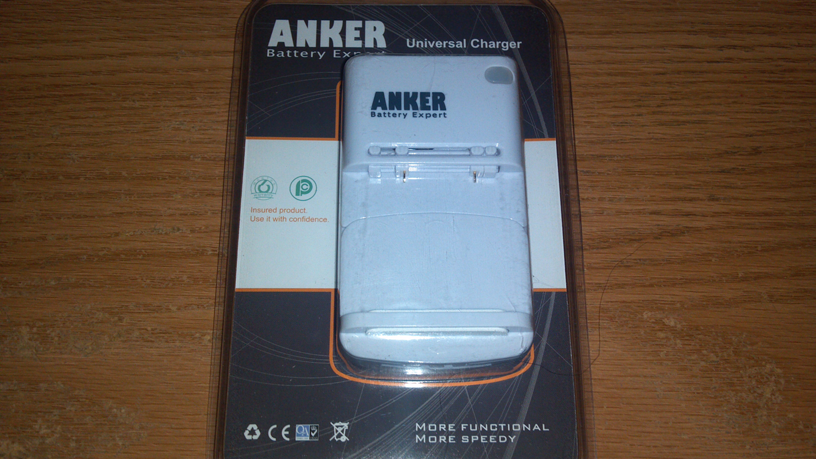
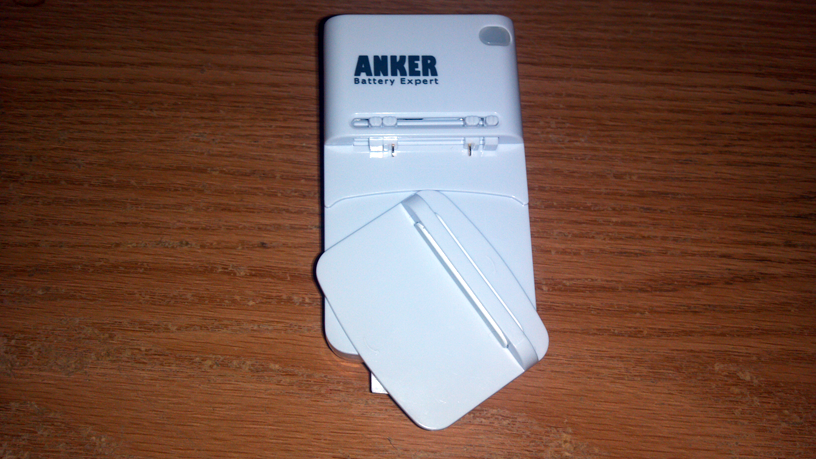
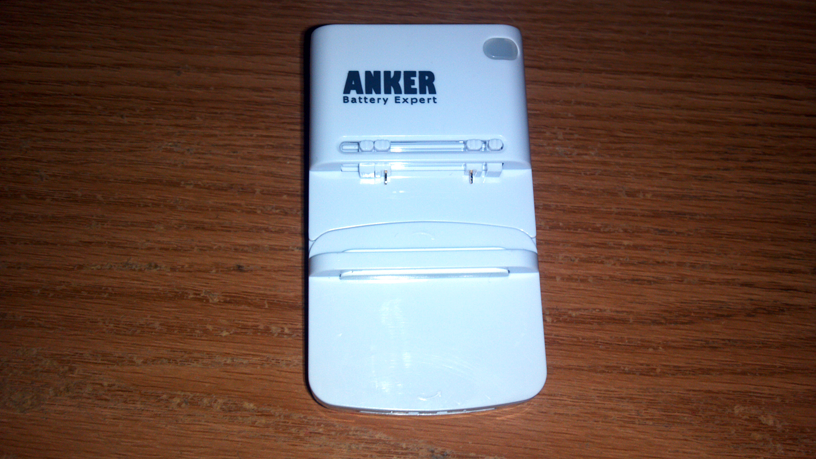
This is the Anker Universal Charger.
Sold on Amazon for $8.99 (if you are on Prime)

The product came in in its usual plastic packaging.
AnkarUniversalCharger01.png


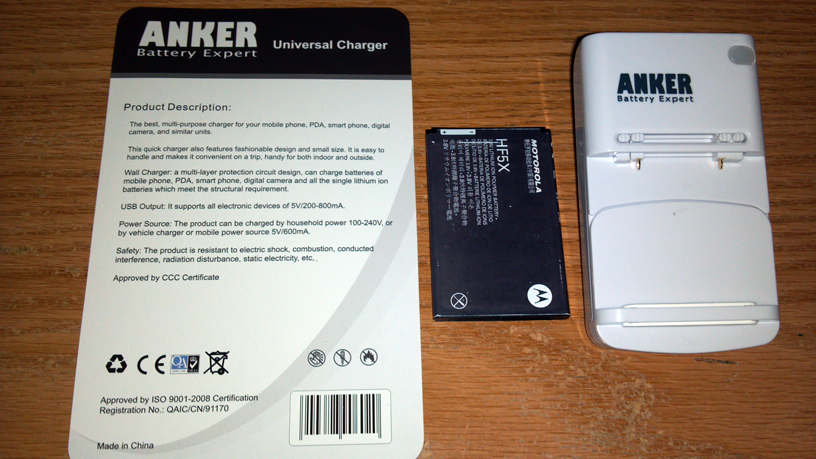
The back of the card insert just gives the description and what devices it supports via usb output and power source info. Here is the back of the card insert along side the Motorola Photon HF5X battery and the charger itself.
AnkarUniversalCharger02.png


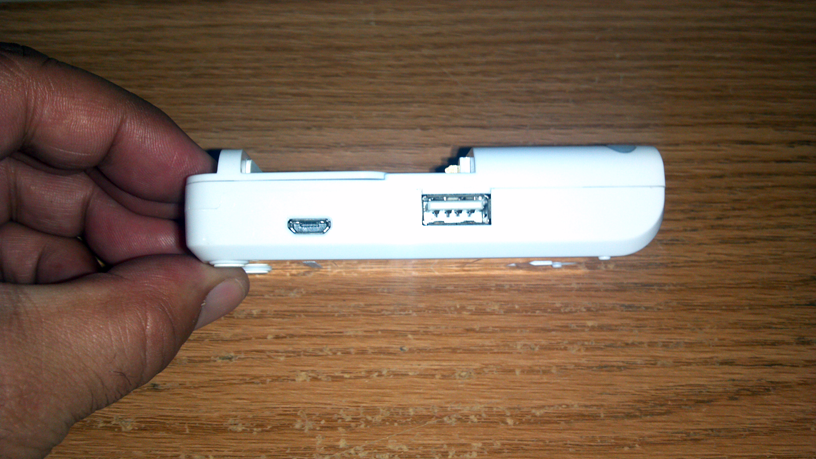
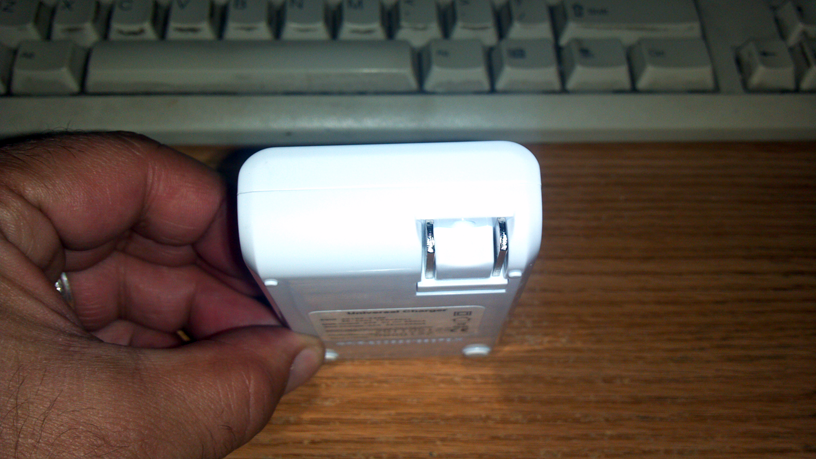
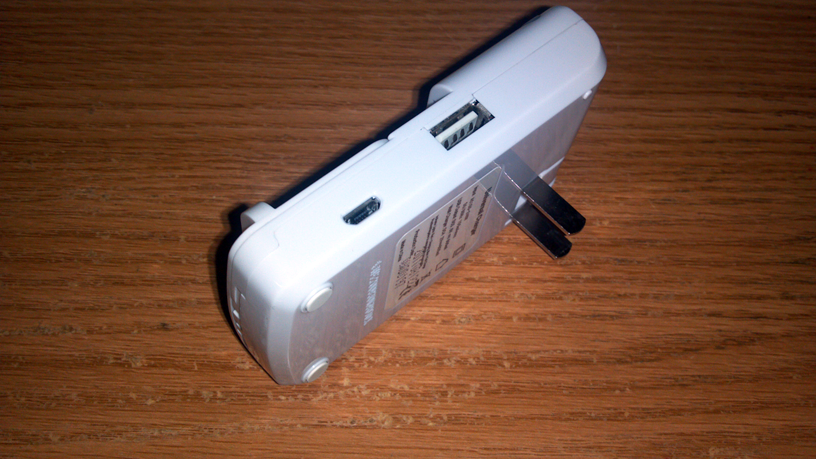
The right side of the charger has a standard USB port as well as a mini usb port.
AnkarUniversalCharger03.png


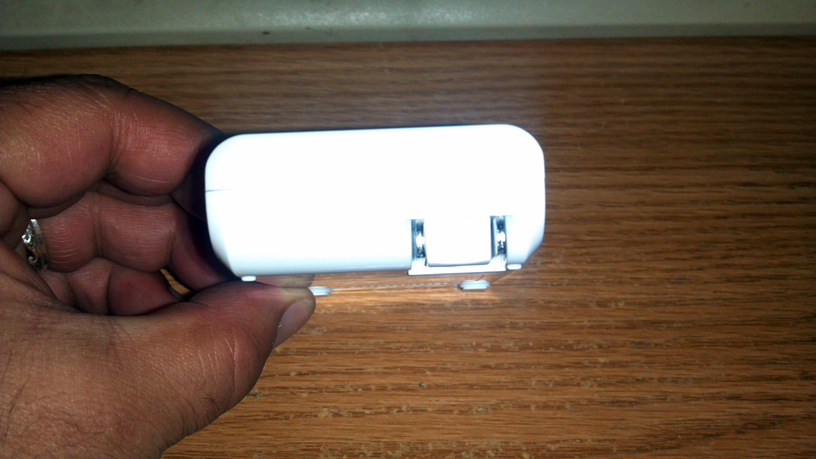
On top is the retractable wall charging prongs.
AnkarUniversalCharger04.png


Another view
AnkarUniversalCharger05.png


Another view sideways showing the two ports and the prongs extended.
AnkarUniversalCharger06.png


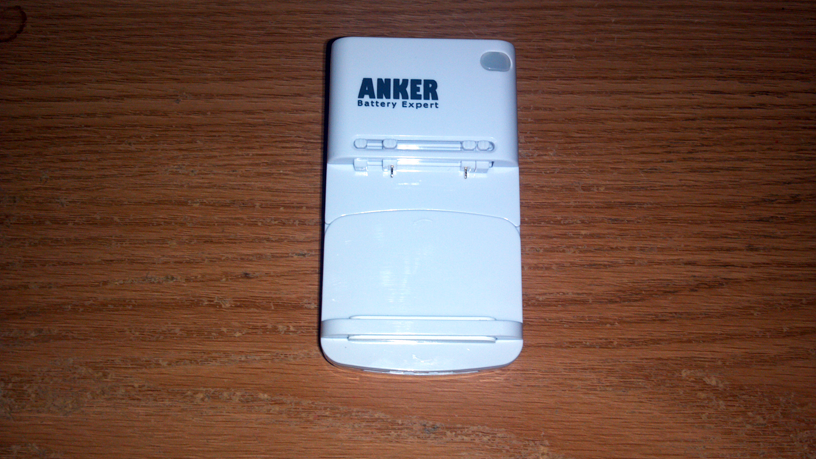
Here is the front of the charger. It has a led on the upper right side. Four sliding switches/floating pins, two of which are the actual charging pins and the spring loaded sliding/extending bottom self.
AnkarUniversalCharger07.png


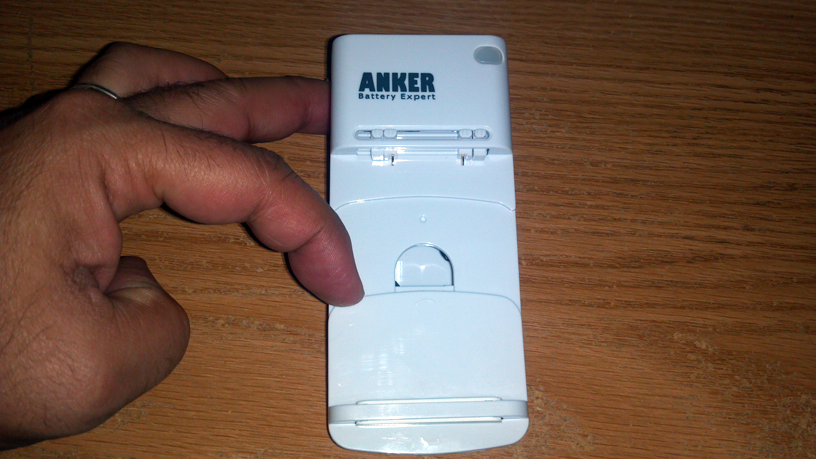
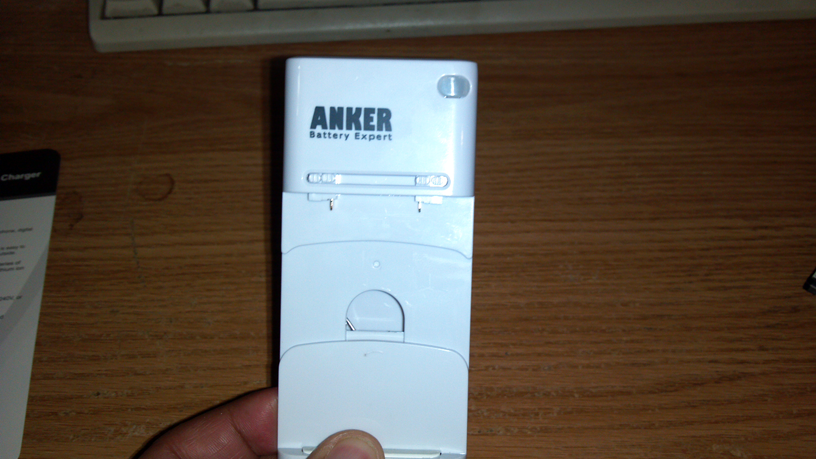
The bottom sliding shelf is actually spring loaded to extend downward to allow for really big batteries.
AnkarUniversalCharger08.png


The bottom shelf is also able to switch orientation to allow smaller batteries.
AnkarUniversalCharger09.png


Here you see the placement for smaller batteries.
AnkarUniversalCharger10.png


To charge any battery, you expand the lower spring loaded shelf to the size of the battery to be charged.
AnkarUniversalCharger11.png


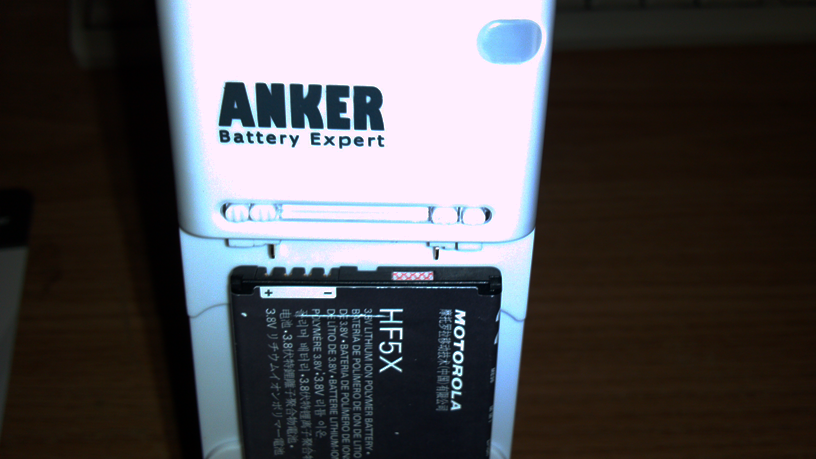
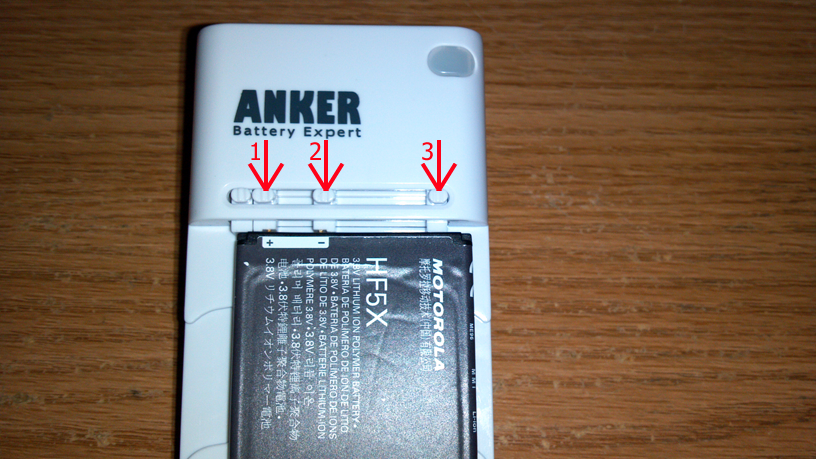
Here you see the Photons battery placed into position. The batteries info and logo should be facing you with the positive terminal to the left.
The two left switches stay as far left as possible.
AnkarUniversalCharger12.png


As shown in this photo, the two left switches stay as far left as possible. The 3rd switch should make contact with the negative battery terminal. The far right switch should be all the way to the right. This will allow the battery to make good contact and keep it from being tilted.
AnkarUniversalCharger13.png


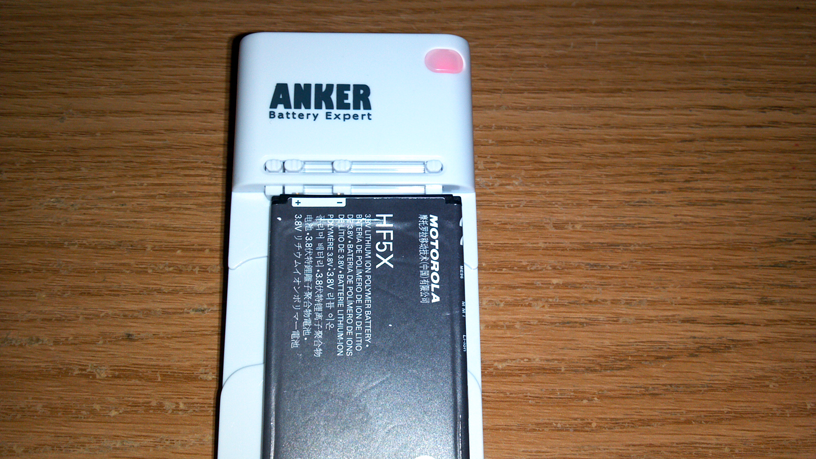
The led light for some reason turned on even though I was not connected to the wall/outlet but immediately turned off. This photo shows the correct placement of the battery.
AnkarUniversalCharger14.png


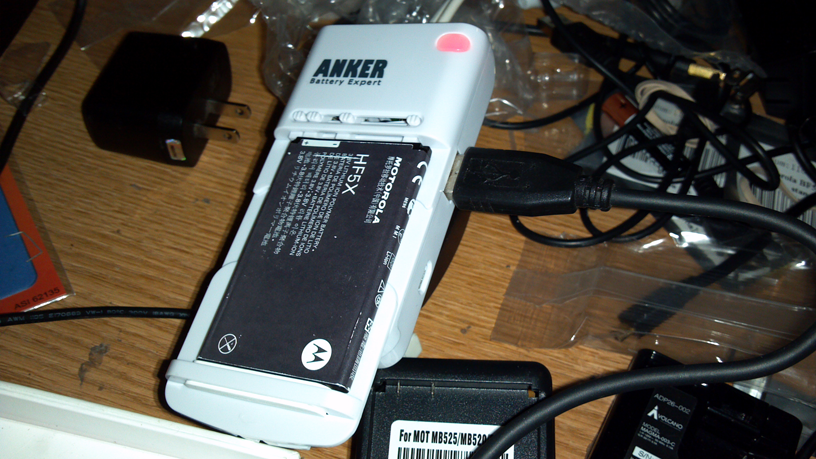
Once connected to the wall/outlet, the led turns on (red) and the battery starts to charge. btw, the Motorola battery in the these images was fully drained. I then connected the USB cable to the chargers side and then to the photon.
AnkarUniversalCharger15.png


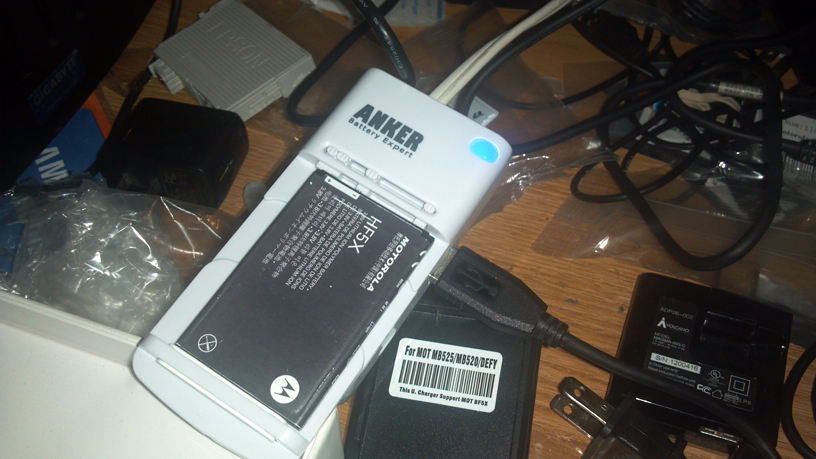
The battery in my Photon was at 59% and I am happy to report that the usb connection does indeed work (unlike the one I tested from another manufacturer back in post #204). Once the phone battery was fully charged, the light on the charger turns blue.
AnkarUniversalCharger16.png


But note, being that there is only one led indicator light, if you are charging both the battery and the phone plugged in to the usb port at the same time, the light will turn blue at the first one that is fully charged. Once I took out the phone off the usb port (being that was the one fully charged) the chargers' led turned back to red indicating that the battery on the charger still wasn't charged.

Final thoughts.
For a small price, I finally found a universal charger that actually works as advertised, small enough for travels, and able to charge two batteries (one on the charger and one in the phone) at the same time.
Only issue or future improvement i would recommend to the manufacturer would be to have an additional led, one for each charging part (usb and prongs).
I am happy.

TS out
 
Has anyone heard of a spray on screen protector? Someone told a friend of mine that he got one from his phone & they installed it for him at the mall. He called it "body armor" but being in the mall I'm thinking maybe it's actually "ghost armor" but I couldn't find anything on their website about it or anywhere else on the internet.
I asked him if he's sure they just didn't use a spray to apply the film & his friend insists the screen protector was sprayed on.
Sounds a little strange to me but it's enough to peak my curiosity so I just wondered if anyone else has heard of anything like this.
 
Back
Top Bottom