
I installed App Organizer and really like it. Now I'm only musing the Home screen and all other screens are empty. Really cool app, I just wish I could put a browser bookmark into one of the "folders".No problemI really enjoy it and am not a big fan of folders. I have a LOT of apps and it really helps being able to categorize them from one location. Adding an app to any category I want is as easy as a check mark.
Install the app
How to install the app on iOS
Follow along with the video below to see how to install our site as a web app on your home screen.
Note: This feature may not be available in some browsers.
-
After 15+ years, we've made a big change: Android Forums is now Early Bird Club. Learn more here.
You are using an out of date browser. It may not display this or other websites correctly.
You should upgrade or use an alternative browser.
You should upgrade or use an alternative browser.
Post Your Home Screen Captures
- Thread starter TVCCS
- Start date
-
- Tags
- lg optimus v

MacFett
Android Expert
Was looking at Launcher Pro, but was surprised by this:
I realize some of the stuff it will need, but read gmail, read sms?
This application has access to the following:
Services that cost you money:
directly call phone numbers
Your messages:
read SMS or MMS,
edit SMS or MMS,
read Gmail,
modify Gmail
Network communication:
full Internet access
Your personal information:
read contact data,
write contact data,
read Browser's history and bookmarks,
write Browser's history and bookmarks,
read calendar events
Storage:
modify/delete USB storage contents modify/delete SD card contents
System tools:
retrieve running applications,
make application always run,
modify global system settings
Your accounts:
discover known accounts,
view configured accounts
Hardware controls:
control vibrator
Your personal information:
choose widgets
System tools:
kill background processes,
expand/collapse status bar,
set wallpaper,
set wallpaper size hints
I realize some of the stuff it will need, but read gmail, read sms?
Was looking at Launcher Pro, but was surprised by this:
I realize some of the stuff it will need, but read gmail, read sms?
That's only so it can give you a notification of the # of unread emails & sms on the icon if you set it that way.
MacFett
Android Expert
Thank you. Guess I am just paranoid.That's only so it can give you a notification of the # of unread emails & sms on the icon if you set it that way.
Who are you referring to?Can you run through what you had enabled/disabled, what apps you were running to achieve this? I'm guessing a underclocked CPU with data/wifi/sync disabled? But, knowing what all you're running would help to understand how you achieved such battery savings.

GWDavis28
Newbie
Who are you referring to?
I'm pretty sure they are referring to melim, since they posted the screen capture in their post.
Glenn |B)
I installed App Organizer and really like it. Now I'm only musing the Home screen and all other screens are empty. Really cool app, I just wish I could put a browser bookmark into one of the "folders".
Try Folder Organizer. It lets you put almost anything in a "folder" including browser bookmarks.
Folder Organizer is a paid app, and the Lite version has ads. I'll wait to see if it gets cheaper/free to try.Try Folder Organizer. It lets you put almost anything in a "folder" including browser bookmarks.
Can you run through what you had enabled/disabled, what apps you were running to achieve this? I'm guessing a underclocked CPU with data/wifi/sync disabled? But, knowing what all you're running would help to understand how you achieved such battery savings.
I'd hardly call it an achievement, more like a fluke. My phone isn't rooted, so no underclocking, and whatever I did that day isn't any different from what I do on days when my battery sucks- no battery apps (the ones I've tried since then either made no difference or made it worse), just wifi/gps/bluetooth disabled. Sometimes I disable data and sync, sometimes not. There's really no rhyme or reason to it, and I've pretty much given up trying to get the most out of my battery.
This is very nice looking. Which clock widget is this? I haven't been able to find one just like that. Thanks.


DCBlueStar
Well-Known Member
This is very nice looking. Which clock widget is this? I haven't been able to find one just like that. Thanks.
Looks like Make Your Own Clock Widget... you just design it how you want... insert the hours in numbers, on the right insert the minutes in numbers... under the hours drag the am/pm portion below the hour, and the short date portion under the minutes... then just add a separator in between the two sides.
I could be wrong though.
DCBlueStar
Well-Known Member
Ah, see. Well Make Your Own does take a while, but then again, there's almost limitless layout options.

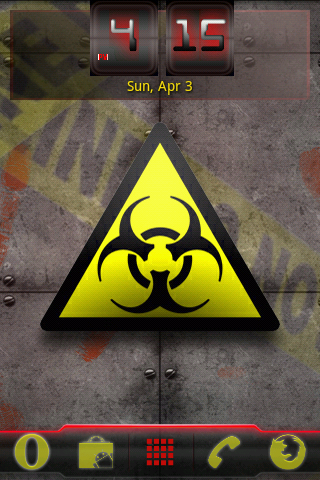
JerryScript
Android Expert
I'm currently using aospCM7 with ADW launcher and SwipePad. I keep a clean uncluttered home page, with quick easy access to most used icons in the hidden dock, and an extra hidden launcher using SwipePad.


DCBlueStar
Well-Known Member
i'm currently using aospcm7 with adw launcher and swipepad. I keep a clean uncluttered home page, with quick easy access to most used icons in the hidden dock, and an extra hidden launcher using swipepad.
Go Cowboys
Love it!


Techno.Digerat
Lurker
a new shell, SPB's Shell 3D app. What do you think of it? I don't have much of an opinion, just got my phone last week, and have been immersed in the forums. (BTW, I keep seeing the same names in quality posts)
App review: SPB Shell 3D for Android -- Engadget
Many widgets, and 16 panel carousel 3d interface. link has large pics and video.
Pics on site were too big..here's link to gallery...
App review: SPB Shell 3D for Android - Engadget
Galleries

Let me know of you qualified opinions..thanks for all your posts!
App review: SPB Shell 3D for Android -- Engadget
Many widgets, and 16 panel carousel 3d interface. link has large pics and video.
Pics on site were too big..here's link to gallery...
App review: SPB Shell 3D for Android - Engadget
Galleries
Let me know of you qualified opinions..thanks for all your posts!


bswann
Newbie
It looks good and I have had it on my Nokia/Symbian before But, for $14.99 there is no way I would use it. It is just not worth the money in my opinion.a new shell, SPB's Shell 3D app. What do you think of it? I don't have much of an opinion, just got my phone last week, and have been immersed in the forums. (BTW, I keep seeing the same names in quality posts)


