• After 15+ years, we've made a big change: Android Forums is now Early Bird Club. Learn more here.

Post Your Home Screen Captures

How are you guys changing the color of your notification bars? Also the way the icons look, such as the wavy signal strength and such.

It's because of the ROMs we're using. For instance, I'm running Inferior Human Organs CM7 Gingerbread ROM, and Gingerbread has a black notification bar. And the change of icons for some have to do with themes I think, not too sure about that.
 
It's because of the ROMs we're using. For instance, I'm running Inferior Human Organs CM7 Gingerbread ROM, and Gingerbread has a black notification bar. And the change of icons for some have to do with themes I think, not too sure about that.


Yup, its themes. CM7 roms allow you to apply themes that change the appearance of a lot of thing such as status bar & icons, popups,menus,boot animations,etc. either via the theme chooser app built in to the rom or by flashing a theme zip in recovery. In addition to the many themes available,you can also make your own via the UOT kitchen website.
 
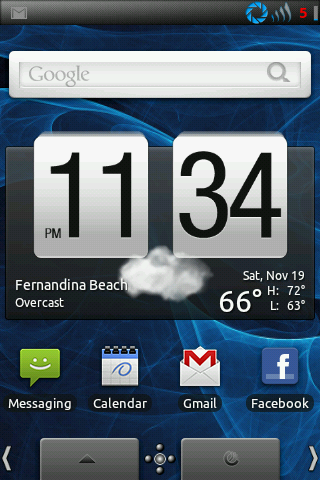
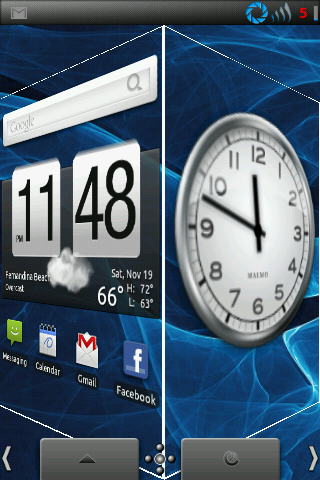
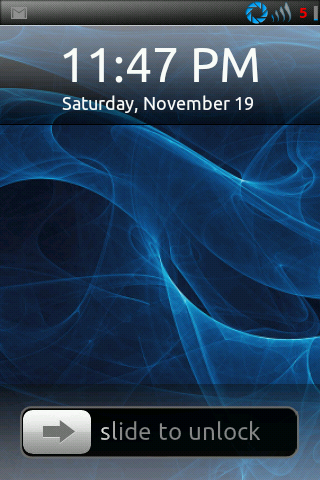
Hello. First post here outside of the Introduction sub-forum :] Thought I'd share a few of my screenshots.

screenshot-1320465711427.png
screenshot-1320954521035.png
screenshot-1320443217594.png
 
Just a general overall request, pretty please. Can you guys please give links to the apps/roms/wallpapers you are showing in your screenshots? This prevents the thread from getting bloated with requests.

Many thanks!
 
^Awwwwwwww mooooooooooom, do I hafta? It's all the same boring stuff anyway. :p

snap20111113_152008.png


Pretty much all I do anymore is change my wallpaper, lol. Font is that alpha sixteen Nyssa pointed me to. Everything else is what I've been using forever. Wall from Simple Desktops, of course, and I think I even kept it as it was. :eek:
 
^Oh, something I actually know on sight. Retro Clock Widget that is, the first one I ever used. Find it in your friendly neighborhood Android market.
 
I really like the clock+day- date on the screen shot on the right. What and where can it be found.

Melim has the answer covered. It's free in the market too.

For NoNameFace.. ;)

Rom: IHO BACKside
Wallpaper: Alien Shapes Full (last two screenshots). Found the first by googling "Android Wallpaper"
Apps: Go launcher, mclock, retro clock, BeWeather (The Real Thing icon set)
Theme: MIUI by ZduneX25
Icons: Transparent Space (1st screenshot), Custom colored Fluxed icons (last 2)

errr. probably shoulda just edited that into my first post
 
screenshot-1324787008656.png

screenshot-1324786423364.png

screenshot-1323804223741.png

screenshot-1323804186331.png

screenshot-1323804096156.png


This posting of screen shots was made super fast and easy(I'm a rock when it comes to new things) with the Photobucket app and help from NoNameFace on all the great info, also clipbot which allowed me to copy links and paste all five at once

This theme can be found in the market. It will only work on the CM-7 IHO ROM's. It can be found here Honeycomb-3D SB Theme
 
Just finished my rooting, modding and tinkering. This is the current result, though I would like to know how you guys did some of the stuff you did...lol

ScreenShot.png
ScreenShot-1.png

ScreenShot1.png


Guess it is nothing special compared to you guys....but it's mine! :cool:
 
Very cool screens in this thread! I like making my own icons, just find a good image online, play with it, and use as an icon. Launchers to Business Calendar (via Smooth Cal Widget), Google Reader (BM link), QuickEvent, Palmary Weather, Raindar, K9, Facebook (BM link), Paper Camera, Camera360, Quickpic, Dialpad, QV, Messanger (stock), Jeannie, GrooveIP. MultiPictureLive WP.

communication.jpg
 
someone help i cant figure out how to post a screenshot on here i have it on photobucket just cant figure it out

Take the image address - no more, no less - and put it in image tags, or use the little yellow mountain pic and paste the address in the prompt :) That first one appears to be dead air. Photobucket is awful on bandwith caps - I use image shack, some use tinypic :)
 
screenshot-1323804223741.png

screenshot-1322343738497.png

screenshot-1323804056619.png

screenshot-1323804096156.png

screenshot-1323804186331.png


This posting of screen shots was made super fast and easy(I'm a rock when it comes to new things) with the Photobucket app and help from NoNameFace on all the great info, also clipbot which allowed me to copy links and paste all five at once

This theme can be found in the market.


What's the widget on the top right corner of the second screenshot?
 
Just got my OP V last week. here's my screen--picture by me, a field here in western mass, edited on the Photoshop Express app.

not rooted, as you maybe can tell.

404954_10150459550554774_760009773_8357401_1555779377_n.jpg
 
Back
Top Bottom