

• After 15+ years, we've made a big change: Android Forums is now Early Bird Club. Learn more here.

Root [Theme] Quicksilver - Operators are standing by!

I changed that a few months ago, but I'll repost the link for you sometime this evening.
::Edit:: Kids are being good, so I had a chance to put it back in my sig. Enjoy!
 
The first of the download links is for the current build of BACKside. I always use the BACKside build number in the file name to make it easier to know if you have the right version. The current version of BACKside is 04172021, and Quicksilver is 0417.
 
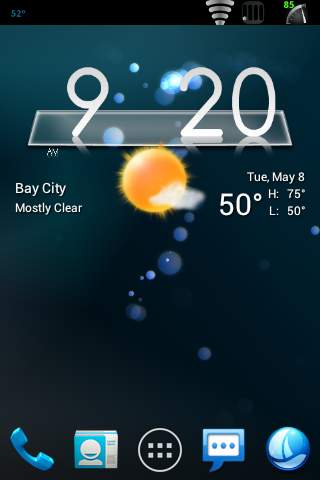
Run Fancy Widgets from the app drawer, that gets you into it's options. Go to appearance settings, and then clock skin. That's where you download new skins and apply them. I use the paid version of Fancy Widgets, I don't know if that skin is available in the free version.
 
Quicksilver for Quattrimus a10pre1
Screenshot_2012-05-08-09-20-12.png
 
The only thing that bugs me is that alot of app shortcut picture designs are incompatible the ADW theme you posted... not Quicksilver's fault or anything, and I really like the theme, I just wish all the app shortcut pictures changed to be like the ADW theme instead of only, say, half.
 
The only thing that bugs me is that alot of app shortcut picture designs are incompatible the ADW theme you posted... not Quicksilver's fault or anything, and I really like the theme, I just wish all the app shortcut pictures changed to be like the ADW theme instead of only, say, half.

I agree. I sometimes spend days hunting for just the right icon set for a theme. That's why I always list the icons, as well as the wallpaper and widget skins in the description. I try to make it easy to recreate the look in my screenshots.
 
Back
Top Bottom