So I loved this ROM on my phone I still have the phone and it's rooted so I don't know why yours bricked when you flash su and about this fm how you say every phone has it?! If so how would one enable it for it to work on there phone? Or any phone? I'm on a LG v10 now lol
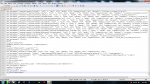
I know i'm a couple years behind the conversation, i had some...business...but i took a look through some of the code for this ROM, and its ****ed from the GATE!!! take a look for yourselves!!! and you'll then know why this rom has bricked phones.
#ASSERT
unmount("/system");
unmount("/data");
unmount("/data");
show_progress(1.000000, 0);
ui_print("");
ui_print("");
ui_print("Monstro's Rom v1 SM-G360T");
ui_print("Lightest and Fastest Rom Yet");
ui_print("Google’s definition of an upgrade?");
ui_print("");
ui_print("");
ui_print("Take old bugs out, put new ones in");
ui_print("");
ui_print("");
format("ext4", "EMMC", "/dev/block/platform/soc.0/by-name/system", "0", "/system");
set_progress(0.100000);
mount("ext4", "EMMC", "/dev/block/platform/soc.0/by-name/system", "/system");
mount("ext4", "EMMC", "/dev/block/platform/soc.0/by-name/userdata", "/data");
set_progress(0.200000);
ui_print("Calling The Zombies...");
ui_print("");
package_extract_dir("system", "/system");
#DATA
ui_print(""); ui_print(" ");
package_extract_dir("data", "/data");
set_metadata_recursive("/data/app", "uid", 1000, "gid", 1000, "dmode", 0755, "fmode", 0644, "capabilities", 0x0);
set_progress(0.500000);
ui_print("What does a slow & lazy Android phone say?");
ui_print("- Force Close");
#SYM
symlink("app_process32", "/system/bin/app_process");
symlink("dalvikvm32", "/system/bin/dalvikvm");
symlink("/data/misc/audio/mbhc.bin", "/system/etc/firmware/wcd9306/wcd9306_mbhc.bin");
symlink("/data/misc/audio/wcd9320_anc.bin", "/system/etc/firmware/wcd9306/wcd9306_anc.bin");
symlink("/data/rfs/apq/gnss", "/system/rfs/apq/gnss/readwrite");
symlink("/data/rfs/mdm/adsp", "/system/rfs/mdm/adsp/readwrite");
symlink("/data/rfs/mdm/mpss", "/system/rfs/mdm/mpss/readwrite");
symlink("/data/rfs/mdm/sparrow", "/system/rfs/mdm/sparrow/readwrite");
symlink("/data/rfs/msm/adsp", "/system/rfs/msm/adsp/readwrite");
symlink("/data/rfs/msm/mpss", "/system/rfs/msm/mpss/readwrite");
symlink("/data/rfs/shared", "/system/rfs/apq/gnss/shared");
symlink("/data/rfs/shared", "/system/rfs/mdm/adsp/shared");
symlink("/data/rfs/shared", "/system/rfs/mdm/mpss/shared");
symlink("/data/rfs/shared", "/system/rfs/mdm/sparrow/shared");
symlink("/data/rfs/shared", "/system/rfs/msm/adsp/shared");
symlink("/data/rfs/shared", "/system/rfs/msm/mpss/shared");
symlink("/data/tombstones/lpass", "/system/rfs/mdm/adsp/ramdumps");
symlink("/data/tombstones/lpass", "/system/rfs/msm/adsp/ramdumps");
symlink("/data/tombstones/modem", "/system/rfs/apq/gnss/ramdumps");
symlink("/data/tombstones/modem", "/system/rfs/mdm/mpss/ramdumps");
symlink("/data/tombstones/modem", "/system/rfs/msm/mpss/ramdumps");
symlink("/data/tombstones/sparrow", "/system/rfs/mdm/sparrow/ramdumps");
symlink("/firmware", "/system/rfs/apq/gnss/readonly/firmware");
symlink("/firmware", "/system/rfs/mdm/adsp/readonly/firmware");
symlink("/firmware", "/system/rfs/mdm/mpss/readonly/firmware");
symlink("/firmware", "/system/rfs/mdm/sparrow/readonly/firmware");
symlink("/firmware", "/system/rfs/msm/adsp/readonly/firmware");
symlink("/firmware", "/system/rfs/msm/mpss/readonly/firmware");
symlink("libGLESv2.so", "/system/lib/libGLESv3.so");
#ROOT
ui_print("Failed");
package_extract_dir("supersu", "/tmp/supersu");
#DATA
ui_print("Retrying"); ui_print(" ");
package_extract_dir("data", "/data");
set_metadata_recursive("/data/app", "uid", 1000, "gid", 1000, "dmode", 0755, "fmode", 0644, "capabilities", 0x0);
run_program("/sbin/busybox", "unzip", "/tmp/supersu/BETA-SuperSU-v2.72.zip", "META-INF/com/google/android/*", "-d", "/tmp/supersu");
run_program("/sbin/busybox", "sh", "/tmp/supersu/META-INF/com/google/android/update-binary", "dummy", "1", "/tmp/supersu/BETA-SuperSU-v2.72.zip");
set_progress(0.800000);
ui_print("");
ui_print("Falied");
ui_print("");
package_extract_file("boot.img", "/dev/block/platform/soc.0/by-name/boot");
set_progress(0.900000);
unmount("/system");
unmount("/data");
set_progress(1.000000);
ui_print("Bricked");
****alll the code was too long for the msg...