• After 15+ years, we've made a big change: Android Forums is now Early Bird Club. Learn more here.

The new recommendations for preview assets on Google Play

I found the answer to my question. Phrases like "Create your own visualizer" and "Visualize music from any player" are not defined as Call-to-actions here. It is only the obvious Call-to-actions like "Download now" and "Install now", which are not recommended. I got the answer to all my questions in a course from the Play Academy, called "Google Play Store Listing certificate study guide".

The information there is much clearer and detailed than in the official document:
https://support.google.com/googleplay/android-developer/answer/9866151

The only thing I wonder now is if premium features can be mentioned in taglines for screenshots. If microphone visualization is only available in the premium version, is it then OK to have a tagline like "Visualize from the microphone"? Or should the tagline also mention that this is only available in the premium version? If so, the tagline would probably be too long according to Google's recommendations, since the text should not be too small and the text should not occupy more than 20% of the screenshot.

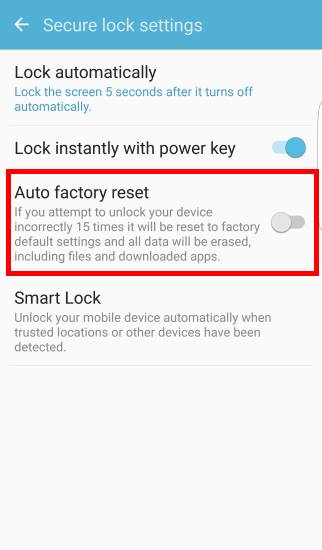
Need help factory resetting

Not much u can do, other than use it as a paperweight......
  • No adb
  • Can't go to recovery mode( are you sure you are doing the button combo correctly?)
  • You would also need USB debugging enabled as well, and I doubt that it was.
........ sorry

Yeah, I have another of the exact same tablet and reset that no problem. That's upsetting. I'll keep trying for fish for a solution and thanks for the reply anyway.

Main Thread Question

Quick question wanted to verify this handler would be running in the main thread and not a background thread.
Trying to keep the send() function in the background

protected void onCreate(Bundle savedInstanceState) {
super.onCreate(savedInstanceState);
requestWindowFeature(Window.FEATURE_NO_TITLE);
getWindow().setFlags(WindowManager.LayoutParams.FLAG_FULLSCREEN,
WindowManager.LayoutParams.FLAG_FULLSCREEN);
setContentView(R.layout.fu);
map = false;
// Send Telm and Update HP Dist
Handler handlert = new Handler();
handlert.postDelayed(new Runnable() {
@override
public void run() {
if (gpsrunning == 1 && !isNaN(gpsla) && !isNaN(gpslo)) {
send();
}
handlert.postDelayed(this, 1000);
}
}, 1000);

Blah blah blah (saying hi)

Well that's all turned around very nicely. I continued to keep my old and new (to me) phones on the same settings (networked or airplane, etc.) and the new one's battery lasted three days and was then at 32%, so might well have done four, but I thought it best to charge it again not let it get too low. The old one did better than usual, for no apparent reason, managing to keep going for two days. This was with very little use of either, to be honest, but on the network a fair bit, so it's not disappointing at all.

I also found my way around Android 11 a bit more and felt a lot better about that too. Reading user manuals helps, if all else fails, as the saying goes.

Motorola phones are GARBAGE.

This phone is Str8 Trash! To even post this comment the lag was so long. Ugh! I only got this piece as a Replacement until my other Samsung arrives. What a waste. Camera is shitty at best. Takes all day just to log in to Any account. Let's not talk about sound quality. Should've just waited on my claim phone. Mistake was the makers of this catastrophe of a device Moto Pure-ly a waste of my hard earned green. I'm going back to Verizon where the Bill is astronomical but the devices are long lasting!

Help How to display text file with or without Google?

I think all you need to do is just install a PDF viewer that's able to work off-line. That's as long as the QR-code PDF is actually on the phone and not in a cloud somewhere. There's several free(no ads) ones to choose from.
https://search.f-droid.org/?q=pdf&lang=en

I use OneNote in a similar manner, so I can make quick references to class schedules, lesson plans, etc.
Thanks very much. The hint I needed was to install an app from f-droid.org that reads stuff offline. The guy at the cellphone shop already set up pdfs to read offline. I turned off the install-only-from-Google-Play setting, and installed Retro Text Editor from f-droid.org and made it the default for *.txt files. Now, tapping on *.txt files brings them up without having to connect to Google and "make available offline".

By giving device admin access, the permissions tab greyed

As Mike has said, the reason you got no answer is probably that nobody felt they could answer it. But a few quick comments on this list:
I will list the information, so that anybody well versed in the android app developer programming may give an idea.
1. Does an app , need all the permissions of the android world to get it work?
What permissions an app needs depends on what the app does. No app needs every permission. Many apps ask for permissions they don't need (I usually advise people not to install apps that ask for unnecessary permissions, but you need to understand the permissions well enough to judge what an app might need).
2. When user give admin permission, does the device is greying the permission tab? I hope not.
I honestly don't understand this question.
It may be a Samsung software thing (I don't have a Samsung device, and they change the user interface completely), but I'm not certain what "permissions tab" you mean. In my system settings I can set or deny permissions for apps which I have granted device admin rights to just the same as I can for any other app.
3. Is there any sort of mechanism, on play protect scan, to check that only required permissions have been used by the apps in .
You mean do Google scan what permissions an app actually needs and reject it if it asks for more? No, they don't: there are definitely apps in the Play Store that ask for permissions that are not needed for their function.
4. We usually found apps are being deleted after users are affected by malicious apps, that were allowed by play google not at the time of install, but after use by the users as stealing personal information and advised to delete those apps
That is a statement rather than a question. But yes, when an app is detected to be malicious and Google realise this is the case they will delete it from the Play Store. They can remove it from devices that have installed it, but I don't know how often they actually do (they certainly don't do it in all cases). If you have actually seen this happening, and seen it happening regularly, then you are clearly browsing the wrong type of app because it isn't all that common.
Ok, let me come to the permissions of the app,
the permission the app sought are
Device & app history
  • retrieve running apps
Other
  • bind to an accessibility service
  • update component usage statistics
  • receive data from Internet
  • view network connections
  • full network access
  • run at startup
  • draw over other apps
  • control vibration
  • prevent device from sleeping
  • modify system settings
  • install shortcuts
  • uninstall shortcuts It almost has all the android permission list. Experts please reply
Er, yes. And? I've no idea what app you are talking about, so no way of judging whether the permissions it asks for are reasonable.

Filter

Back
Top Bottom