
Install the app
How to install the app on iOS
Follow along with the video below to see how to install our site as a web app on your home screen.
Note: This feature may not be available in some browsers.
-
After 15+ years, we've made a big change: Android Forums is now Early Bird Club. Learn more here.
You are using an out of date browser. It may not display this or other websites correctly.
You should upgrade or use an alternative browser.
You should upgrade or use an alternative browser.
Filters
Show only:
Help All file access greyed out. Was working fine.

- By puppykickr
- VIP Lounge
- 3 Replies
I was wrong, it does not require root.
I got waylaid before I could change my reply.
Anyway, it does have many people with 11 stating problems.
I got waylaid before I could change my reply.
Anyway, it does have many people with 11 stating problems.
Help Huawei phone keeps killing apps after locking screen
- By puppykickr
- VIP Lounge
- 3 Replies
Already did check battery settings as mentioned. You mean to enable "Screen pinning"? Enabled, nothing changed.
Just because you enabled screen pinning does not make it do anything.
You must follow the directions, usually you go into recent apps and touch the pin icon.
Battery optimization is part of the battery settings, but not usually apparent- it is buried a bit.
Try doing a search for it in settings.
Animal looking app notification icon?
- By Flickflack
- Smartphones
- 2 Replies
Hi
Can someone tell me what the logo next to the WhatsApp logo is please? No clue.
Thanks
Did you ever find out what this was?
Apps error: cannot find symbol import com.urbannet.ryamusicplayer.BuildConfig;
- By unet
- Android Development
- 0 Replies
I am working on an open-source project based on Phonograph. I renamed the package/domain name and I am getting the error: "C:\Users\user\AndroidStudioProjects\Rya Music Player\Play Store\Rya Music Player\app\src\main\java\com\urbannet\ryamusicplayer\glide\BlurTransformation.java:19: error: cannot find symbol
import com.urbannet.ryamusicplayer.BuildConfig;
^
symbol: class BuildConfig
location: package com.urbannet.ryamusicplayer"
The code is:
package com.urbannet.ryamusicplayer.glide;
import android.content.Context;
import android.graphics.Bitmap;
import android.graphics.Canvas;
import android.graphics.Paint;
import android.os.Build;
import android.renderscript.Allocation;
import android.renderscript.Element;
import android.renderscript.RSRuntimeException;
import android.renderscript.RenderScript;
import android.renderscript.ScriptIntrinsicBlur;
import androidx.annotation.FloatRange;
import androidx.annotation.NonNull;
import com.bumptech.glide.load.engine.bitmap_recycle.BitmapPool;
import com.bumptech.glide.load.resource.bitmap.BitmapTransformation;
import com.urbannet.ryamusicplayer.BuildConfig;
import com.urbannet.ryamusicplayer.helper.StackBlur;
import com.urbannet.ryamusicplayer.util.ImageUtil;
/**
* @Author Karim Abou Zeid (kabouzeid)
*/
public class BlurTransformation extends BitmapTransformation {
public static final float DEFAULT_BLUR_RADIUS = 5f;
private Context context;
private float blurRadius;
private int sampling;
private void init(Builder builder) {
this.context = builder.context;
this.blurRadius = builder.blurRadius;
this.sampling = builder.sampling;
}
private BlurTransformation(Builder builder) {
super(builder.context);
init(builder);
}
private BlurTransformation(Builder builder, BitmapPool bitmapPool) {
super(bitmapPool);
init(builder);
}
public static class Builder {
private Context context;
private BitmapPool bitmapPool;
private float blurRadius = DEFAULT_BLUR_RADIUS;
private int sampling;
public Builder(@NonNull Context context) {
this.context = context;
}
/**
* @param blurRadius The radius to use. Must be between 0 and 25. Default is 5.
* @return the same Builder
*/
public Builder blurRadius(@FloatRange(from = 0.0f, to = 25.0f) float blurRadius) {
this.blurRadius = blurRadius;
return this;
}
/**
* @param sampling The inSampleSize to use. Must be a power of 2, or 1 for no down sampling or 0 for auto detect sampling. Default is 0.
* @return the same Builder
*/
public Builder sampling(int sampling) {
this.sampling = sampling;
return this;
}
/**
* @param bitmapPool The BitmapPool to use.
* @return the same Builder
*/
public Builder bitmapPool(BitmapPool bitmapPool) {
this.bitmapPool = bitmapPool;
return this;
}
public BlurTransformation build() {
if (bitmapPool != null) {
return new BlurTransformation(this, bitmapPool);
}
return new BlurTransformation(this);
}
}
@override
protected Bitmap transform(BitmapPool pool, Bitmap toTransform, int outWidth, int outHeight) {
int sampling;
if (this.sampling == 0) {
sampling = ImageUtil.calculateInSampleSize(toTransform.getWidth(), toTransform.getHeight(), 100);
} else {
sampling = this.sampling;
}
int width = toTransform.getWidth();
int height = toTransform.getHeight();
int scaledWidth = width / sampling;
int scaledHeight = height / sampling;
Bitmap out = pool.get(scaledWidth, scaledHeight, Bitmap.Config.ARGB_8888);
if (out == null) {
out = Bitmap.createBitmap(scaledWidth, scaledHeight, Bitmap.Config.ARGB_8888);
}
Canvas canvas = new Canvas(out);
canvas.scale(1 / (float) sampling, 1 / (float) sampling);
Paint paint = new Paint();
paint.setFlags(Paint.FILTER_BITMAP_FLAG);
canvas.drawBitmap(toTransform, 0, 0, paint);
if (Build.VERSION.SDK_INT >= 17) {
try {
final RenderScript rs = RenderScript.create(context.getApplicationContext());
final Allocation input = Allocation.createFromBitmap(rs, out, Allocation.MipmapControl.MIPMAP_NONE, Allocation.USAGE_SCRIPT);
final Allocation output = Allocation.createTyped(rs, input.getType());
final ScriptIntrinsicBlur script = ScriptIntrinsicBlur.create(rs, Element.U8_4(rs));
script.setRadius(blurRadius);
script.setInput(input);
script.forEach(output);
output.copyTo(out);
rs.destroy();
return out;
} catch (RSRuntimeException e) {
// on some devices RenderScript.create() throws: android.support.v8.renderscript.RSRuntimeException: Error loading libRSSupport library
if (BuildConfig.DEBUG) e.printStackTrace();
}
}
return StackBlur.blur(out, blurRadius);
}
@override
public String getId() {
return "BlurTransformation(radius=" + blurRadius + ", sampling=" + sampling + ")";
}
}
import com.urbannet.ryamusicplayer.BuildConfig;
^
symbol: class BuildConfig
location: package com.urbannet.ryamusicplayer"
The code is:
package com.urbannet.ryamusicplayer.glide;
import android.content.Context;
import android.graphics.Bitmap;
import android.graphics.Canvas;
import android.graphics.Paint;
import android.os.Build;
import android.renderscript.Allocation;
import android.renderscript.Element;
import android.renderscript.RSRuntimeException;
import android.renderscript.RenderScript;
import android.renderscript.ScriptIntrinsicBlur;
import androidx.annotation.FloatRange;
import androidx.annotation.NonNull;
import com.bumptech.glide.load.engine.bitmap_recycle.BitmapPool;
import com.bumptech.glide.load.resource.bitmap.BitmapTransformation;
import com.urbannet.ryamusicplayer.BuildConfig;
import com.urbannet.ryamusicplayer.helper.StackBlur;
import com.urbannet.ryamusicplayer.util.ImageUtil;
/**
* @Author Karim Abou Zeid (kabouzeid)
*/
public class BlurTransformation extends BitmapTransformation {
public static final float DEFAULT_BLUR_RADIUS = 5f;
private Context context;
private float blurRadius;
private int sampling;
private void init(Builder builder) {
this.context = builder.context;
this.blurRadius = builder.blurRadius;
this.sampling = builder.sampling;
}
private BlurTransformation(Builder builder) {
super(builder.context);
init(builder);
}
private BlurTransformation(Builder builder, BitmapPool bitmapPool) {
super(bitmapPool);
init(builder);
}
public static class Builder {
private Context context;
private BitmapPool bitmapPool;
private float blurRadius = DEFAULT_BLUR_RADIUS;
private int sampling;
public Builder(@NonNull Context context) {
this.context = context;
}
/**
* @param blurRadius The radius to use. Must be between 0 and 25. Default is 5.
* @return the same Builder
*/
public Builder blurRadius(@FloatRange(from = 0.0f, to = 25.0f) float blurRadius) {
this.blurRadius = blurRadius;
return this;
}
/**
* @param sampling The inSampleSize to use. Must be a power of 2, or 1 for no down sampling or 0 for auto detect sampling. Default is 0.
* @return the same Builder
*/
public Builder sampling(int sampling) {
this.sampling = sampling;
return this;
}
/**
* @param bitmapPool The BitmapPool to use.
* @return the same Builder
*/
public Builder bitmapPool(BitmapPool bitmapPool) {
this.bitmapPool = bitmapPool;
return this;
}
public BlurTransformation build() {
if (bitmapPool != null) {
return new BlurTransformation(this, bitmapPool);
}
return new BlurTransformation(this);
}
}
@override
protected Bitmap transform(BitmapPool pool, Bitmap toTransform, int outWidth, int outHeight) {
int sampling;
if (this.sampling == 0) {
sampling = ImageUtil.calculateInSampleSize(toTransform.getWidth(), toTransform.getHeight(), 100);
} else {
sampling = this.sampling;
}
int width = toTransform.getWidth();
int height = toTransform.getHeight();
int scaledWidth = width / sampling;
int scaledHeight = height / sampling;
Bitmap out = pool.get(scaledWidth, scaledHeight, Bitmap.Config.ARGB_8888);
if (out == null) {
out = Bitmap.createBitmap(scaledWidth, scaledHeight, Bitmap.Config.ARGB_8888);
}
Canvas canvas = new Canvas(out);
canvas.scale(1 / (float) sampling, 1 / (float) sampling);
Paint paint = new Paint();
paint.setFlags(Paint.FILTER_BITMAP_FLAG);
canvas.drawBitmap(toTransform, 0, 0, paint);
if (Build.VERSION.SDK_INT >= 17) {
try {
final RenderScript rs = RenderScript.create(context.getApplicationContext());
final Allocation input = Allocation.createFromBitmap(rs, out, Allocation.MipmapControl.MIPMAP_NONE, Allocation.USAGE_SCRIPT);
final Allocation output = Allocation.createTyped(rs, input.getType());
final ScriptIntrinsicBlur script = ScriptIntrinsicBlur.create(rs, Element.U8_4(rs));
script.setRadius(blurRadius);
script.setInput(input);
script.forEach(output);
output.copyTo(out);
rs.destroy();
return out;
} catch (RSRuntimeException e) {
// on some devices RenderScript.create() throws: android.support.v8.renderscript.RSRuntimeException: Error loading libRSSupport library
if (BuildConfig.DEBUG) e.printStackTrace();
}
}
return StackBlur.blur(out, blurRadius);
}
@override
public String getId() {
return "BlurTransformation(radius=" + blurRadius + ", sampling=" + sampling + ")";
}
}
Camera Tips and Manual for Galaxy S7 Active ?
- By OnGoGS7A
- Smartphones
- 2 Replies
Thanks very much for the info, a keeper!well looks like the s7 camera always has burst mode enabled according to this article:https://gadgetguideonline.com/s7/sa...uides/how-to-use-galaxy-s7-camera-burst-mode/
just do not hold the the camera button and you will not take successive shots.
there are plenty of online guides for your camera:
https://www.sammobile.com/2016/03/23/galaxy-s7-and-s7-edge-simple-camera-tips-exposure-preview-hdr/
https://www.verizon.com/support/knowledge-base-210068/
https://www.dummies.com/consumer-el...-galaxy/galaxy-s7-phone-cameras-mode-setting/
all should apply to your phone as well
hope that helps.
BLE ScanSettings/AdvertiseSettings

- By brumm63
- Android Development
- 0 Replies
Hi all,
I have been working on a reverse engineering project for a particular android application and I have come across some interesting methods which I can not find any documentation for.
This application uses the Android Bluetooth Low Energy API which involves setting up some ScanSettings and AdvertiseSettings.
For example, when the application makes it's AdvertiseSettings object it uses the AdvertiseSettings.Builder as so:
The part I do not understand and have not been able to find any information on is the
and then
.
From the android documentation, the
method should take one of three options:
ADVERTISE_MODE_LOW_POWER = 0, ADVERTISE_MODE_BALANCED = 1, or ADVERTISE_MODE_LOW_LATENCY = 2.
As well as this, the
method does not seem to exist in the android documentation or any where I can find.
A similar thing happens when the
are made using
. It uses:
.
If I try and make a ScanSetting or AdvertiseSetting that is set to mode 100 within my own application, I just receive errors.
So I am wondering if anyone has any idea or can enlighten me on what may be happening here?
I have been working on a reverse engineering project for a particular android application and I have come across some interesting methods which I can not find any documentation for.
This application uses the Android Bluetooth Low Energy API which involves setting up some ScanSettings and AdvertiseSettings.
For example, when the application makes it's AdvertiseSettings object it uses the AdvertiseSettings.Builder as so:
Code:
new AdvertiseSettings.Builder().setAdvertiseMode(100).semSetCustomAdvertiseInterval(i).setConnectable(true).setTxPowerLevel(3).build()The part I do not understand and have not been able to find any information on is the
Code:
setAdvertiseMode(100)
Code:
semSetCustomAdvertiseInterval(i)From the android documentation, the
Code:
setAdvertiseModeADVERTISE_MODE_LOW_POWER = 0, ADVERTISE_MODE_BALANCED = 1, or ADVERTISE_MODE_LOW_LATENCY = 2.
As well as this, the
Code:
semSetCustomAdvertiseIntervalA similar thing happens when the
Code:
ScanSettings
Code:
ScanSettings.Builder
Code:
builder.setScanMode(100)If I try and make a ScanSetting or AdvertiseSetting that is set to mode 100 within my own application, I just receive errors.
So I am wondering if anyone has any idea or can enlighten me on what may be happening here?
How do I lock bootloader with a broken usbc port

- By mikedt
- Smartphones
- 5 Replies
Unless you can get the USB-C repaired or replaced, and given what you've said, it's very likely a lost cause for Netflix.
no edits????

- By Unforgiven
- Suggestion Box & Feedback
- 18 Replies
Done...Hey mods,
You can close this thread...... issue has been solved.
/closed
Root Root guides just disappeared. So how do I?
- By timba123
- Smartphones
- 25 Replies
LG V20 H91810S (T-Mobile)
Its very confusing all the info online. Has anyone rooted 10S? I'm still on Nougat.
Its very confusing all the info online. Has anyone rooted 10S? I'm still on Nougat.
Minor mystery

- By codesplice
- Smartphones
- 7 Replies
It shouldn't be a frequent occurence with the stock launcher. I don't think I've ever seen that happen myself, but I have seen it reported a time or two.
How do I do a screen cap?

- By RhinoCan
- Smartphones
- 3 Replies
I've tried it now and found that the only reliable way to get the screen cap was by holding down the Power button and choosing Screen Cap; the other methods either failed entirely or hardly ever worked. (Pressing power and volume simultaneously was really hit or miss, mostly miss. I suppose I was usually pushing one down SLIGHTLY before the other no matter how I held the phone.)
I can live with that so thanks again; it will make it easier to explain any problems I'm having with the phone ;-)
I can live with that so thanks again; it will make it easier to explain any problems I'm having with the phone ;-)
Security of Samsung Secure folder

- By Davdi
- VIP Lounge
- 7 Replies
@The_Chief - I've never had any problems with malware, but then I don't open emails from unknown sources on my phone, that's for desktop/Laptop, I don't visit dodgy websites or download apps from sources apart from the usual safe places (Play Store if I must, F-Droid, APKPure) and occasionally uptodown. Oh and BT/WiFi are disables when I don't need them. Neither did I have any 'security' apps on my other (Pen-testing therefore rooted) phone. Good luck trying to compromise that.
Changing phone to vibrate on calls
- By RhinoCan
- Smartphones
- 4 Replies
Thank you VERY much! I knew there had to be a simple way to do what I wanted!
Waterproof inside of pack and fix rip at bottom
In all seriousness, I got the paraffin wax, and now what? I have never used this stuff. By the way, is that an actual Chinese HOUSE? I didn't know they had them. I thought it was all apartments. Please forgive my ignorance.
Help Photos: deletes duplicate photo without permission
- By puppykickr
- VIP Lounge
- 1 Replies
Why not just share a link to the renamed photos?
Then you do not need to download them.
But Google has become stingy with their cloud storage, so they will cut corners wherever they can.
Get ready for Google to ignore your feedback.
Anyway, try Degoo instead.
You can use the site or the app.
The app provides automatic uploads similar to what you have been doing.
Plus, you get 100GB of storage for free.
https://app.degoo.com/files/11492908527
https://degoo-cloud-storage.en.uptodown.com/android
Then you do not need to download them.
But Google has become stingy with their cloud storage, so they will cut corners wherever they can.
Get ready for Google to ignore your feedback.
Anyway, try Degoo instead.
You can use the site or the app.
The app provides automatic uploads similar to what you have been doing.
Plus, you get 100GB of storage for free.
https://app.degoo.com/files/11492908527
https://degoo-cloud-storage.en.uptodown.com/android
Widget duplicating problem
- Smartphones
- 4 Replies
I just told you what launcher to install.
Nova launcher... Here....
https://play.google.com/store/apps/details?id=com.teslacoilsw.launcher
Nova launcher... Here....
https://play.google.com/store/apps/details?id=com.teslacoilsw.launcher
Motorola g (7) play
- By ReneeF1963
- Smartphones
- 2 Replies
Dannydet: I have same problem duplicating widgets. When I press widget and drag to remove or x, it duplicates. When I open a widget on the bottom row it duplicates.
DUAL SIM FOR WHAT???

- By xra7en
- Smartphones
- 5 Replies
thanks for the update!! (even though its 3yrs later LOL, but happy the mods didn't close it on a necro post*
Is there something to look for on phones so you can tell it actually has 2 radios? I believe all my "dual sim" phones are what you mentioned, they go on standby
Thanks again!!
*( this is why post should stay active regardless of tenure until it has an answer)
Is there something to look for on phones so you can tell it actually has 2 radios? I believe all my "dual sim" phones are what you mentioned, they go on standby
Thanks again!!
*( this is why post should stay active regardless of tenure until it has an answer)
looking for phone which works on all frequencies/all over world ?
- By bukzin
- Smartphones
- 5 Replies
Any updates on these questions? Are there now reliable Android phones which
can provide Dual SIM Dual Active?
can provide Dual SIM Dual Active?
Downloaded Go SMS app for text messages now my phone sends duplicate texts?

- By HardCase
- Smartphones
- 8 Replies
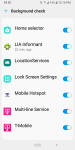
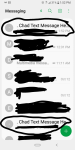
Excuse me Guys I am butting in. But didn't know how to get help or post expect to do it this way... Sorry don't know much at all about these sites how to post or much about Android phones. But I have been searching for help with an issue on my phone I have duplicate multiple apps all of a sudden on my phone. Like 2 face books/ Messenger sms/ It's also coming up that I have two phone lines but only have 1. MY text messages I'm receiving two text messages from the at least 4 of the same phone number. what's going on how can I get help. If u want to contact me at Casey123.cd12@gmail.com to assist me I would appreciate on this. I am computer/ Android illiterate BUT WILLING TO LEARN. PLEASE NEED HELP HELP. This is just a quick pic to show example of some of what am saying/ taking about..after rooting, I installed System app Remover. it allows you to back up, i=remove, and re-install any app. it works flawlessly, I've used it on at least 5 different androids with no problem.
Attachments
ADB AND FASTBOOT NOT WORKING BUT EDL IS WORKING

- By ocnbrze
- VIP Lounge
- 4 Replies
again.......how is it not recognized? when you type "adb device" or "fastboot device", what is the response? and are you sure you are using the correct path for the commands? you need to open the command window where your adb and fastboot files are kept in.i've been used 2 usb cable, one of them is fine before but now my device not recognized in pc. my phone is Lenovo Z5s, with custom rom (corvus 13) unlocked bootloader
Help FOSSIL GEN 5 shows wrong time and date
Presumably your phone shows the correct time and date?
Is the watch reflecting an incorrect time zone offset or is it just completely wrong?
Have you restarted the watch?
Found the problem

for some reason, the "Automatic date & time" under settings\System\Date & time, was off...don't know how it changed, I definitely haven't changed it
Thanks for the help

Load more