• After 15+ years, we've made a big change: Android Forums is now Early Bird Club. Learn more here.

My Samsung Galaxy S8 calendar won't sync to PC

I've added new events about a week ago by PC that were not showing up on phone. I've searched, etc. and deleted an old calendar, cleared cache under Storage, tried to find assistance on PC, but can't seem to get it to sync again. Synced manually, turned phone off several times. what else can I do? It's a Samsung Galaxy S8; 5 years old. Is this a sign it's dying and I need to replace?

I know it's the phone because I've tested my Samsung tablet and it syncs to PC.

Help Weird Icon on menu

Hey everyone!

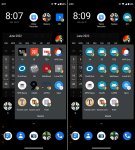
Does anyone know what this icon means?. It appeared after my sister deleted a game called geometry dash.
There are 4 of these icons on the screen, and cannot be deleted. If anyone knows, please comment.

Thanks!

Attachments

  • WhatsApp Image 2022-06-10 at 8.40.37 AM.jpeg
    WhatsApp Image 2022-06-10 at 8.40.37 AM.jpeg
    1.8 KB · Views: 138

allview viva H801 need ROM

i need stock ROM for Allwiev Viva H801 , i couldn't find anywhere i looked.

this is tablet for whom i need stock ROM

I screwed up whole tablet by going into SP Flash Tool, to format all flash , and now it don't even react to anything, so i need stock ROM to revive it.

(It is recognised when i connect via PC (i hear windows connection sound)) but that's all, no disconecting sound , it just stays that way...

So i am able to flash it, but i can't find stock ROM .

Setting up Android Studio and gl6110

Hello,
I have a GL6110 USB
I am using a macOS 12.4 computer and I managed with coolterm to send and receive SMS

Here are the commands I used

receive SMS
AT+CMGL="ALL" puis enter

Send SMS
AT+CMGS="+33xxxxxxxx6" and enter
> my texte and CRTL+Z

What I am now trying to do is read or send my SMS not by CoolTerm BUT by Android Emultor

Is it possible to configure GL6110 on Android Emultor and go through Android Emultor to send/receive my SMS?

Thanks

Any way to know what App is associated with UID consuming lot of Data

Hi,
CwYh9Y4
I have an Android Phone, and have installed an app that contains some lectures related to my field. Today I noticed that my daily data allowance got over pretty fast. On doing data analysis, Android settings don't show much unaccounted data usage. However the topmost figure in the data usage column (DOBULE_APP) which shows data in kb, actually shows 1 gb+ usage on clicking. A 3rd party app shows something labelled UID 5 using up max data. Is there someway to know whats eating up my data? Also, if there were a way to know how much space is being used by a particular app in total (similar to what is possible on my ipad), I might be able to see which app's size is balloning the max, and whether the total size corresponds to the downloaded data.

Would appreciate any help in this regard.
Screenshot_2022_0609_083218.jpg
Screenshot_2022_0609_083357.jpg
Screenshot_20220609_081800.jpg

Need to Transfer your number from ST: Look Here

Reading alot of these threads clear up a few things. I have a galaxy note9 and I was becoming convinced I needed a new phone because, my phones mobile data connection went on the fritz. I was changing the networks, from 3G, to 4G/LTE and back just to make calls. Often times I'd be able to make a call but couldn't text or vice versa. Then my mobile data would work, but text and calling didn't.

I got an email as well about my sim card being out of date and not having a 4G phone. I bought a new sim card, still had problems. Then I read my phone would stop receiving updates this summer. Needless to say I was frustrated. So I decided to do a 90 day trial with Mint. If I had the same issues with my network then it was my phone if not then it was ST.

I just, like today, got it transferred over after a week of dealing with ST. I'll save yall some trouble hopefully. This is how I kept my number.

Your ST account number is your current ST sim card number. I couldn't find an account number online or in app. They told me my account number was my IMEI number which caused 4 days of incorrect requests.

Text NTP to 611611 to get your transfer pin. You will not find it in your account like they say, you can't set it like they say. Each time you text, you'll get a new pin so don't text until you're ready for one. It times out.

They will not tell you your zip code over the phone, even if you verify your account. They can however check as many guesses as you've got. Had a zip code I hadn't recided in for over a decade, which turned out to be correct. DO NOT let them hang up without guessing the right zip code.

Lastly, when you call press 2 (or whatever the menu at the time you call) for transfer my number. Enter your new Sims card number. If its a different carrier it won't recognize it. When it asks if you want to enter another one, say no.
This will get you to the transfer department. Ask to be transferred to the Port department, they are the ones to help with this.

This was all info frustratingly gathered over 8 days. No offense to other carriers, but I'm never going back. I'm enjoying Mint alot, and I'm no longer having network issues. Plus the customer care team are great and has let me know that ST and Verizon are notorious for trying to keep numbers, they cause the most problems with transfers.

Hope this helps.

Buy now or later?

I am planning to get the z fold 3. Should I get it now or wait until Prime Day? Currently Samsung is offering it for $1156(with trade in of my cracked s10+ and first responders discount) along with $250 Samsung credit to buy accessories. During Memorial Day it was a free galaxy watch 4 but they recently changed to the credit. Also do you recommend getting the s pen with it? Thanks

Help Permissions Issue with AndroidLost App

I'm trying to resolve an issue with the Android Lost app, and unfortunately the developer's forum page is closed. I'm hoping someone here may be able to help me troubleshoot.

I have uninstalled and reinstalled, cleared cache and data, but every time I reinstall Android Lost v3.26 on my wife's Google Pixel 3a running Android 12, I get the same following issues:

First, it opens and says Personal Notes, PIN code required. It will only take the old PIN, which I'm curious how it's remembering the old PIN if I have completely uninstalled, deleted its data, rebooted the phone, etc.? (Yes, I removed the Administrator permissions)

After entering the correct PIN, I get a popup, "Use Your Location", which I click OK.

It then instantly pops up the next window:

"Some Permissions are missing. For this app to work as expected you must accept the permissions. Let us go through them one by one."
I click OK. (It does not provide me any permissions to select from.)

Once again, instantly, another window pops up:

"Not all permissions were accepted. Most likely you have clicked deny and never ask again. To allow permissions you must go to your phone's settings menu and set it manually."
I click OK.

I'm sure these permissions are the crux of the problem since they need to be allowed, yet, they are not being requested for some reason through the app. I'm assuming it has to do with Android 12, as it worked fine on Android 11. Though, others have stated that it works for them on Android 12, so I'm not sure what is going on.

Since it seems to be a permissions issue, I thought if I root the phone, maybe it would help somehow. Nope, still doing the same thing. I've even went into the phone's settings and allowed all permissions for the app, yet it's still not working. When I run the troubleshooter from the app, I get the following results:

Test no: 12
Testing permissions granted
Missing permissions:
[android.permission.ACCESS_FINE_LOCATION,
android.permission.READ_CONTACTS,
android.permission.RECORD_AUDIO,
android.permission.CALL_PHONE,
android.permission.READ_PHONE_STATE,
android.permission.WRITE_EXTERNAL_STORAGE,
android.permission.CAMERA,
android.permission.ACCESS_BACKGROUND_LOCATION,
android.permission.ACCESS_BACKGROUND_LOCATION]

Why is it still saying all these permissions are missing, when I have clearly enabled all of them under the app's settings manually? I do not understand why this is happening.

I have attached the app log file that is generated when running the troubleshooter from the app. Hopefully, someone can make sense of it.

Attachments

Google Play Services keeps stopping.

Good Afternoon,

For several weeks I have been plagued with the corrupted Google Play Services update which produces the persisting message ' Google Play Services keeps stopping'. Messages on the the internet make suggestions as to how to uninstall and re-install this app, but none of the suggested solutions seem to work.
This problem makes the unit virtually inoperable.
It is apparent that many Samsung Android users are having the same problem.
Any suggestion for a definitive method of correcting this problem would be gratefully received.

jcbhydro

Pixel 5a carrying over an SSL cert issue from old phone. Please help

So a while ago I made a post about my old Moto G Play 2021 having data issues. When i was using mobile data rather then wifi, things that used SSL seemed to not work (visiting reddit on chrome would yield an ERR_CERT_AUTHORITY_INVALID error, and don't let me visit websites like that.) Stuff like youtube or discord wouldn't work, but spotify and googling shit worked somehow.
I had tried full factory resets, syncing the time, buying a new sim card, clearing cache and cookies, etc. I've genuinely never heard of anyone having an issue like this on the internet after so much searching.

I gave up, bought a Pixel 5a, and it worked for a bit, but as of this morning, the issue is happening again. I genuinely have no clue what I could do, first it only worked with 5G and now even that isn't stopping the issue. If anyone knows of anyone or anything that can fix this, please let me know. I genuinely have nothing left to go to at this point.

Spam message through system android

Anybody got spammed through android system?

I've been reading something on Techradar and a brief message came up. But for some reason a window popped out at the botton of the screen with details CITI(alert). I knew it was via Samsung Messages app because it made the same notification sound as messages with edge lighting style(Samsung S21). Plus it had count budge. But this windows looked very suspicious.. I've never seen messages with this type of pop out window. Then i opened messages app(not the pop out window) and no message was to be found in the list. I went to notification history in the setting and saw that Android System was used last. Now this Android System is responsible for notification and especially for Alerts,devs, updates, network security and all other very important system notifications. I wonder if message came from API or from my system? And it also couldn't came from the browser because notifications for browser in blocked by android in android settings as well as browser itself.

I'm on latest Android 12 with May Security updates.

Anybody else seen anything like that?

Calls coming to Watch 4

I have the LTE Watch 4 Classic and I am able to receive calls on the watch. However, the calls do not come through to my phone. I assumed I would have a choice when receiving a call - answer on the phone or the watch. However, I'm only getting the option to answer on the watch, my phone never rings. Is this expected behavior? If not, what do I need to look at to correct this?

Help Google Assistant is Way too Sensitive

Is anyone else here having this issue?

Google Assistant prompt pops up at things that sound nothing like "Google". I can say "let's go outside, dogs" and BLOOP! Google Assistant pops up. I have belched, grunted and even moved garden tools around... and Google Assistant popped up, thinking I asked for it!

This has only started since I have owned the Z Fold 3. Any idea on how to stop this stupid prompt from popping up?

Filter

Back
Top Bottom