• After 15+ years, we've made a big change: Android Forums is now Early Bird Club. Learn more here.

Keeps Booting into recovery.

My sm-g530h keeps booting into recovery but the problem is i dont think there is a recovery on it. I flashed a custom rom and to my stupidity I tried installing TWRP afetrwards. Well instead of flashing it i ran it through the twrp manager and by accident i clicked reboot to recovery before it was on there, So now I have "Recovery is not SEANDROID ENFORcing" And then a black screen. I try to reboot with power + volume+Home and I get that same screen. IS there a way I can get past this without having to re-flash a ROM? PLease someone help.

security cam app

I have a security camera fitted to my house, with the vendor's app loaded on my phone. This works fine, but when I am working from home, I wanted to have the option of viewing the camera on a larger PC screen.
I was hoping I could just download the same app on my PC, and then run it on my PC, but when I try to download the same app, or any other cam app, the option is greyed out.
Can anyone suggest if this is possible, and if so, how I do it please.
regards Chris

Help S2 very slow to connect to WiFi

As the title says, connection to WiFi on this device is very slow. I have a number of other Samsung devices which connect immediately, as to 3 laptops of various makes.
On the S2, the wifi icon shows at the top of the screen but the upload/download arrows are either both grey or one is. Any suggestions of ways to address the problem would be appreciated. (Get a new tablet is not an option).
As an example. I attempted to access the BBC Weather app and it took over a minute to connect. On my other devices it is virtually immediate.

creating URL on tablet startscreen

When I want to access an URL in Android such as www.homepage/page/subpage.com directly from startscreen, there are three possibilities:

1) the browser option "add to startscreen" is there and it works

2) the browser option "add to startscreen" is there, but it leads me to www.homepage.com. I still have to navigate to the page of interest.

3) the browser option "add to startscreen" is not available.

It seems that the Website determines which option is available, since it seems independent of the browser used (Firefox, Chrome, Brave).

Is there maybe a trick to have the app / link on the startscreen with the full URL?

My point is that it is always possible in Windows to have a direct link on the desktop to the Webpage I am interested in, but that seems not always possible in Android.

Help Notifications not shown anymore when display off

Galaxy S10

I need help, usually when I got a notification and the display is off, an icon of that app would still show so I always know if there are any new notifications or not. Recently this stopped though, so I have to turn on the display to see if there is anything. Very annoying. Not sure what the reason could be, but I updated a bunch of apps recently, but can't remember if the issue only appeared after...

Calls to text

I have a lot of very important phone calls recorded. For my own use obviously! Is there anything i can use to convert them to text format, to have them actually in visible words? Sorry if i sound thick! I know there is apps to record and transcribe in one go, but these are a pile of calls which i already have recorded and saved.

Samsung J5 broken screen, need data off phone

Hello, everyone! Unfortunately a Samsung Galaxy J5 has been dropped, and the screen (while not cracked) has gone black and won't turn on. The phone itself seems to work, as we can hear the various notifications coming in. How can we safely and preferably with no cost, get the contacts and memos off of the phone? The wifi is turned on on the J5. I have taken out the memory card and SIM card and put into another phone already, we have the photos, but no contacts or memos. I have tried Samsung Sidesync, but it won't recognise the phone. I have searched and searched, but all the apps that you can download have bad reviews ie. Dr Fone, I don't want to pay for any crap that won't work or cause loss of data. I did connect the phone to both my PC and our TV via USB, but all the folders are empty...so I'm guessing the contacts and memos are in the phone's internal memory? How do I retrieve the contacts and memos?? Thanks for any help and advice.

Connect home Wi-Fi router to mobile hotspot?

Hey all, is it possible to connect a home Wi-Fi router to a mobile hotspot? I'm trying to determine if I can get rid of my lSP internet service by connecting my home router to my phone's mobile hotspot, thereby connecting devices on my home network to the Internet through my phone's mobile hotspot.

I currently have an ea6900 and Samsung s6 edge, looking at the samsung s21 ultra for my next Phone. I've got no issue upgrading my router if required to make this happen.

Thanks!

Congressional Gold Medals for Capitol Police

the House voted for these medals to the brave men that stood up against the insurrectionists 413-12.

what i find appalling is those 12 votes against it. i mean really? those men and women who defended the capitol are heroes in my eyes.

the majority of Republicans voted for it, but what about those 12 who did not? i think it is deplorable on what they did. it is shameful that they would deny these police men and women the honor.

anyways i am glad the House voted for it. i am especially glad that all of the Democrats and the majority of Republicans voted for it. they deserve it. Those men and women are the true Americans. talk about Patriots!!!!

i wish we knew their names other then officer Eugene Goodman and Brian Sicknick.

Phone shows "no internal storage left"

I have an LG Stylo 2.

It started showing "no internal storage left". I keep this phone cleaned out, I don't have many apps on it, and I barely use it as anything but a texting device.

I've cleaned out all the items, files, and pics I don't use or need anymore. Moved some to the SD card and deleted the rest.

Cleaned out as much of the cache as possible as well, and turned off functions I don't use and will not delete.

The phone still shows "no internal storage left", and now its running very slow.

Is there a way to fix this?

Doogee N20pro TEE/Google key not write

I have been trying to flash GSI (Havoc) rom to my Doogee N20 pro. Unfortunately something went wrong and i found myslelf in boot loop without any possibility to enter any mode with any key combination.

Only thing which helped me was (format and download) rom with SP Flash tool. Unfortunately i have not created backup before so i had to download stock rom for my device.

After flashing stock rom downloaded from internet iam stuck with annoying red message appearing on my screen:

Tee key not write Gooogle key not write.
tg.jpg


i have tried several methods to remove it:

https://forum.xda-developers.com/t/...t-write-google-key-not-write-message.4071039/

https://forum.xda-developers.com/t/ulefone-power-3s-problem.3794521/#post-77513923


Removing the Chinese text "未写入google key和tee key" watermark on the screen

and pretty much everything else i could find on google and youtube but none of that helped me to ged rid of that "red overlay"

which led me in to learning about nvram, and missing IMEI.

i have managed to write back IMEI via SN Writer however i could not find over entire internet Attestation key/google key/tee key for my Doogee N20 pro:
att.jpg


which was part of the solution for removing Tee/Google key problem.

It supposed to be in downloaded stock rom but all i could find there was this:

logo.bin, logo-verified.bin, preloader930.bin

  1. Is here any good soul which can point me out to that key, have link, extract it from his Doogee N20pro?

  2. Is here any doogee N20pro owner which can extract nvram and upload it for me somewhere? https://romprovider.com/backup-nvram-mediatek-mt67xx/

  3. if somebody have solution to simply remove TEE/Google key message from Doogee N20pro - that would be sufficient and i would not bother to try 1. and 2. However my bluetooth is not working so probably 1 and 2 would be best.
Best regards Michael

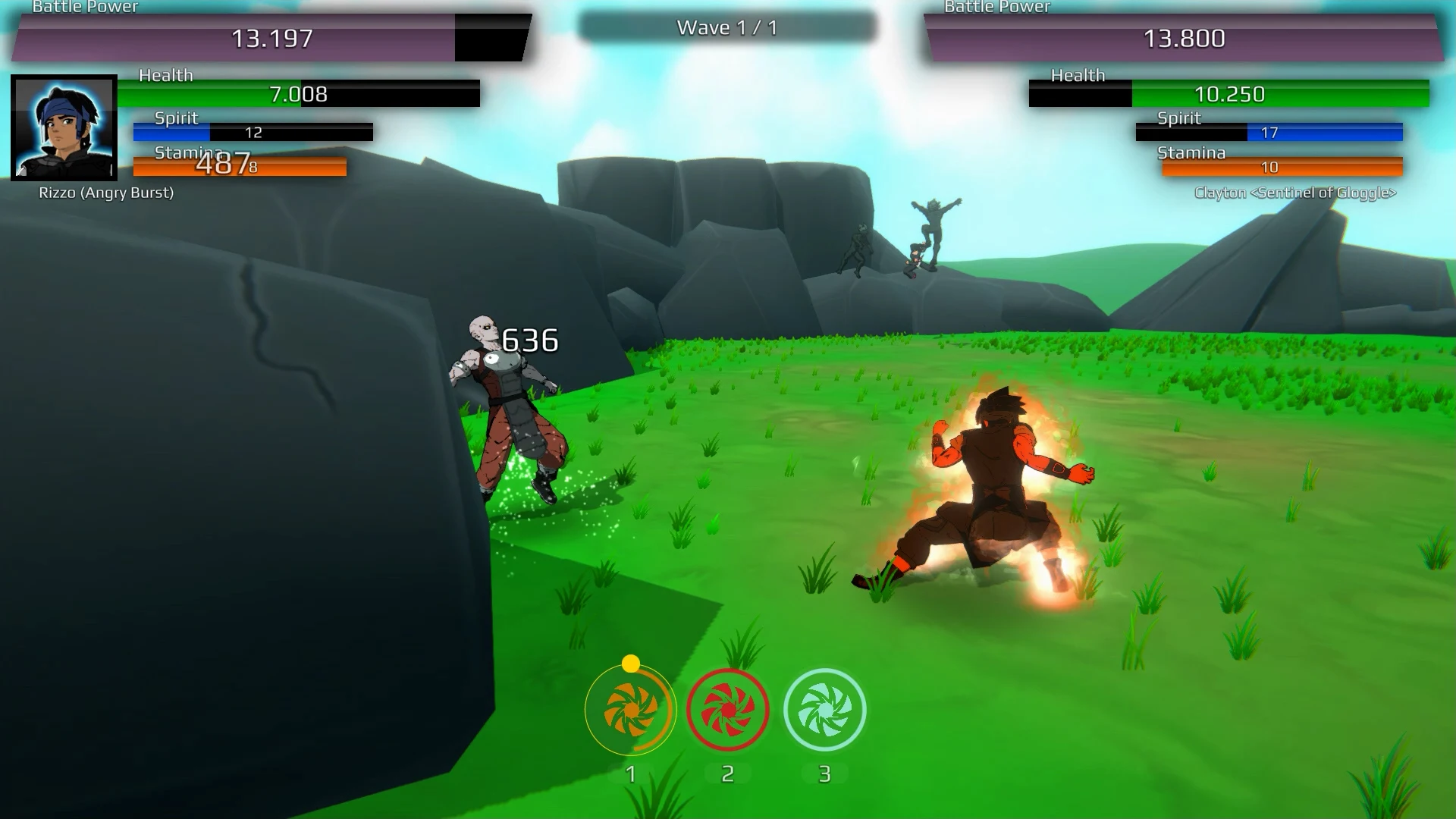
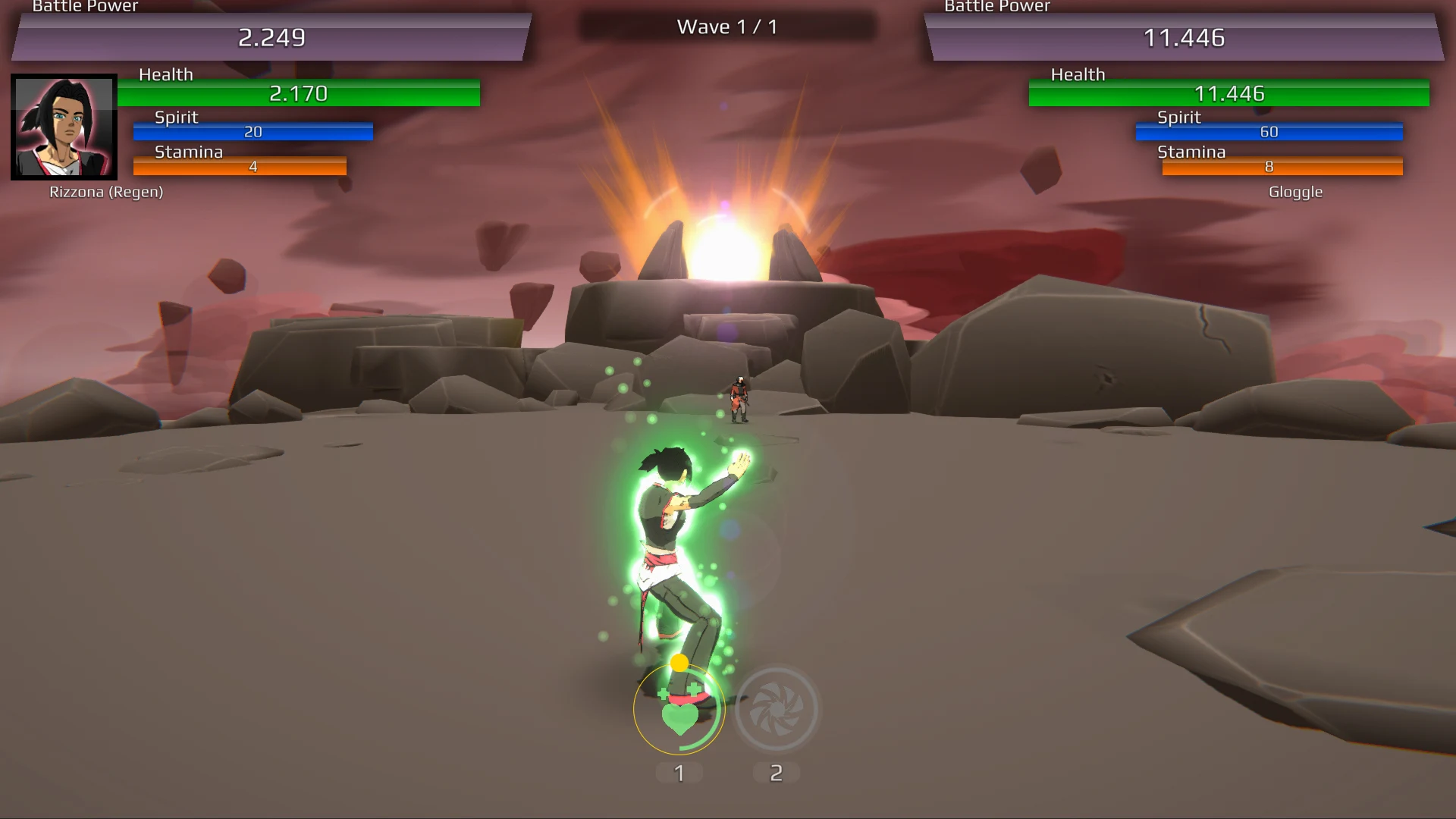
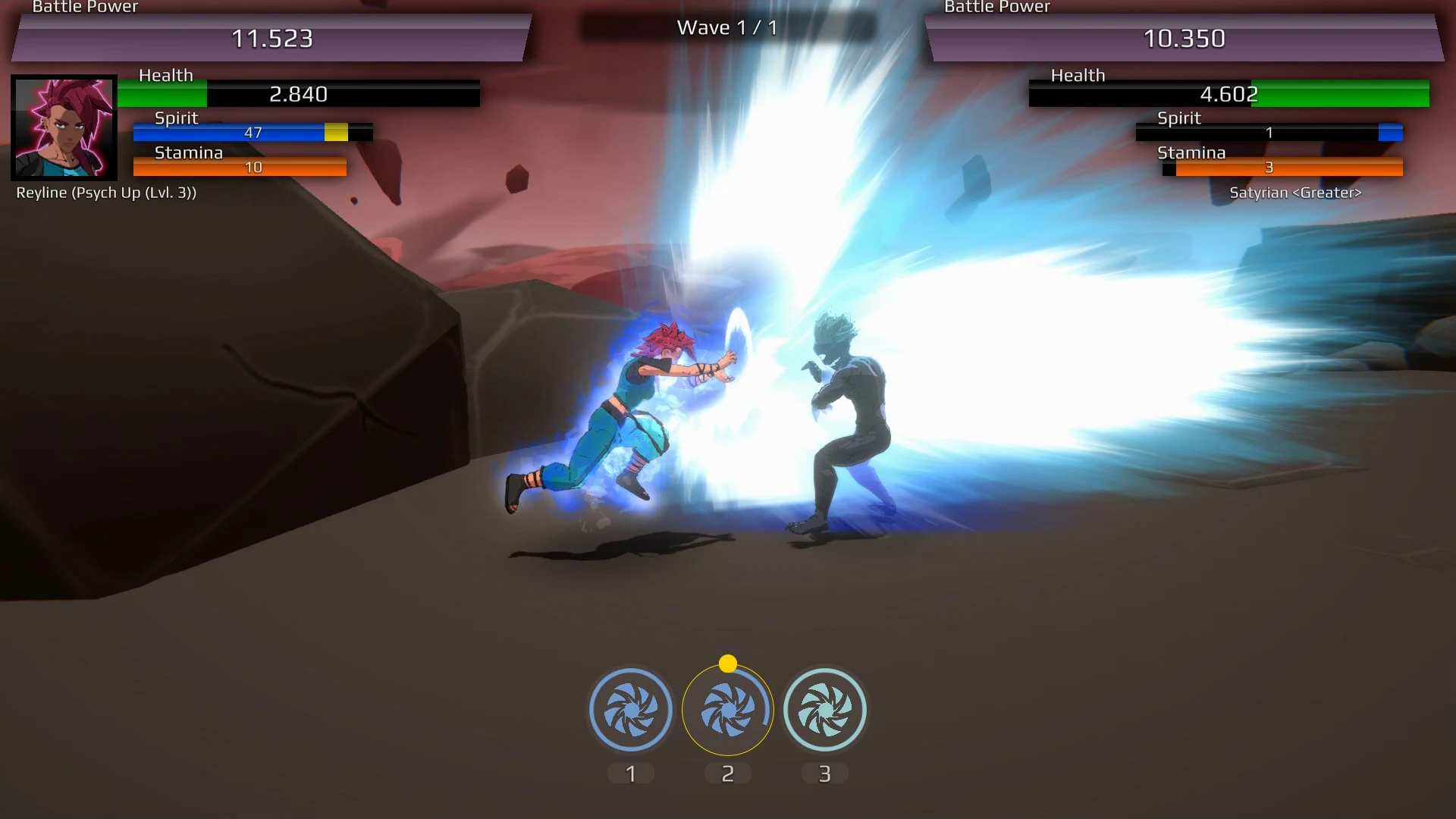
[Game] [Free] [Android] BURST TO POWER - Anime Fighting RPG

The creator of Power Level Warrior is back with the ultimate Anime Fighting Role Playing! Unlock heroes from Legends Within, Power Level Warrior 1, Power Level Warrior 2, The Final Power Level Warrior and other BOOLit related games to take into battle. Explore, Battle, Train, Level Up and Power Up your warriors. Take them to the next level by unlocking new Powers, Awakening Forms and Transformations.

Trailer:

Google Play: https://play.google.com/store/apps/details?id=com.boolit.bursttopowerlite

Facebook: https://www.facebook.com/BOOLitGameStudio/

Screenshots:
XVSdI1qZgqkH9u9AvtRIjz7fuXuM0wPJMoZ2SGRPVSdRTeYWnuidxVungasl7jgBIBg=w3072-h1138-rw

MgsTU3uYR50cAlggBth88iJM_ee-QgqsT6pyy_LFx1-tq9lrNYrqorU9iHqKA53DhCRC=w3072-h1138-rw

9w4AM9wbjin0ezno-UU03zXGiHn3TG3qcuTTk5_s7PoF1_UbjGVXcSIzDx0Vf4w35fU=w3072-h1138-rw

JtI-nUgq_p0HlLm68TghAJR62EPr3TuwkaHvoOXbRDDQ0IXdlS17yLIo7AYlZLQmYQ=w3072-h1138-rw

Attachments

  • Featured-C.jpg
    Featured-C.jpg
    114.9 KB · Views: 362

Filter

Back
Top Bottom