• After 15+ years, we've made a big change: Android Forums is now Early Bird Club. Learn more here.

Sudden battery drain

In airplane mode the battery didn't drain at all. Then I disabled mobile data after turning everything back on and the battery drained at a more normal 6%/hour rate. I'll look at the link you posted.

Is it an LTE phone bro?
 
Can i suggest the app "cpu spy"...
It wont tell you whats doin it but if you reset timers in cpu spy, turn your screen off and leave it say 10mins, turn on, open cpu spy, and restore timers.... if "deep sleep" isnt the biggest thing, you have a bad app.
Are u runnin Light Flow?
Juice Defender belongs in 2010 btw man soz ;)

I'll check out the app. Not running Light Flow.
 
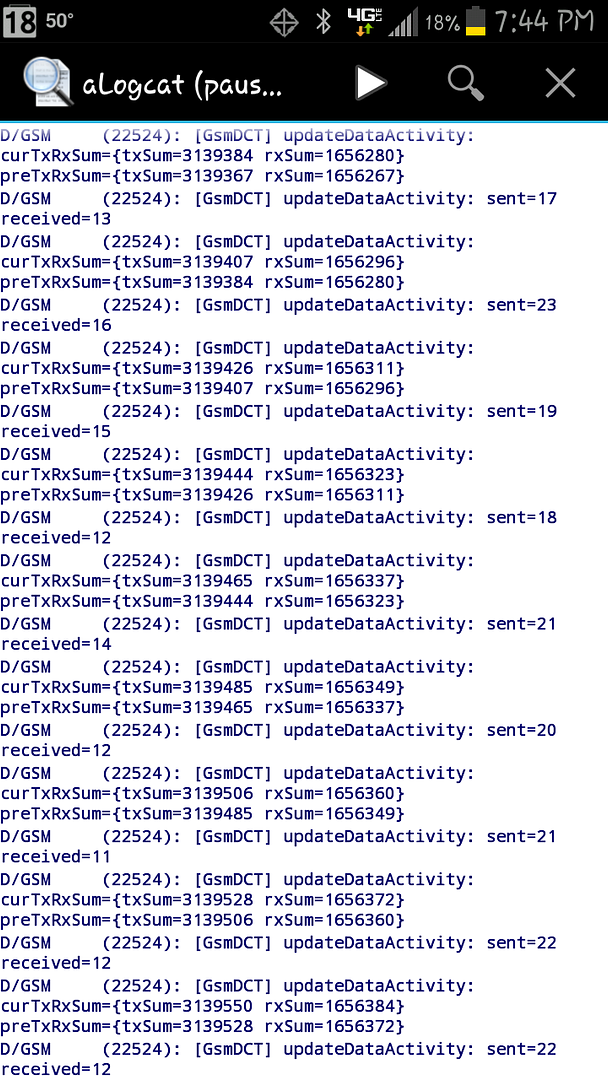
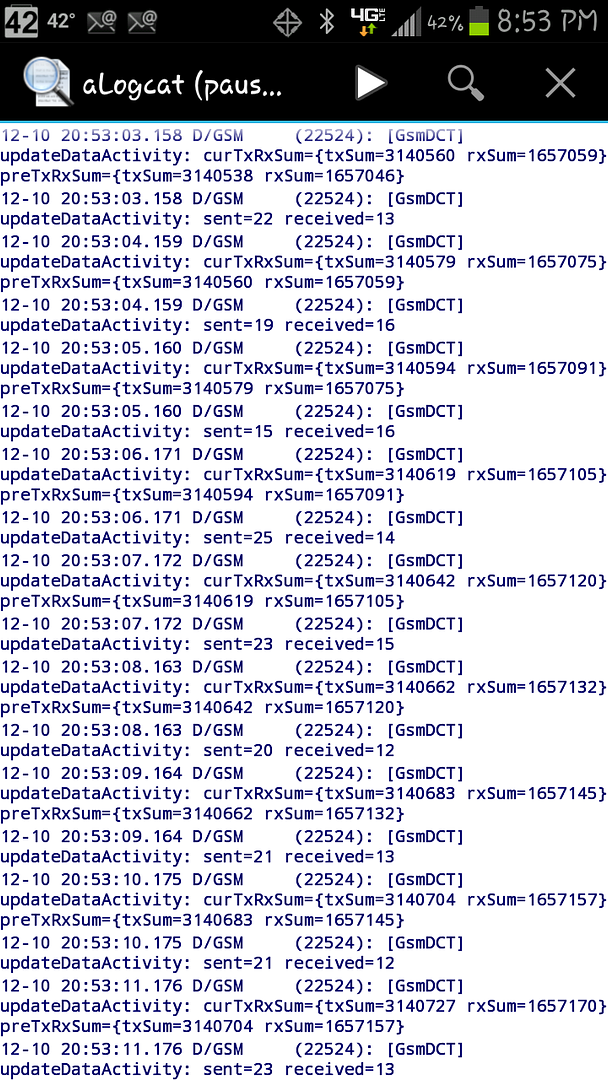
Here's a screen capture from aLogcat.
Screenshot_2012-12-10-19-44-59_zps24d07f92.png
 
aLogcat is too clever for me but i use Gsam.
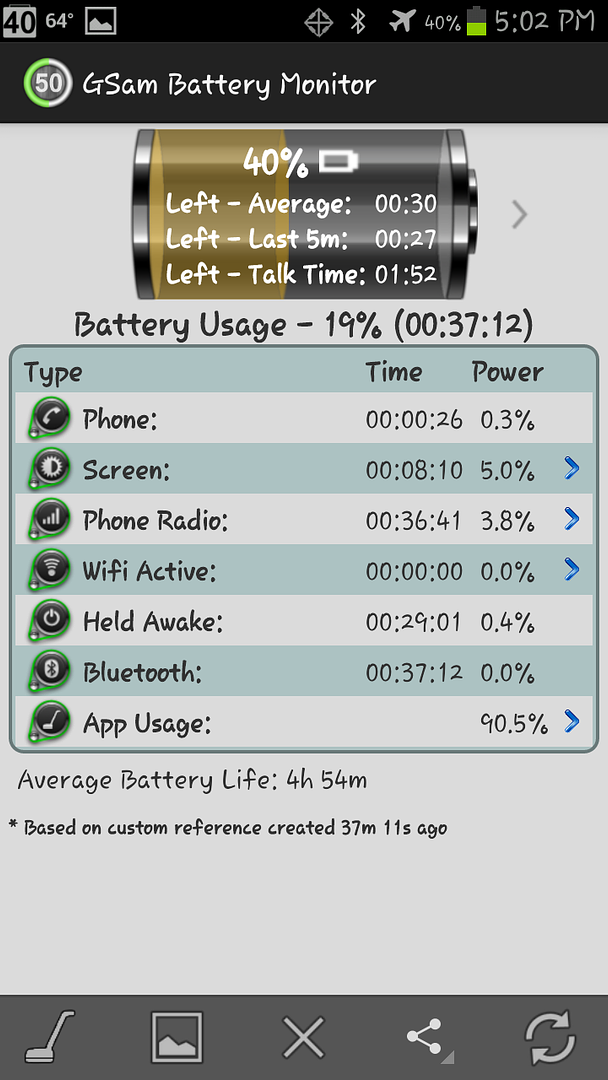
What were u doin with the phone during the time the Gsam stats were taken bro?
Do u remember what typa app you installed at around time ur probs started?
 
In airplane mode the battery didn't drain at all. Then I disabled mobile data after turning everything back on and the battery drained at a more normal 6%/hour rate. I'll look at the link you posted.

That's interesting.

It's possible that some app or system process or system service is using up battery while trying to establish your location, even if your phone isn't doing anything that requires location services.

If the battery drain returns try going into Settings/Location Services and temporarily disabling everything. And go into Settings/Applications manager and temporarily disable Maps and any other apps that may use location services.
 
aLogcat is too clever for me but i use Gsam.
What were u doin with the phone during the time the Gsam stats were taken bro?
Do u remember what typa app you installed at around time ur probs started?

Nothing. Wanted to give it A clean reading.
No apps were installed. No changes to anything except the usual software updates.
 
Can i suggest the app "cpu spy"...
It wont tell you whats doin it but if you reset timers in cpu spy, turn your screen off and leave it say 10mins, turn on, open cpu spy, and restore timers.... if "deep sleep" isnt the biggest thing, you have a bad app.
Are u runnin Light Flow?
Juice Defender belongs in 2010 btw man soz ;)

I started this thread to ask about those occasional days my phone drops 60% or 70% overnight. It appears it's been hijacked to address general batter drain so I guess I'll go with the flow.

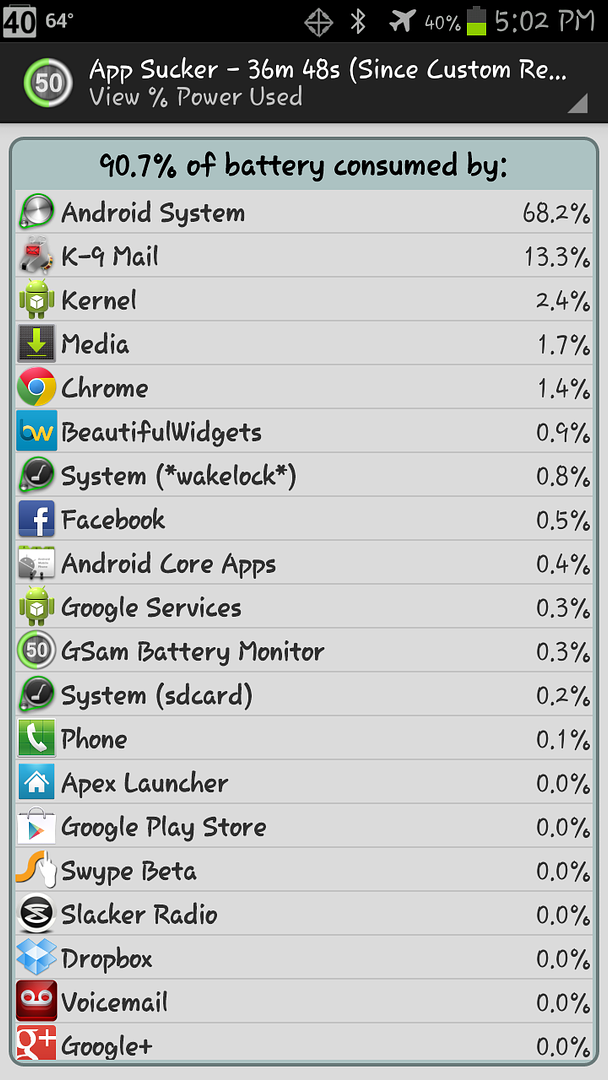
So I changed it again yesterdan and unplugged before I went to bed. It was at about 80% this morning, so Google Now didn't seem to have a big influence. I then installed CPUSpy and let it sleep while I drove to work. Attached are the related screen shots. Maps still seems very high, considering I didn't open it at all. Other than that does anything look out of the ordinary?

Don't think I get the comment about JuiceDefender.
 

Attachments

  • Monitor Resized.PNG
    Monitor Resized.PNG
    77.8 KB · Views: 52
  • Aps.PNG
    Aps.PNG
    81.1 KB · Views: 61
  • CPU.PNG
    CPU.PNG
    41.2 KB · Views: 52
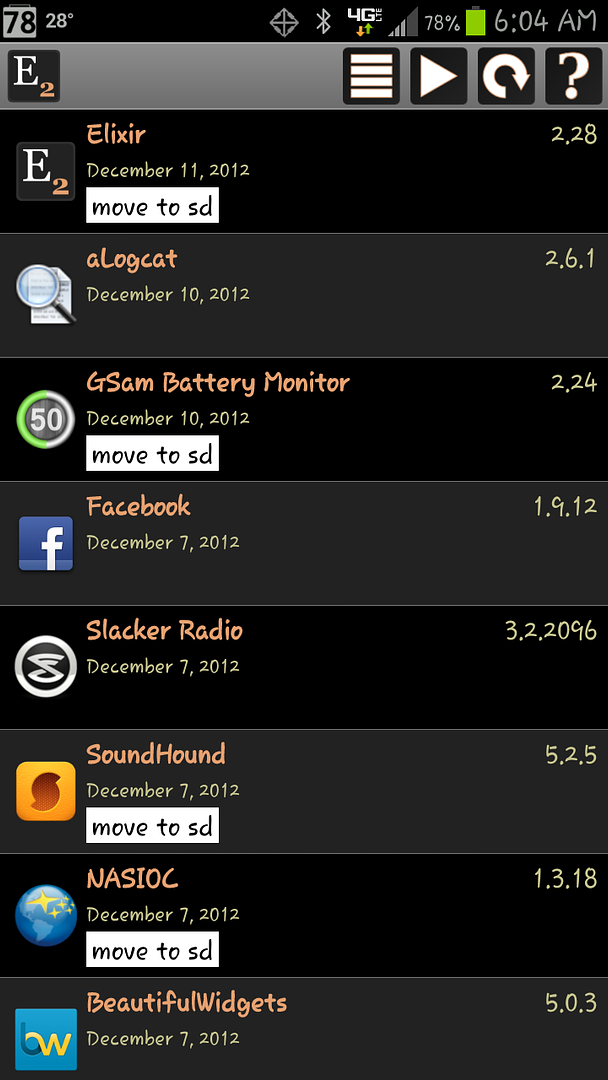
In the super powerful Elixir2 app you can sort the "Applications" screen by "Update Time" and see a chronological list of what apps you installed when.

That's a cool app. Just installed it.

Sorted by Update Time:

Screenshot_2012-12-11-06-04-23_zpsbe48bb80.png


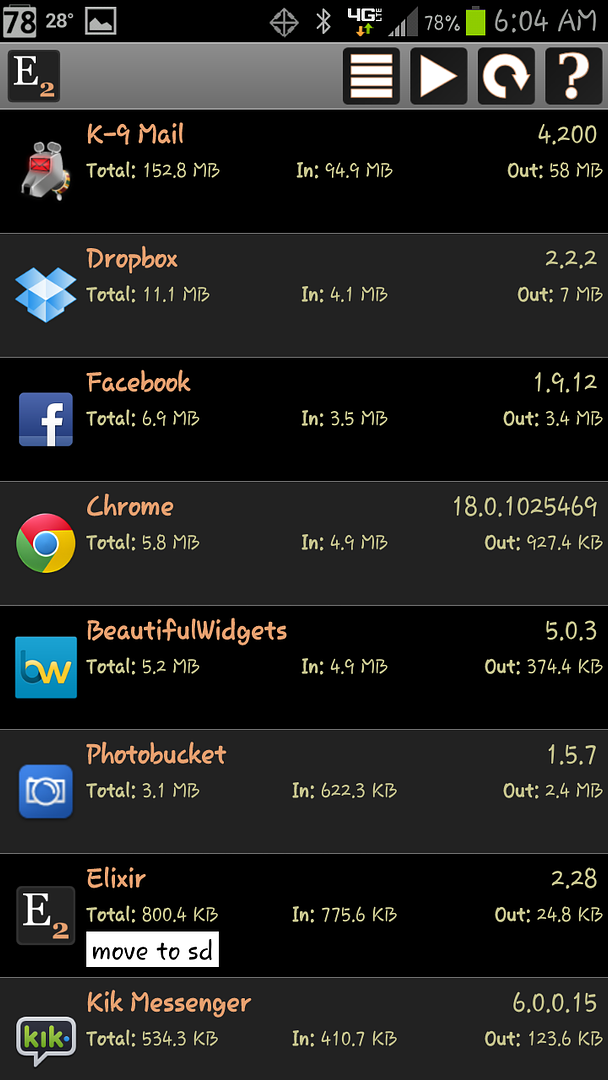
Sorted by Network Traffic:

Screenshot_2012-12-11-06-04-35_zps1b7ecb09.png
 
I started this thread to ask about those occasional days my phone drops 60% or 70% overnight. It appears it's been hijacked to address general batter drain so I guess I'll go with the flow.

So I changed it again yesterdan and unplugged before I went to bed. It was at about 80% this morning, so Google Now didn't seem to have a big influence. I then installed CPUSpy and let it sleep while I drove to work. Attached are the related screen shots. Maps still seems very high, considering I didn't open it at all. Other than that does anything look out of the ordinary?

Don't think I get the comment about JuiceDefender.

Sorry for the hijack. I thought the issues were similar and it didn't seem necessary to start yet another battery drain thread. But, I'll be happy to ping a mod and get the thread split if you'd like. I'm certainly not here to ruffle any feathers, just happy to have a knowledgable group of folks willing to lend a hand. :tee:
 
Can i suggest the app "cpu spy"...
It wont tell you whats doin it but if you reset timers in cpu spy, turn your screen off and leave it say 10mins, turn on, open cpu spy, and restore timers.... if "deep sleep" isnt the biggest thing, you have a bad app.
Are u runnin Light Flow?
Juice Defender belongs in 2010 btw man soz ;)

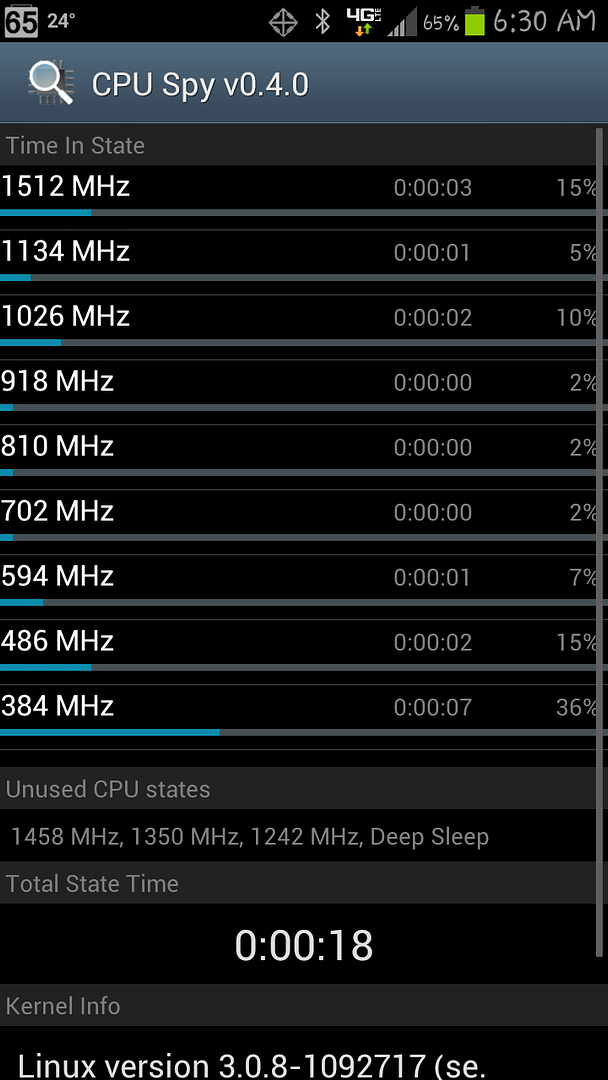
Here's what I got:

Screenshot_2012-12-11-06-30-45_zps41f0827a.png
 
. . . I then installed CPUSpy and let it sleep while I drove to work. Attached are the related screen shots. Maps still seemsd very high, considering I didn't open it at all. Other than that does anything look out of the ordinary? . . .


What shows in the details if you click on Maps in GSam? Maps is notorious for sucking large amounts of battery even when you aren't using it. Try disabling Maps temporarily.

What was the Total State Time on your CPU Spy stats? That stat is cut off at the bottom of your screenshot. The other CPU Spy stats show the phone in Deep Sleep most of the time, which is good.

But the GSam stats show the phone being held awake 4 hours out of the 8 hours, which is bad. Apparently the GSam stats were taken before the CPU Spy app was even started.

The GSam stats show high usage by the Kernel, which is bad. We need more info on the Kernel stats. If you click on the Kernel item in GSam stats what system processes are at the top of the detail list?
 
Back
Top Bottom