Just got S10 Plus

- Smartphones
- 0 Replies
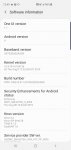
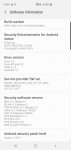
Any tips or tricks I should know. When setting phone up had like 4 updates on it. Can someone tell me what level of security and update I should have right now. Have this from software info.
Follow along with the video below to see how to install our site as a web app on your home screen.
Note: This feature may not be available in some browsers.



package com.example.anitaa.studentapplication;

import android.annotation.SuppressLint;
import android.support.v7.app.AppCompatActivity;
import android.os.Bundle;
import android.view.View;
import android.widget.AdapterView;
import android.widget.ArrayAdapter;
import android.widget.Button;
import android.widget.EditText;
import android.widget.Spinner;
import android.widget.Toast;

import com.android.volley.Response;
import com.android.volley.VolleyError;
import com.android.volley.toolbox.JsonArrayRequest;

import org.json.JSONArray;
import org.json.JSONException;
import org.json.JSONObject;

import java.util.ArrayList;
import java.util.Collections;
import java.util.List;

public class UpdateActivity extends AppCompatActivity {
    Spinner spinner;
    ArrayAdapter adapter1;
    EditText Id1,firstname1,lastname1,class1;
    Button button1;
    private JSONArray response;
    String url1 = "http://192.168.1.6/student/web/studentrecords";

    @Override
    protected void onCreate(Bundle savedInstanceState) {
        super.onCreate ( savedInstanceState );
        setContentView ( R.layout.activity_update );
        spinner = (Spinner) findViewById ( R.id.spinner1 );
        Id1 = (EditText) findViewById ( R.id.studentid );
        firstname1 = (EditText) findViewById ( R.id.firstname );
        lastname1 = (EditText) findViewById ( R.id.lastname );
        class1 = (EditText) findViewById ( R.id.studentclass );
        final List<String> list = new ArrayList<> ();


        JsonArrayRequest request = new JsonArrayRequest ( url1,
                new Response.Listener<JSONArray> () {
                    @Override
                    public void onResponse(JSONArray response) {
                        try {
                            list.add(0,"Select Student");
                            // response is the JSONArray that you need to iterate
                            for (int i = 0; i < response.length (); i++) {
                                JSONObject obj = response.getJSONObject ( i );
                                int StudentId = obj.getInt("Id");
                                String name= obj.getString ( "FirstName" );
                                String lastName = obj.getString ( "LastName" );


                                list.add(name+" "+lastName);


                            }

                            spinner_code ();


                        } catch (JSONException e) {
                            e.printStackTrace ();
                        }
                    }

                    private void spinner_code() {

                        adapter1=new ArrayAdapter ( UpdateActivity.this,android.R.layout.simple_spinner_item, list );
                        adapter1.setDropDownViewResource ( android.R.layout.simple_spinner_dropdown_item);
                        spinner.setAdapter ( adapter1 );
                        spinner.setOnItemSelectedListener ( new AdapterView.OnItemSelectedListener () {
                            @SuppressLint("ResourceType")
                            @Override
                            public void onItemSelected(AdapterView<?> parent, View view, int position, long id) {
                                spinner.setSelection ( position );
                                if(spinner.getSelectedItem ().equals ( "Select Student" )) {
                                    Id1.setText("");

                                }else
                                {


                                }
                            }


                            @Override
                            public void onNothingSelected(AdapterView<?> parent) {

                            }
                        } );


                    }
                    private int getStudentId(int position)
                    {
                        int Student_Id =0;
                        try
                        {
                            JSONObject json = response.getJSONObject ( position );
                            Student_Id = json.getInt("Id");
                        } catch (JSONException e) {
                            e.printStackTrace ();
                        }
                        return Student_Id;
                    }


                }, new Response.ErrorListener () {
            @Override
            public void onErrorResponse(VolleyError error) {
                error.printStackTrace ();
            }
        } );


        MySingleton.getInstance ( UpdateActivity.this ).addToRequestque ( request );


    }
}

<uses-permission android:name = "android.permission.INTERNET" />Try GamerROM Orion it will automatically decrypts your device and it won't try to encrypt your device, I just released a update for it just todayHi, I have a problem where when I flash a new version of LineageOS 15.1, when it's booting up it comes with a message saying 'decryption unsuccessful' even though I put my password in correctly I still have to reset my phone and thus have me to force reset my phone.
I have magisk installed and I think that's the problem but how do I prevent this from happening?
If anyone knows a solution, please let me know as it's driving me crazy.
Thanks
I was able to connect. I had to use show advanced properties, then deselect 'use 5ghz band when available'.Are you sure your Note 8's hotspot is an 'AC' only?
It seems unlikely as smartphone hotspot capability trails even cheap routers, and 802.11n is still more prevalent in actual usage with 802.11ac routers only now becoming more common. It would probably be more of a 2.4GHz/5GHz band issue than a 802.11 protocol issue.
How old is that current USB adapter? If it's old enough that it only supports 2.4GHz but not 5GHz that would be a more likely problem (... keep in mind a 802.11n router supports both 2.4GHz and 5GHz band networks).
https://en.wikipedia.org/wiki/IEEE_802.11#802.11n
The hotspot setup menu in your Note 8 probably allows you to have a 2.4GHz or 5GHz band network, opt to use a 2.4GHz network instead, that should be more useful while testing that USB adapter
Is there a readily available outlet for your Note's power adapter on that boat? Don't forget that having the hotspot enabled for an extended amount of time will tax your phone's battery quite a bit. Or at least pick up an external battery pack.
Just to add:
Samsung's site indicates your Note 8 supports 802.11a/b/g/n/ac:
https://www.samsung.com/global/galaxy/galaxy-note8/specs/
... and from a more detailed point to back that up, looking at iFixit's tear-down for a Note 8, the WiFi chip itself is a Murata KM7628048 as shown in step 8:
https://www.ifixit.com/Teardown/Samsung+Galaxy+Note8+Teardown/97071
and a Murata spec sheet:
https://wireless.murata.com/products/rf-modules-1/wi-fi-bluetooth.html
Of course this probably pertains more for receiving than transmitting, but still it would be odd if the hotspot is indeed limited to AC only.

host:mtalk.googlecom/174.125.68.188
what phone do you have? is it rooted? why do y9ou want to remove that? the more details we have, the better we can help.How can remove them

One of my grandmothers friends was a house doctor, he helped me diagnosed on what was going on, before diagnostics with GERD, simply mistaken as a stomach flu.When doctors made house calls? (I'm not.)


Motorola phones also come with FM radio apps that can record live radio. I must say that Moto's FM radio app is the best I've used. It has a nice array of features, including light and dark themes.I am going to change phones and it seems some other phones have a radio app but only samsung has that radio app that allows recording of live radio.