
Install the app
How to install the app on iOS
Follow along with the video below to see how to install our site as a web app on your home screen.
Note: This feature may not be available in some browsers.
-
After 15+ years, we've made a big change: Android Forums is now Early Bird Club. Learn more here.
You are using an out of date browser. It may not display this or other websites correctly.
You should upgrade or use an alternative browser.
You should upgrade or use an alternative browser.
Filters
Show only:
Wifi, mobile data and vpns

- By ocnbrze
- Ask a question
- 1 Replies
1 and 2. by default if you are connected to wifi, all online data will go thru wifi. if you want to use mobile, you have to turn wifi off.
3. you can still use vpn while on mobile.
3. you can still use vpn while on mobile.
Help How to permanently remove "Mute all sounds" from Samsung Galaxy A13?

- By Hadron
- Ask a question
- 1 Replies
On an unrooted phone, no. Even with root you'd have to find a system mod (probably specific to this particular model) that does this, which I've never heard of.
Maybe you could change your Do Not Disturb settings so that almost everything is allowed to make a sound even in DnD mode (i.e. make everything you can an "exception")? Might be possible to work around it that way.
Check your Do Not Disturb settings to make sure you don't have any schedules set up. And maybe check that your calendar app doesn't have an opinion to mute during events (not a common feature, indeed I use Tasker to make mine do this, but worth eliminating as a possibility).
If it's not something like that all I can think of is maybe something keeps pressing the volume down button?
Maybe you could change your Do Not Disturb settings so that almost everything is allowed to make a sound even in DnD mode (i.e. make everything you can an "exception")? Might be possible to work around it that way.
Check your Do Not Disturb settings to make sure you don't have any schedules set up. And maybe check that your calendar app doesn't have an opinion to mute during events (not a common feature, indeed I use Tasker to make mine do this, but worth eliminating as a possibility).
If it's not something like that all I can think of is maybe something keeps pressing the volume down button?
Run and Debug Android TV apps on a real TV
- Android Development
- 3 Replies
That's all fine and dandy.
However read the article and you'll see the comments from the developer that specifically mentions Android Studio.
So yes, you're going to need Android Studio running on a windows or Mac device before you can alter anything...
Run and debug but that's about all you can do.
However read the article and you'll see the comments from the developer that specifically mentions Android Studio.
So yes, you're going to need Android Studio running on a windows or Mac device before you can alter anything...
Run and debug but that's about all you can do.
Saying hello.
- By Jorabi
- VIP Lounge
- 6 Replies
Does anybody know how I can reach James L? There isn't any message button on his profile.Haven’t been on the forums in a bit and just wanted to say hello.
I switched to a iPhone 12 Pro Max, it was a decision that weighed heavy on my mind but it was needed.
Android Studio multi build
- By robyleo76
- Android Development
- 0 Replies
Hi, I need some help with a problem I need to solve. I have an application that I need to install on three different customers' devices. Each client has to point to his own server and use some features and not all. What's the best way to handle this? As sources I have only one but I would like to be able to generate several apk automatically by setting in some way a parameter that allows me to make the application work in the correct way
Do APKs take up less space?
- VIP Lounge
- 3 Replies
Installing an APK version of an app instead of downloading it from the Play Store does not necessarily take up less or more space. The size of the app remains the same, regardless of the source of installation.If I install an APK version of an app instead of downloading from the play store, does it take up less or more space???
When you download an app from the Play Store, the app's APK file is downloaded to your device, along with any additional data or resources needed to run the app. When you install the app, these files are stored in the device's internal storage or on an external SD card, depending on your settings.
Similarly, when you install an APK file manually, the APK file and any associated data or resources are stored in the device's internal or external storage, just like when installing from the Play Store.
However, it's worth noting that downloading and installing APK files from third-party sources can be risky, as they may contain malware or other security vulnerabilities. It's always recommended to download apps from trusted sources such as the Google Play Store or other official app stores to minimize these risks.
What's apk+ ?
- Apps & Games
- 6 Replies
The .apk+ extension that you are seeing in some Android app backups is a file extension used by the Helium Backup app. Helium Backup is a popular backup tool for Android devices that allows users to backup and restore their apps and data without requiring root access.When I backup an Android app, I've noticed that some newer apk files have actually the extension apk+
What's the meaning of this?
Thanks.
The .apk+ extension is used by Helium Backup to indicate that the APK file has been backed up along with its associated data. The plus sign (+) is used to differentiate these backup files from regular APK files.
When you use Helium Backup to create a backup of an app, it creates a backup file with the .apk+ extension that contains both the APK file and the app's data. This allows you to restore the app along with its data, preserving your app settings, user data, and other app-specific information.
It's worth noting that Helium Backup is not the only app that uses this file extension. Some other backup and restore apps may also use the .apk+ extension to indicate that a file contains both the APK and data for an app. However, the use of this file extension is not standardized across all backup tools, so it's important to check the documentation of the backup tool you are using to understand how it stores and restores app data.
Find the Difference Game
- Apps & Games
- 0 Replies
Have you gotten bored of scrolling for games that are interesting to play and also increase your concentration? Then you have reached the right application, find a difference game that has all the features that you expect in one interesting game.
Do you really think you can conquer this game's levels? Sometimes it seems simple but it's not!
Play find the difference game on your smartphone and go to levels, find out the difference between two pictures. Use your skills to spot the potential difference between those pictures, while the timer running in the background, find the differences in less time which will help you to perform better and train you for the next challenging levels.
Find the difference game is a photo hunt puzzle game that looks simple and easy but it is more challenging when you go to the upper levels, if there will be more challenges it means more fun playing this game. Playing the find the difference game will improve your focus power and observation skills. Everyone can play this game and improve their skills. The best advantage of this game is that it allows you to take a short break whenever you need it and also helps in sharpening your memory.
So what are you waiting for? Take your magnifying glass and enter the level, the magnifying glass on your screen helps you to see the missing objects if they are too small for you to see! Zoom in, and tap it if you spot any difference between two pictures and win the level.
Every level will present you with two beautiful HD pictures that look the same, but there will be some small differences between them, it's your job to spot the difference as quickly as you can. In addition to that, finding the difference game gives you the option of hints. Note that you can use hints only twice at each level. Avoid regularly using hints, practice more, and clear the level with your skills will give you more confidence for the next challenging levels. The more you will play this game, the better your observation will become.
Improving your memory by finding the difference will be a significant aspect of this game. Whenever you play at a new level, you exercise your brain to solve that level.
Benefits You Get Playing This Game:
-> Simple game pattern for all.
-> Help you in improving your mental strength!
-> Power up your observation skills!
-> You enter the detective world!
-> Beautiful Pictures for everyone
-> Easy to use with simple UI/UX
Find the difference game gives you relief from stress while playing the game, easily show your patience and detective skills to clear the level and head to the next! The levels will become more challenging as it goes higher & higher so to tackle them easily concentrate on the game and find the spots!
Amazing Features By Find The Difference Game:
-> More than 200+ Amazing & Challenging levels with high-quality pictures
-> Find the spots from the smaller details and improve observation
-> Use hints if you unable to clear levels
-> Magnifying Glass: Zoom in to spot the smallest differences between pictures
-> Play with a timer to analyze your true mental strength
Find the difference is a fun game that is designed for everyone.
when you progress in levels the difficulties also increase. It is highly recommended to play spot the differences games and constantly increase the level of difficulty which helps you in improving your skills. Spot the difference games will look simple to you but many times we are unable to find all the differences.
So what are you waiting for? Try out this challenging and fun game by downloading it now!
Do you really think you can conquer this game's levels? Sometimes it seems simple but it's not!
Play find the difference game on your smartphone and go to levels, find out the difference between two pictures. Use your skills to spot the potential difference between those pictures, while the timer running in the background, find the differences in less time which will help you to perform better and train you for the next challenging levels.
Find the difference game is a photo hunt puzzle game that looks simple and easy but it is more challenging when you go to the upper levels, if there will be more challenges it means more fun playing this game. Playing the find the difference game will improve your focus power and observation skills. Everyone can play this game and improve their skills. The best advantage of this game is that it allows you to take a short break whenever you need it and also helps in sharpening your memory.
So what are you waiting for? Take your magnifying glass and enter the level, the magnifying glass on your screen helps you to see the missing objects if they are too small for you to see! Zoom in, and tap it if you spot any difference between two pictures and win the level.
Every level will present you with two beautiful HD pictures that look the same, but there will be some small differences between them, it's your job to spot the difference as quickly as you can. In addition to that, finding the difference game gives you the option of hints. Note that you can use hints only twice at each level. Avoid regularly using hints, practice more, and clear the level with your skills will give you more confidence for the next challenging levels. The more you will play this game, the better your observation will become.
Improving your memory by finding the difference will be a significant aspect of this game. Whenever you play at a new level, you exercise your brain to solve that level.
Benefits You Get Playing This Game:
-> Simple game pattern for all.
-> Help you in improving your mental strength!
-> Power up your observation skills!
-> You enter the detective world!
-> Beautiful Pictures for everyone
-> Easy to use with simple UI/UX
Find the difference game gives you relief from stress while playing the game, easily show your patience and detective skills to clear the level and head to the next! The levels will become more challenging as it goes higher & higher so to tackle them easily concentrate on the game and find the spots!
Amazing Features By Find The Difference Game:
-> More than 200+ Amazing & Challenging levels with high-quality pictures
-> Find the spots from the smaller details and improve observation
-> Use hints if you unable to clear levels
-> Magnifying Glass: Zoom in to spot the smallest differences between pictures
-> Play with a timer to analyze your true mental strength
Find the difference is a fun game that is designed for everyone.
when you progress in levels the difficulties also increase. It is highly recommended to play spot the differences games and constantly increase the level of difficulty which helps you in improving your skills. Spot the difference games will look simple to you but many times we are unable to find all the differences.
So what are you waiting for? Try out this challenging and fun game by downloading it now!
Attachments
-
 find_the_difference_phone_1.png769.7 KB · Views: 242
 -
 find_the_difference_phone_2.png391.7 KB · Views: 163
 -
 find_the_difference_phone_3.png1.1 MB · Views: 151
 -
 find_the_difference_phone_4.png548.2 KB · Views: 182
 -
 find_the_difference_phone_5.png952.4 KB · Views: 153
 -
 find_the_difference_phone_6.png859.6 KB · Views: 169
 -
 find_the_difference_phone_7.png956.3 KB · Views: 176
 -
 find_the_difference_phone_8.png299.1 KB · Views: 154
 -
 feature_graphic.png416.2 KB · Views: 175
Root Make and Receive FREE calls over WiFi..No Mobile Service Required
- By Nostii
- Smartphones
- 14 Replies
No I was saying CM7.2 has SIP settings and how all I need is to find a SIP provider, and it's also an AT&T Huawei Fusion 2 U8665is this a statement? or are you asking for help? what phone do you have?
Edit: found Linphone, but I kinda want one that lets me call any number, kinda like a regular carrier number. Seeing how VoIP can do so, so I'm still trying to find a provider for it.
New phone ‘complaints’
- VIP Lounge
- 8 Replies
The last time I used Titanium Back up was around four years ago, so I back up my photos to mostly terabox, and my contacts to google contacts.. I do tend to deleted a few of them because either they are so caught up with themselves, or even a justify surfacing a lie covered up from another lie..
Root X559
- Smartphones
- 2 Replies
Here you go...
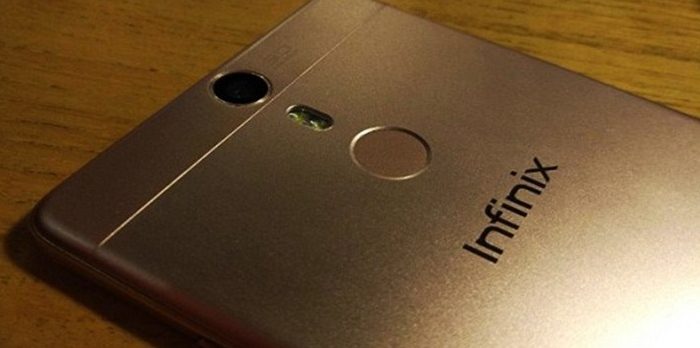
 romprovider.com
How to Root Infinix hot 5 X559 - ROM-Provider
in earlier article you have learn twrp installation on Infinix hot 5 here we share root method for the Infinix hot 5 with supersu and magisk
romprovider.com
Android Studio Preview Rendering problems
- By Donce2023
- Android Development
- 0 Replies
Hi, I am trying to learn Android development. I am learning from developer.android.com/courses
And have problems with @Preview rendering.
Every time I change something in code (even if I just added new line) preview try to automatically Build and Refresh, but every time it fails. It says "Some issues were found while trying to render this preview".
In Problems window I see some Render problems in Compose tab.
But if I manually Build and Refresh no problems are found and everything works. This is very frustrating.
For new assignment I had to create HeroesScreen.kt file and write some code here. I tried to create @Preview in HeroesScreen.kt but was not even able to move from "Code" tab to "Split" tab. Pressing on Split tab did not do anything. Closed Android Studio and opened it again and was able to press and open Split window. But preview would show same issues as above, even if I Build and Refresh manually.
Opened MainActivity.kt file to write some code here. Wanted to copy code from HeroesScreen.kt so I opened it and @Preview is rendered no issues.
I made screen video
And have problems with @Preview rendering.
Every time I change something in code (even if I just added new line) preview try to automatically Build and Refresh, but every time it fails. It says "Some issues were found while trying to render this preview".
In Problems window I see some Render problems in Compose tab.
Rich (BB code):
android.content.res.Resources$NotFoundException: Could not resolve resource value: 0x1CFDEB. at android.content.res.Resources_Delegate.throwException(Resources_Delegate.java:1161) at android.content.res.Resources_Delegate.throwException(Resources_Delegate.java:1137) at android.content.res.Resources_Delegate.throwException(Resources_Delegate.java:1141) at android.content.res.Resources_Delegate.getString(Resources_Delegate.java:823) at android.content.res.Resources.getString(Resources.java:546) at androidx.compose.ui.res.StringResources_androidKt.stringResource(StringResources.android.kt:39) at com.example.superheroes.HeroesScreenKt.HeroItem(HeroesScreen.kt:30) at com.example.superheroes.HeroesScreenKt$HeroPreview$1.invoke(HeroesScreen.kt:49) at com.example.superheroes.HeroesScreenKt$HeroPreview$1.invoke(HeroesScreen.kt:48) at androidx.compose.runtime.internal.ComposableLambdaImpl.invoke(ComposableLambda.jvm.kt:107) at androidx.compose.runtime.internal.ComposableLambdaImpl.invoke(ComposableLambda.jvm.kt:34) at androidx.compose.material.MaterialTheme_androidKt.PlatformMaterialTheme(MaterialTheme.android.kt:23) at androidx.compose.material.MaterialThemeKt$MaterialTheme$1$1.invoke(MaterialTheme.kt:82) at androidx.compose.material.MaterialThemeKt$MaterialTheme$1$1.invoke(MaterialTheme.kt:81) at androidx.compose.runtime.internal.ComposableLambdaImpl.invoke(ComposableLambda.jvm.kt:107) at androidx.compose.runtime.internal.ComposableLambdaImpl.invoke(ComposableLambda.jvm.kt:34) at androidx.compose.runtime.CompositionLocalKt.CompositionLocalProvider(CompositionLocal.kt:228) at androidx.compose.material.TextKt.ProvideTextStyle(Text.kt:265) at androidx.compose.material.MaterialThemeKt$MaterialTheme$1.invoke(MaterialTheme.kt:81) at androidx.compose.material.MaterialThemeKt$MaterialTheme$1.invoke(MaterialTheme.kt:80) at androidx.compose.runtime.internal.ComposableLambdaImpl.invoke(ComposableLambda.jvm.kt:107) at androidx.compose.runtime.internal.ComposableLambdaImpl.invoke(ComposableLambda.jvm.kt:34) at androidx.compose.runtime.CompositionLocalKt.CompositionLocalProvider(CompositionLocal.kt:228) at androidx.compose.material.MaterialThemeKt.MaterialTheme(MaterialTheme.kt:72) at com.example.superheroes.ui.theme.ThemeKt.SuperheroesTheme(Theme.kt:38) at com.example.superheroes.HeroesScreenKt.HeroPreview(HeroesScreen.kt:48) at jdk.internal.reflect.NativeMethodAccessorImpl.invoke0(NativeMethodAccessorImpl.java:-2) at jdk.internal.reflect.NativeMethodAccessorImpl.invoke(NativeMethodAccessorImpl.java:62) at jdk.internal.reflect.DelegatingMethodAccessorImpl.invoke(DelegatingMethodAccessorImpl.java:43) at java.lang.reflect.Method.invoke(Method.java:566) at androidx.compose.ui.tooling.ComposableInvoker.invokeComposableMethod(ComposableInvoker.kt:155) at androidx.compose.ui.tooling.ComposableInvoker.invokeComposable(ComposableInvoker.kt:195) at androidx.compose.ui.tooling.ComposeViewAdapter$init$3$1$composable$1.invoke(ComposeViewAdapter.kt:590) at androidx.compose.ui.tooling.ComposeViewAdapter$init$3$1$composable$1.invoke(ComposeViewAdapter.kt:588) at androidx.compose.ui.tooling.ComposeViewAdapter$init$3$1.invoke(ComposeViewAdapter.kt:625) at androidx.compose.ui.tooling.ComposeViewAdapter$init$3$1.invoke(ComposeViewAdapter.kt:583) at androidx.compose.runtime.internal.ComposableLambdaImpl.invoke(ComposableLambda.jvm.kt:107) at androidx.compose.runtime.internal.ComposableLambdaImpl.invoke(ComposableLambda.jvm.kt:34) at androidx.compose.runtime.CompositionLocalKt.CompositionLocalProvider(CompositionLocal.kt:228) at androidx.compose.ui.tooling.InspectableKt.Inspectable(Inspectable.kt:61) at androidx.compose.ui.tooling.ComposeViewAdapter$WrapPreview$1.invoke(ComposeViewAdapter.kt:531) at androidx.compose.ui.tooling.ComposeViewAdapter$WrapPreview$1.invoke(ComposeViewAdapter.kt:530) at androidx.compose.runtime.internal.ComposableLambdaImpl.invoke(ComposableLambda.jvm.kt:107) at androidx.compose.runtime.internal.ComposableLambdaImpl.invoke(ComposableLambda.jvm.kt:34) at androidx.compose.runtime.CompositionLocalKt.CompositionLocalProvider(CompositionLocal.kt:228) at androidx.compose.ui.tooling.ComposeViewAdapter.WrapPreview(ComposeViewAdapter.kt:525) at androidx.compose.ui.tooling.ComposeViewAdapter.access$WrapPreview(ComposeViewAdapter.kt:124) at androidx.compose.ui.tooling.ComposeViewAdapter$init$3.invoke(ComposeViewAdapter.kt:583) at androidx.compose.ui.tooling.ComposeViewAdapter$init$3.invoke(ComposeViewAdapter.kt:580) at androidx.compose.runtime.internal.ComposableLambdaImpl.invoke(ComposableLambda.jvm.kt:107) at androidx.compose.runtime.internal.ComposableLambdaImpl.invoke(ComposableLambda.jvm.kt:34) at androidx.compose.ui.platform.ComposeView.Content(ComposeView.android.kt:402) at androidx.compose.ui.platform.AbstractComposeView$ensureCompositionCreated$1.invoke(ComposeView.android.kt:248) at androidx.compose.ui.platform.AbstractComposeView$ensureCompositionCreated$1.invoke(ComposeView.android.kt:247) at androidx.compose.runtime.internal.ComposableLambdaImpl.invoke(ComposableLambda.jvm.kt:107) at androidx.compose.runtime.internal.ComposableLambdaImpl.invoke(ComposableLambda.jvm.kt:34) at androidx.compose.runtime.CompositionLocalKt.CompositionLocalProvider(CompositionLocal.kt:228) at androidx.compose.ui.platform.CompositionLocalsKt.ProvideCommonCompositionLocals(CompositionLocals.kt:177) at androidx.compose.ui.platform.AndroidCompositionLocals_androidKt$ProvideAndroidCompositionLocals$3.invoke(AndroidCompositionLocals.android.kt:123) at androidx.compose.ui.platform.AndroidCompositionLocals_androidKt$ProvideAndroidCompositionLocals$3.invoke(AndroidCompositionLocals.android.kt:122) at androidx.compose.runtime.internal.ComposableLambdaImpl.invoke(ComposableLambda.jvm.kt:107) at androidx.compose.runtime.internal.ComposableLambdaImpl.invoke(ComposableLambda.jvm.kt:34) at androidx.compose.runtime.CompositionLocalKt.CompositionLocalProvider(CompositionLocal.kt:228) at androidx.compose.ui.platform.AndroidCompositionLocals_androidKt.ProvideAndroidCompositionLocals(AndroidCompositionLocals.android.kt:114) at androidx.compose.ui.platform.WrappedComposition$setContent$1$1$3.invoke(Wrapper.android.kt:157) at androidx.compose.ui.platform.WrappedComposition$setContent$1$1$3.invoke(Wrapper.android.kt:156) at androidx.compose.runtime.internal.ComposableLambdaImpl.invoke(ComposableLambda.jvm.kt:107) at androidx.compose.runtime.internal.ComposableLambdaImpl.invoke(ComposableLambda.jvm.kt:34) at androidx.compose.runtime.CompositionLocalKt.CompositionLocalProvider(CompositionLocal.kt:228) at androidx.compose.ui.platform.WrappedComposition$setContent$1$1.invoke(Wrapper.android.kt:156) at androidx.compose.ui.platform.WrappedComposition$setContent$1$1.invoke(Wrapper.android.kt:140) at androidx.compose.runtime.internal.ComposableLambdaImpl.invoke(ComposableLambda.jvm.kt:107) at androidx.compose.runtime.internal.ComposableLambdaImpl.invoke(ComposableLambda.jvm.kt:34) at androidx.compose.runtime.ActualJvm_jvmKt.invokeComposable(ActualJvm.jvm.kt:74) at androidx.compose.runtime.ComposerImpl$doCompose$2$5.invoke(Composer.kt:3193) at androidx.compose.runtime.ComposerImpl$doCompose$2$5.invoke(Composer.kt:3183) at androidx.compose.runtime.SnapshotStateKt__DerivedStateKt.observeDerivedStateRecalculations(DerivedState.kt:252) at androidx.compose.runtime.SnapshotStateKt.observeDerivedStateRecalculations at androidx.compose.runtime.ComposerImpl.doCompose(Composer.kt:3183) at androidx.compose.runtime.ComposerImpl.composeContent$runtime_release(Composer.kt:3119) at androidx.compose.runtime.CompositionImpl.composeContent(Composition.kt:584) at androidx.compose.runtime.Recomposer.composeInitial$runtime_release(Recomposer.kt:811) at androidx.compose.runtime.CompositionImpl.setContent(Composition.kt:519) at androidx.compose.ui.platform.WrappedComposition$setContent$1.invoke(Wrapper.android.kt:140) at androidx.compose.ui.platform.WrappedComposition$setContent$1.invoke(Wrapper.android.kt:131) at androidx.compose.ui.platform.AndroidComposeView.setOnViewTreeOwnersAvailable(AndroidComposeView.android.kt:1015) at androidx.compose.ui.platform.WrappedComposition.setContent(Wrapper.android.kt:131) at androidx.compose.ui.platform.WrappedComposition.onStateChanged(Wrapper.android.kt:182) at androidx.lifecycle.LifecycleRegistry$ObserverWithState.dispatchEvent(LifecycleRegistry.java:354) at androidx.lifecycle.LifecycleRegistry.addObserver(LifecycleRegistry.java:196) at androidx.compose.ui.platform.WrappedComposition$setContent$1.invoke(Wrapper.android.kt:138) at androidx.compose.ui.platform.WrappedComposition$setContent$1.invoke(Wrapper.android.kt:131) at androidx.compose.ui.platform.AndroidComposeView.onAttachedToWindow(AndroidComposeView.android.kt:1102) at android.view.View.dispatchAttachedToWindow(View.java:21291) at android.view.ViewGroup.dispatchAttachedToWindow(ViewGroup.java:3491) at android.view.ViewGroup.dispatchAttachedToWindow(ViewGroup.java:3498) at android.view.ViewGroup.dispatchAttachedToWindow(ViewGroup.java:3498) at android.view.ViewGroup.dispatchAttachedToWindow(ViewGroup.java:3498) at android.view.ViewGroup.dispatchAttachedToWindow(ViewGroup.java:3498) at android.view.ViewGroup.dispatchAttachedToWindow(ViewGroup.java:3498) at android.view.AttachInfo_Accessor.setAttachInfo(AttachInfo_Accessor.java:58) Copy stack to clipboard Tip: Try to refresh the layout.But if I manually Build and Refresh no problems are found and everything works. This is very frustrating.
For new assignment I had to create HeroesScreen.kt file and write some code here. I tried to create @Preview in HeroesScreen.kt but was not even able to move from "Code" tab to "Split" tab. Pressing on Split tab did not do anything. Closed Android Studio and opened it again and was able to press and open Split window. But preview would show same issues as above, even if I Build and Refresh manually.
Opened MainActivity.kt file to write some code here. Wanted to copy code from HeroesScreen.kt so I opened it and @Preview is rendered no issues.
I made screen video
What does this mean?

- By olbriar
- VIP Lounge
- 10 Replies
@jpkiii I moved your thread here... a better area for assistance
Accessories Best program to save and share status

- By Top New Apps
- Apps & Games
- 0 Replies
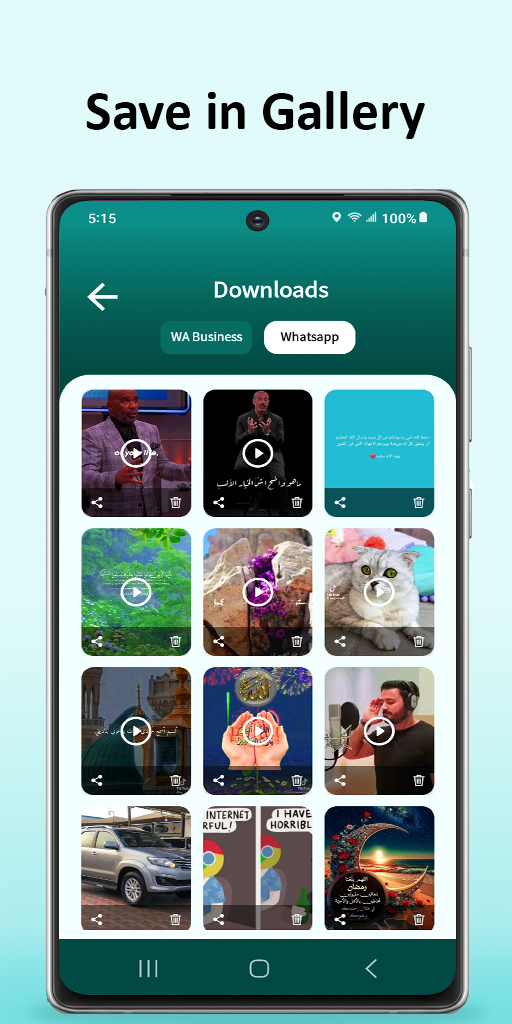
Certainly, you will like one of your friend's Status and want to save or re-share it, and due to the lack of privacy in the modified WhatsApp applications, this application was built to facilitate saving statuses and sharing them easily and completely safely, since this application is officially published in the Google Play Store and under the supervision of Google.
Advantages of status downloader app:
・Save all photos and videos
・Supports WhatsApp Business also
・Multiple save, delete, repost, and share
・The possibility of re-sending the status without saving
・Watch video HD directly
・Easy and fast
・Stylish design
・Completely free
・Many great features
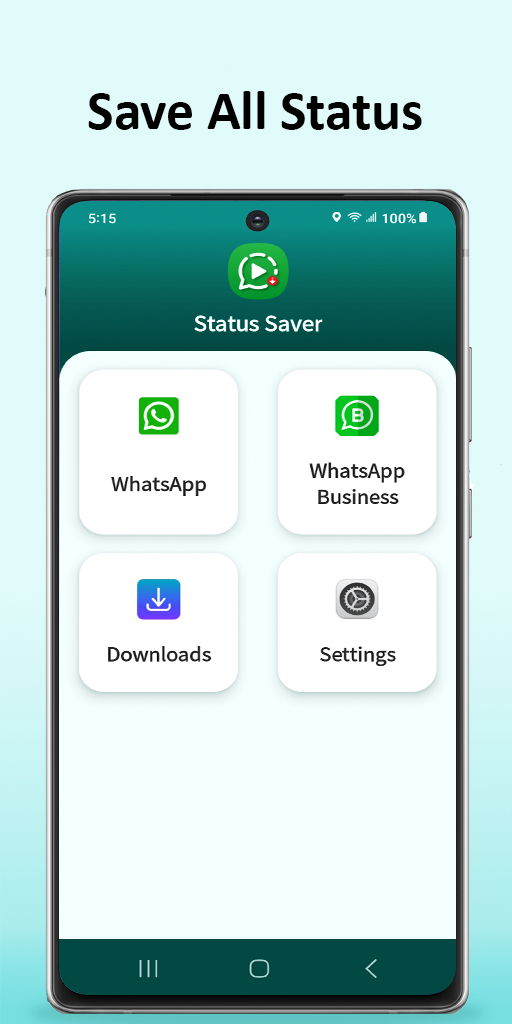
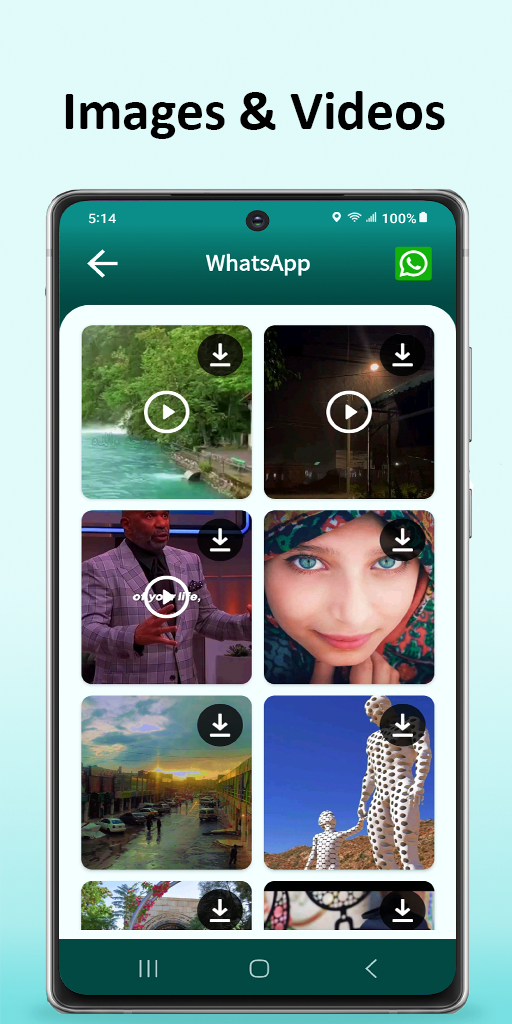
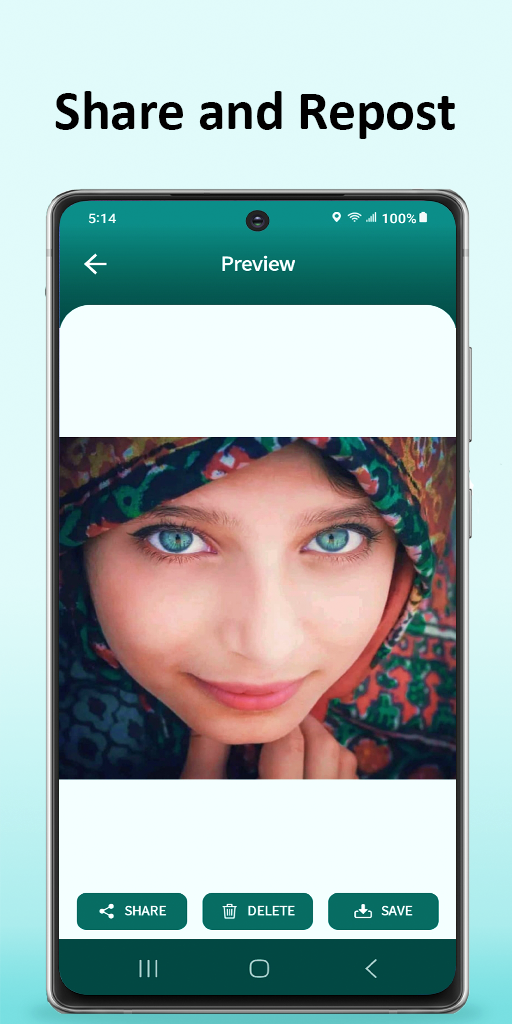
Download status saver Now for free on Google Play

 play.google.com
Advantages of status downloader app:
・Save all photos and videos
・Supports WhatsApp Business also
・Multiple save, delete, repost, and share
・The possibility of re-sending the status without saving
・Watch video HD directly
・Easy and fast
・Stylish design
・Completely free
・Many great features
Download status saver Now for free on Google Play
Status Saver ・ Videos Download - Apps on Google Play
Download video and photo from your friend's statuses and share them easily
Lenovo tablet TB328XU Palm Rejection
- By ocnbrze
- Ask a question
- 5 Replies
no......when you try writing or drawing whatever app you use, it will detect your hand and your stylus. it will think that you are also using your hand to draw or write and will mark the page as so. but on a tablet that has a designated stylus like the note, s22 or s23 and even the lenovo tab P11, you can place your hand on the screen and it will ignore your hand and only recognize the stylus.Oh like a bio scanner? I think that mine does not have that at all, I can rest both of my hands easily on it.
but on tablets or phones that does not come with its own stylus will read your hand as well. so you can't touch the screen while you write or draw. i have yet to find an app that will do this.
Taking a screen shot?

- By groston
- VIP Lounge
- 2 Replies
That's all I see - was hoping to be able to attach this functionality to the power button or one fo the pull-down commands.Have you tried this? It's off my Pixel 7 - Settings>System>Gestures The double tap is all I see as an alternative.
I have disabled swipe navigation, so this does nothing.there is also:
wipe up from the bottom of the screen to the Recents screen; you'll see a button for Screenshot at the bottom of the screen
Help LG G2 Mini Sometimes charging / does not let me to boot (always fastboot)
- By Jaxsonz
- Smartphones
- 11 Replies
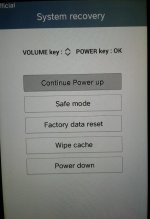
Hi. Could you post detailed photos of this cable please? I have same problem with my LG (always fastboot/no possibility to charge/won't go to download mode & etc.).First i forced the phone to be in download mode finally using a JIG or a Boot cable

Root [Sprint] LG G2 Stuck in fastboot mode. PLEASE HELP!
- By Jaxsonz
- Smartphones
- 260 Replies
yep 2014 is when this pre-paid phone came out. i would look to get a new phone.
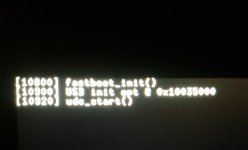
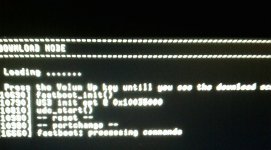
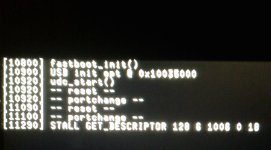
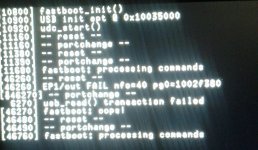
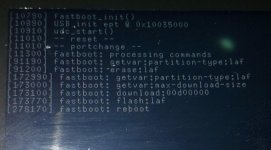
if you really want to revive this ancient relic, then can you please post the output of your fastboot command? and you say that fastboot sees the phone, so just to be sure when you type "fasboot devices", you get a bunch of numbers, correct?
also post all of the outputs from the fastboot commands that you have tried.
My thread:
LG stuck in fastboot mode
Hi. I need help... I have an old LG G Vista (2014) with Android 5.1.1. It stuck in fastboot mode without a reason. BEFORE HARD RESET: - It loaded normally from time to time (after I take off the battery and put it in back again). - It also loaded in Safe Mode. - It was possible to charge the...
androidforums.com
Attachments


Status bar notifications
- By neighner
- Ask a question
- 15 Replies
I figured it out! It was this app I was using called Power Shade. I uninstalled it and it started working again. Reinstalled it and has been working fine so far so idk, we will see. Thank you all!

Meaning of data fields given by Google Play Store for app download/install statistics

- By Unforgiven
- Android Development
- 2 Replies
Development thread moved to the dev area for better exposure. 
Load more