• After 15+ years, we've made a big change: Android Forums is now Early Bird Club. Learn more here.

New Game: Bubbles Pop Infinite 2020 (Version 1.0.3)

BIXwRpg.png


What's this game ?

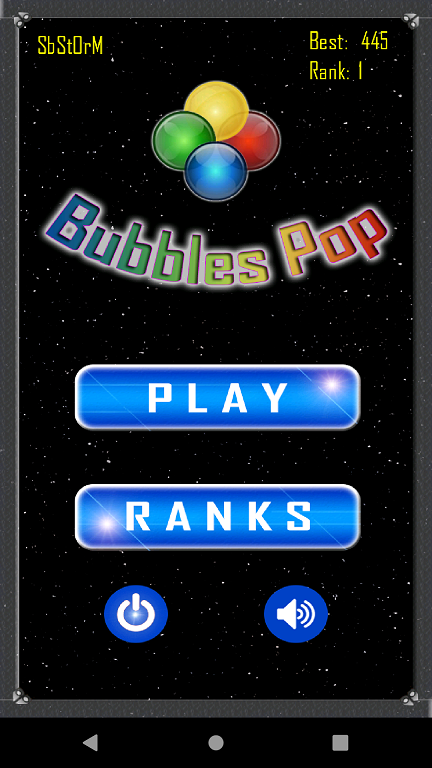
"Bubbles Pop Infinite 2020" is a casual game for Android. The objective is simple:
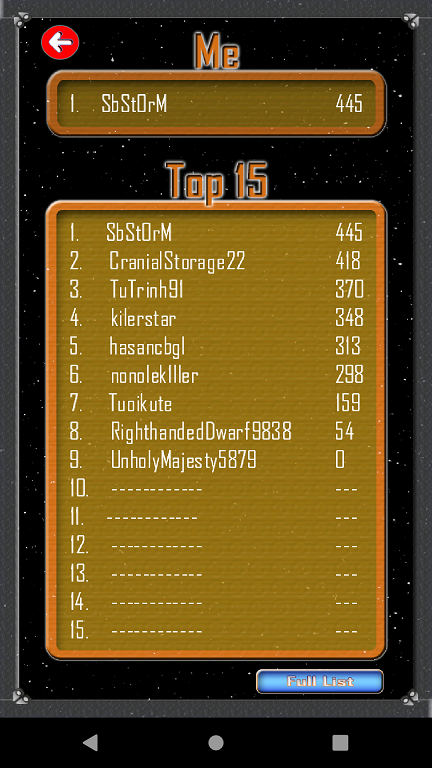
  • survive as long as you can and make your best score to get your place in the top 15.

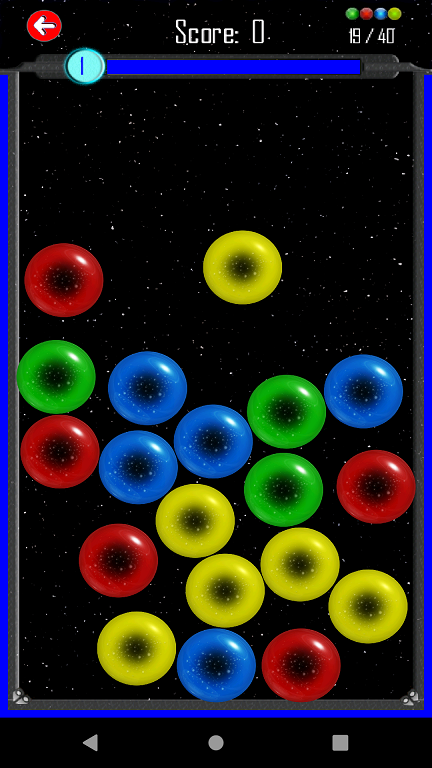
Bubbles will appear randomly and your mission is to explode them by tapping on it.
It will be faster and faster with the time.
But you can't tap as you wish. To explode them and get points, the bubbles and
the borders must have the same color at the moment you tap them.
Borders colors also change randomly, faster and faster with time

Tapping a wrong bubble will give you penalties. Your reflexes, accuracy and calm will be needed.

Game rules ?
  • A bubble explodes if it has the same color as the borders when you tapped on it
  • Each exploded bubble gives 1 point
  • If you tapped a bubble whose color is different from the borders color:
    • 1 random ball is added
    • 1 point is removed from your score
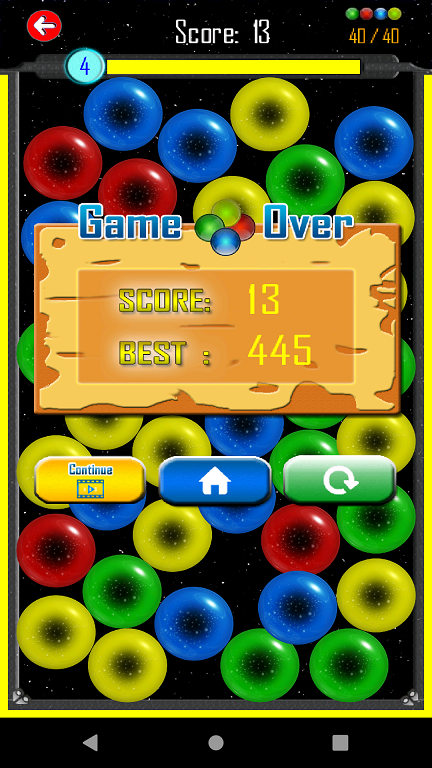
  • If the number of bubbles reaches the max quantity, it’s a Game Over

How to download it ?
You have to way to get the game.
The first one will help the game to get a better place when people look for it.
I'm grateful if you can use the option 1:
  1. you can look for "Bubbles Pop Infinite 2020" on the Play Store
  2. you can use this link directly: https://play.google.com/store/apps/details?id=com.amandin.bubblepup

More Info ?
For more info and be aware of any new updates, you can follow:

Video promo

Screenshots
1._MainMenu-1599285907892.png
3._Game_running-1599285917429.png

4._Game_over-1599285925018.png
5._Top_score-1599285931393.png

This is nice, I have something new to enjoy with

Samsung Galaxy Note 9 — ADDING NEW RINGTONE TO S6

Hello:
I'm trying to add a new sonnerie from an MP3 file. I go to Settings/Ringtone and scroll down to "add from device storage" when I click on this I get a window what shows my gmail address as well as my yahoo address. I click on this and then it goes to "My drive choose an item" then I clock and it shows, my drive, computers, shared with me, starred, and recent. No matter which I choose I can't find the file that i'm looking for, it's in my download folder. But it won't let me find it by doing what I mentioned above

Hope you all can help.
thanks
Hope you can

App Inventor How to pass the Selected Image To ImageView From ArrayList

CardView Been clicked and gallery opened, Selected an Image, I'm trying to pass the image selected from the gallery and pass to ImagePreview inside the CardView , the cardview is generated via ArrayList. I'm getting the error like delivering a result

java.lang.RuntimeException: Failure delivering result ResultInfo{who=null, request=123, result=-1, data=Intent


rh55Zhp.png

How to re-initialize sim card?

Yes, it is meant to go in the 2nd sim/micro-sd card hybrid slot, in order to allow you to use a second sim at the same time as a micro-sd card. I understood that when I bought it.
Dont think my phone supports dual sim, I wanted to just use it as a way to swap sims without opening the sim tray. I want to make something which allows me to easily swap between a lot of sims quickly.
No firmware mentioned on the product page.

Phone Slow

Try restarting your phone into its Safe Mode and see if this makes any improvement.
https://www.hardreset.info/devices/lg/lg-stylo-5/safe-mode/
When running in Safe Mode, only the base Android operating system gets loaded into memory during the startup process. Any third-party apps or services that typically get preloaded too are bypassed so this is a good way to at least check if something you've installed recently is causing the problem. Also keep in mind that since no apps are getting preloaded like they normally do, when you start up different apps in a Safe Mode there will often be a lag in their startup time. (...just so you can distinguish the difference between how responsive the Android OS will be vs. an app's initial loading up time.)
If you do notice there's a significant different on how your phone is running while in Safe Mode, than that would indicate there's a problem with some third-party app. You still need to determine just which one. If you look in your Settings >> Battery menu, is there any app listed there showing a recent increase in its power usage that corresponds with the approximate time when this problem started occurring?

Well, what a coincidence. As we spoke my 'older' phone (launched mid 2019) got it's OS 10 update. And other remaining models should be receiving theirs by December 2020. Now I'll just be anxiously awaiting the OS11 that launched recently. Just not for budget model phones.
Seriously, it's much better. And I do like the features of this model.
Just as a side note I don't have many apps running in background, idle apps are automatically dealt with after a certain length of time and I do a Smart Clean regularly. Thanks for allthe help and suggestions.

Copy images from gallery in app directory targetSDKVersion > 28

Hallo, sorry for my bad english.

I have problems with the value "targetSdkVersion" in the build.gradle related to copying images from the Gallery to my APP directory. The background is that I use MediaStore.INTENT_ACTION_STILL_IMAGE_CAMERA take several pictures in a row with the camera APP and then display them in a list. Unlike with MediaStore.ACTION_IMAGE_CAPTURE you can't save the pictures directly here and with the second you can only take a picture.

If set the value 28 as targetSdkVersion, I can easily copy images from the Gallery to my APP directory (after appropriate permission) and no more at 29 (otherwise no change). srcFile.exist() returns true at both values, FileTools.fileCopy(src,dest) returns true at value 28 and the file is copied. If 29 is a value, the value is returned false and the file is not copied. The app needs to be uninstalled and reinstalled once when changing values, there are no problems with the update from 28 to 29.
I think this has something to do with it, as can be seen from https://developer.android.com/distribute/best-practices/develop/target-sdk.
• Scoped storage
• External storage access is limited only to an app-specific directory and to specific types of media that the app has created.

Does anyone have an idea what alternative I have to copy the images from the DCIM directory to my app directory. Other apps do the same.

greetings Jens

Update notification

Hi Jacques, welcome to Android and welcome to Android Forums! I think you'll be pleasantly surprised by Android, and your new abilities that iOS couldn't offer you.

That said, I'm not sure about the Pixel 4a (except that the Pixel will be among the first devices to get a new Android version) update notifications, but you can always go to Settings -- About Phone -- Software Information and see the Android version you are currently on (likely 10). Going back to Settings -- Software Update -- Download and install, the phone will retrieve any new updates or security patches.

I hope this helps. It's great to have you here!

Filter

Back
Top Bottom