• After 15+ years, we've made a big change: Android Forums is now Early Bird Club. Learn more here.

Data recovery if I root

I don't think you've much chance. For one thing, Verizon have always been keenest on locking their phones to prevent rooting. But the big problem is that Android has encrypted the storage by default since Android 5, and the S7 was released with Android 6. So unless she specifically turned the encryption off any data recovery program will be faced with trying to recover encrypted data after the encryption key was deleted by the reset. Maybe there's some weakness in the S7's implementation that will let you recover the encryption key (which in modern devices should be in a special secure store, but just maybe they didn't do that properly), but I think the chances are very small.

If stuff stored on a removable SD card was deleted that's easy: those aren't encrypted by default, and you can just stick them in a card reader and run some file recovery software on a computer. But unless you changed the settings the camera was likely to be storing the data in the internal storage.

My app cannot pick customer location

Hi!
I have an online grocery app that was developed for me. The app suddenly stopped getting the customer location. The customer uses the app to buy products and at the end picks the delivery location. Now picking the does not work and the app keeps asking to select location. The IPhone version of the works well. Can you help? I have purchased the source code and have the admin web version transferred to my custody. I don't know what to do fix the problem.

Regards,
Samir

New app for Kids: Learn Fruits and Vegetables

fruits_veggies.jpg


“Fruits and Vegetables”
is a free educational application for kids. It allows to learn and remember the vegetables, fruits, nuts and berries. The app contains 100 items in total. However, the list of fruits and vegetables can be easily customized.

If your child is too small for remembering a large amount of information, then you can remove unnecessary photos in the settings. The application works as a photo gallery. Photos are easily scrolled with your finger. The application also pronounces the name of the fruit or vegetable, so your child easily remembers it.

You can enable the automatic show mode. In this mode, the photos are changed every few seconds until you press the Stop button. Any teaching requires knowledge testing. Our application includes this opportunity: it's a quiz! 4 different photos are displayed, and your kid hears the name of one of these fruits. Your child must give the correct answer by clicking on the photo. After that, the next question is asked.

This quiz cannot be lost, even if sometimes the child is mistaken. In the end, your baby wins anyway. It is very funny and useful! With this free app, your child will learn about fruits and vegetables, learn fruits names. You may be surprised when your kid will show you a fruit that you did not even know about!

Google Play: https://play.google.com/store/apps/details?id=net.keepkid.FruitsForKids

struggle with building boot.img for an old device

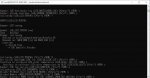
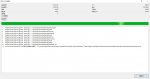
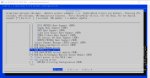
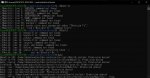
I am struggling to build my boot.img from the official jb kernel source. Yes you're right, it is jellybean from 2012 xd! I hv encountered many errors in GNU Makefile.. I would like to share some screenshots so anyone can help. Any advice is appreciated

Attachments

  • kerneloldconfig.jpg
    kerneloldconfig.jpg
    168.9 KB · Views: 205
  • jbkernel-extract lgp875.jpg
    jbkernel-extract lgp875.jpg
    197.4 KB · Views: 185
  • kernelconfig-p875.jpg
    kernelconfig-p875.jpg
    189.8 KB · Views: 186
  • lgp875make-kernel-error.jpg
    lgp875make-kernel-error.jpg
    316.3 KB · Views: 211
  • menuconfig make error.jpg
    menuconfig make error.jpg
    263.6 KB · Views: 245

Android Key Mapping

Hi all,

I hope this is the right place to find Android gui experts.

I am trying to map some keys to play a game named War Robots on my Android Nvidia Shield TV device but I am struggling with one key but only in 'touchscreen mode'. Unfortunately in 'keyboard mode' the game doesn't seem to operate correctly and the robot turns in circles and you have to press the controller toggle or shake the mouse to make it stop turning whereas in touchscreen mode (i.e. unplug the mouse and keyboard) the turning is perfect but I can't map a button on my controller to trigger firing all weapons.

The firing all weapons button when using a keyboard and mouse is mapped to Left Mouse Click or Shift or funnily enough the pipe symbol '|'.

This is what I have done so far:

1. Installed a keymap app on the Shield
2. Mapped all buttons (X and B controller buttons to Space and 'Q' for other special game properties) and have the 'Fire All' button 'Shift' triggered by the 'A' button on the controller.

When I start the game with the keyboard I test this and all mappings work fine and 'A' does seem to 'Fire All' but as soon as I want to go to touchscreen mode (by unplugging the keyboard and mouse) to get the maneuverability working the 'A' controller button no longer does anything although the other mapped buttons do still work on the controller.

So frustrating that touchscreen mode seems to just stop this one button and I have spent hours at this trying the other buttons that had mapped okay to 'Space and'Q' to the 'Fire All' to get around it but had no luck so maybe there is no way. I am not even sure if this touchscreen mode is unique to War Robots to be honest or it is standard Android.

Anyone know in Android touchscreen mode how to trigger a left mouse click or Shift button press maybe or any ideas for a workaround?

p.s. this techy stuff might help some gurus on here as to how they do things. Struggled with link: developer.android.com/stories/games/war-robots

Thanks

Vivo 1820

So, waiting for the android 9 update is hopeless.
I bought this as my secondary device on Jan 2020
and actually thought of buying the Samsung M10s or something but I was not satisfied with its quality; so I bought this instead and thought that the android 9 update will roll out soon.

Online-Literature.com

hmm on my kindle and even on my nook apps. i can modify my search of books by price....you will find many of these classics being offered for free as well. i think i have vinctor hugo's les miserable on my nook that i got for free.

this online feature.....though cool as it maybe, seems a tad tedious. the apps are just very easy to access. now if the online site provided downloadable books in formats like epup or pdf then i would be more then happy to jump on board.

Filter

Back
Top Bottom