
Install the app
How to install the app on iOS
Follow along with the video below to see how to install our site as a web app on your home screen.
Note: This feature may not be available in some browsers.
-
After 15+ years, we've made a big change: Android Forums is now Early Bird Club. Learn more here.
You are using an out of date browser. It may not display this or other websites correctly.
You should upgrade or use an alternative browser.
You should upgrade or use an alternative browser.
Filters
Show only:
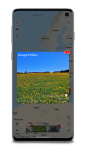
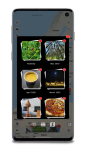
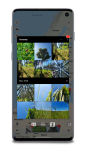
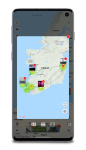
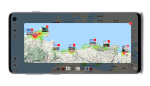
[App] Interactive Photo Map for Google Photos and others!

- Apps & Games
- 4 Replies
I released some awesome design changes.
How to deal with different cameras?
- Android Development
- 0 Replies
Hello.
I didn't find any questions like this on the forum, sorry if anyone has already asked.
I am developing an application for Android, using Android Studio. I need to capture the RGB of the image obtained by the user's camera, but I realized that different cameras have a different RGB from the captured images, even for the same objects and photographed with the same lighting and angle. I found some calibration methods, but it is necessary to take several photos with the camera to obtain the calibration parameters. As it is impractical to do this for all existing cell phones, I would like to know if anyone knows any solution or content that can help me obtain this user's cell data and make this adjustment.
Thank you.
I didn't find any questions like this on the forum, sorry if anyone has already asked.
I am developing an application for Android, using Android Studio. I need to capture the RGB of the image obtained by the user's camera, but I realized that different cameras have a different RGB from the captured images, even for the same objects and photographed with the same lighting and angle. I found some calibration methods, but it is necessary to take several photos with the camera to obtain the calibration parameters. As it is impractical to do this for all existing cell phones, I would like to know if anyone knows any solution or content that can help me obtain this user's cell data and make this adjustment.
Thank you.
When your battery capacity is not enough, would you like to change the phone or change the battery?

- VIP Lounge
- 15 Replies
Did it occur to you that he might have been replying to the thread, not to your post (which was on somewhat a different question to the original)?
<br>
<br> I don't know the answer to your question, but I do recall phones with user-replaceable batteries didn't need custom kernel mods to handle a larger-capacity battery so I'm not sure that your theory is correct. Might be, I'm just not sure.
<br>
<br> I bought a replacement battery for my old 2010 handset which did not identify itself correctly to the phone. It turned out to be a fake (despite being sold by a reputable dealer as original) that had saved some money by not installing all of the circuitry that a Li-ion pack should have, so the battery temperature and voltage readings didn't change when you charged or used it. I returned it because there was no way I was going to trust something like that. I'm just mentioning this to illustrate that it's possible that the problem is with the replacement battery rather than the phone - there's no way we can know for sure from here.
Yes I know but it's possible when you remplace the battery with the same capacity. But for different capacity the system don't update this change.
ROMs How to start Activity from Android Keyboard (IME) on MIUI 11 without asking permission from user?

- Android Development
- 0 Replies
[GALLERY=media, 550]SettingIcon_click by Ravindra Pal Singh posted Jun 2, 2020 at 9:35 PM[/GALLERY]
[GALLERY=media, 551]WhatsApp Image 2020-06-02 At 6.24.10 PM by Ravindra Pal Singh posted Jun 2, 2020 at 9:35 PM[/GALLERY]
I am not able to start Activity from keyboard, while other keyboard like "Go Keyboard", "Microsoft Swiftkey Keyboard" , "1C Big Keyboard", and many more keyboard working fine on MIUI 11 with default permission which are already allowed when install in on any Chinese phone.
Java:
    final Intent intent = new Intent( mRichImm.getInputMethodInfoOfThisIme().getSettingsActivity());
intent.setFlags(Intent.FLAG_ACTIVITY_NEW_TASK
        | Intent.FLAG_ACTIVITY_RESET_TASK_IF_NEEDED
        | Intent.FLAG_ACTIVITY_CLEAR_TOP);
intent.addCategory(Intent.CATEGORY_LAUNCHER);
final int currentDisplayId = ((WindowManager) getSystemService(Context.WINDOW_SERVICE))
        .getDefaultDisplay().getDisplayId();
if (Build.VERSION.SDK_INT >= Build.VERSION_CODES.M) {
  if (Build.VERSION.SDK_INT >= Build.VERSION_CODES.O) {
    context.startActivity(intent,
            ActivityOptions.makeBasic().setLaunchDisplayId(currentDisplayId).toBundle());
  }else{
    context.startActivity(intent);
  }
}else{
  context.startActivity(intent);
}
[GALLERY=media, 551]WhatsApp Image 2020-06-02 At 6.24.10 PM by Ravindra Pal Singh posted Jun 2, 2020 at 9:35 PM[/GALLERY]
New Game: Rubik Wheels (Version 1.0.5)
- By App Update
- Apps & Games
- 0 Replies
EXTRA INFO
- Rating: 5.0
- Installs: 100+
- Download Size: 22M
- Version: 1.0.5
Root [Boost Mobile] [ RECOVERY ] TWRP 2.5 Touch Recovery, CWM Flashable
- By mribraqdbra
- Smartphones
- 28 Replies
could you please update the link...?
Looking for new phone, criterias below, recommendations please

- By svim
- VIP Lounge
- 4 Replies
I'd go with what @Hadron suggested. She can pay a lot for something like a Panasonic N1 (very rugged build with only marginally acceptable hardware specs):
https://na.panasonic.com/us/computers-tablets-handhelds/handhelds/handhelds
or she can just get a good smartphone and really good case. Some rubberized cases are very effective, but they tend to add some bulk.
And I'm not a big proponent of smartphone extended warranties but in some situations they can be worth the added cost.
https://www.consumerreports.org/insurance/is-smartphone-insurance-worth-buying/
Given that listing of her wants and needs in her replacement phone, it's going to be a matter of paying more or making at least some compromises. Also, there's a lot of missing context -- What phone did she have previously? What kind of budgetary restrictions are there? That list itself is very subjective and generic. i.e. 'Space for photos' could be interpreted in many ways as we all have very widely sized photo libraries on our phones.
Anyway, there's no shortage of smartphone recommendation sites floating around online. Here's just a couple:
Wirecutter's 'Best' recommendations are just suggestions, the best part of the article is all the metrics they use to come up with their choices. Read through those sections, compare it to her phone needs, and make a better informed decision on what to buy.
https://www.nytimes.com/wirecutter/reviews/best-android-phone/
GSMarena has a handy phone finder service where you enter your preferences and it will show a listing of the phone models in its database. Keep in mind depending on which country you live in they don't have a comprehensive catalog of every phone model available. But it's a good source for researching what's out there:
https://www.gsmarena.com/search.php3?
And don't forget, compatibility with her chosen carrier is a priority.
https://na.panasonic.com/us/computers-tablets-handhelds/handhelds/handhelds
or she can just get a good smartphone and really good case. Some rubberized cases are very effective, but they tend to add some bulk.
And I'm not a big proponent of smartphone extended warranties but in some situations they can be worth the added cost.
https://www.consumerreports.org/insurance/is-smartphone-insurance-worth-buying/
Given that listing of her wants and needs in her replacement phone, it's going to be a matter of paying more or making at least some compromises. Also, there's a lot of missing context -- What phone did she have previously? What kind of budgetary restrictions are there? That list itself is very subjective and generic. i.e. 'Space for photos' could be interpreted in many ways as we all have very widely sized photo libraries on our phones.
Anyway, there's no shortage of smartphone recommendation sites floating around online. Here's just a couple:
Wirecutter's 'Best' recommendations are just suggestions, the best part of the article is all the metrics they use to come up with their choices. Read through those sections, compare it to her phone needs, and make a better informed decision on what to buy.
https://www.nytimes.com/wirecutter/reviews/best-android-phone/
GSMarena has a handy phone finder service where you enter your preferences and it will show a listing of the phone models in its database. Keep in mind depending on which country you live in they don't have a comprehensive catalog of every phone model available. But it's a good source for researching what's out there:
https://www.gsmarena.com/search.php3?
And don't forget, compatibility with her chosen carrier is a priority.
App Inventor how increase FD_SETSIZE or limit the descriptor amount raised by Android Emulator

- By JimisDrpc
- Android Development
- 0 Replies
I am new both as Android developer as posting a question in this forum.
It is my first Android project and I am getting a lot of warnnings with FD_SETSIZE issue when running my simple application throw emulator.
I guess the solution may be increase FD_SETSIZE but I didn't find where neither what exactly is the reason for such need.
My question was originally posted in https://stackoverflow.com/questions...e-descriptor-amount-raised-by-android-emulato and has some relationship with this question https://stackoverflow.com/questions...ntfor-error-fd-52396-above-fd-setsize-32768-b
Has anyone faced similar logs when emulating the app with Android Studio? Mine is the recent version 4.0.
31/05/2020
18:55 Emulator: Process finished with exit code 0
18:55 Executing tasks: [:app:assembleDebug] in project C:\WSs\FireStoreDemos\AppFirestore
18:55 Gradle build finished in 752 ms
18:55 Emulator: socketTcpLoopbackClientFor: error: fd 52380 above FD_SETSIZE (32768)
18:55 Emulator: socketTcpLoopbackClientFor: error: fd 52380 above FD_SETSIZE (32768)
18:55 Emulator: socketTcpLoopbackClientFor: error: fd 52396 above FD_SETSIZE (32768)
18:55 Emulator: socketTcpLoopbackClientFor: error: fd 52396 above FD_SETSIZE (32768)
18:55 Install successfully finished in 142 ms.: App restart successful without requiring a re-install.
The Virtual Device I am using
Name: Pixel_3a_API_28
CPU/ABI: Google Play Intel Atom (x86)
Path: C:\Users\Cast\.android\avd\Pixel_3a_API_28.avd
Target: google_apis_playstore [Google Play] (API level 28)
Skin: pixel_3a
SD Card: 512M
fastboot.chosenSnapshotFile:
runtime.network.speed: full
hw.accelerometer: yes
hw.device.name: pixel_3a
hw.lcd.width: 1080
hw.initialOrientation: Portrait
image.androidVersion.api: 28
tag.id: google_apis_playstore
hw.mainKeys: no
hw.camera.front: emulated
avd.ini.displayname: Pixel 3a API 28
hw.gpu.mode: auto
hw.ramSize: 1536
PlayStore.enabled: true
fastboot.forceColdBoot: no
hw.cpu.ncore: 4
hw.keyboard: yes
hw.sensors.proximity: yes
hw.dPad: no
hw.lcd.height: 2220
vm.heapSize: 256
skin.dynamic: yes
hw.device.manufacturer: Google
hw.gps: yes
hw.audioInput: yes
image.sysdir.1: system-images\android-28\google_apis_playstore\x86\
showDeviceFrame: yes
hw.camera.back: virtualscene
AvdId: Pixel_3a_API_28
hw.lcd.density: 440
hw.arc: false
hw.device.hash2: MD5:0e6953ebf01bdc6b33a2f54746629c50
fastboot.forceChosenSnapshotBoot: no
fastboot.forceFastBoot: yes
hw.trackBall: no
hw.battery: yes
hw.sdCard: yes
tag.display: Google Play
runtime.network.latency: none
disk.dataPartition.size: 6442450944
hw.sensors.orientation: yes
avd.ini.encoding: UTF-8
hw.gpu.enabled: yes
And finally, as far as I understand, all emulator ports:
C:\Users>netstat -ano | findstr "5037"
TCP 127.0.0.1:5037 0.0.0.0:0 LISTENING 7892
TCP 127.0.0.1:5037 127.0.0.1:49735 ESTABLISHED 7892
TCP 127.0.0.1:5037 127.0.0.1:51843 ESTABLISHED 7892
TCP 127.0.0.1:5037 127.0.0.1:51855 ESTABLISHED 7892
TCP 127.0.0.1:5037 127.0.0.1:51859 ESTABLISHED 7892
TCP 127.0.0.1:5037 127.0.0.1:51867 ESTABLISHED 7892
TCP 127.0.0.1:49735 127.0.0.1:5037 ESTABLISHED 9604
TCP 127.0.0.1:51843 127.0.0.1:5037 ESTABLISHED 13184
TCP 127.0.0.1:51855 127.0.0.1:5037 ESTABLISHED 9604
TCP 127.0.0.1:51859 127.0.0.1:5037 ESTABLISHED 9604
TCP 127.0.0.1:51867 127.0.0.1:5037 ESTABLISHED 9604
Honestly, I don't understand why so many ESTABLISHED connections related to port 5037 but I guess it is normal
It is my first Android project and I am getting a lot of warnnings with FD_SETSIZE issue when running my simple application throw emulator.
I guess the solution may be increase FD_SETSIZE but I didn't find where neither what exactly is the reason for such need.
My question was originally posted in https://stackoverflow.com/questions...e-descriptor-amount-raised-by-android-emulato and has some relationship with this question https://stackoverflow.com/questions...ntfor-error-fd-52396-above-fd-setsize-32768-b
Has anyone faced similar logs when emulating the app with Android Studio? Mine is the recent version 4.0.
31/05/2020
18:55 Emulator: Process finished with exit code 0
18:55 Executing tasks: [:app:assembleDebug] in project C:\WSs\FireStoreDemos\AppFirestore
18:55 Gradle build finished in 752 ms
18:55 Emulator: socketTcpLoopbackClientFor: error: fd 52380 above FD_SETSIZE (32768)
18:55 Emulator: socketTcpLoopbackClientFor: error: fd 52380 above FD_SETSIZE (32768)
18:55 Emulator: socketTcpLoopbackClientFor: error: fd 52396 above FD_SETSIZE (32768)
18:55 Emulator: socketTcpLoopbackClientFor: error: fd 52396 above FD_SETSIZE (32768)
18:55 Install successfully finished in 142 ms.: App restart successful without requiring a re-install.
The Virtual Device I am using
Name: Pixel_3a_API_28
CPU/ABI: Google Play Intel Atom (x86)
Path: C:\Users\Cast\.android\avd\Pixel_3a_API_28.avd
Target: google_apis_playstore [Google Play] (API level 28)
Skin: pixel_3a
SD Card: 512M
fastboot.chosenSnapshotFile:
runtime.network.speed: full
hw.accelerometer: yes
hw.device.name: pixel_3a
hw.lcd.width: 1080
hw.initialOrientation: Portrait
image.androidVersion.api: 28
tag.id: google_apis_playstore
hw.mainKeys: no
hw.camera.front: emulated
avd.ini.displayname: Pixel 3a API 28
hw.gpu.mode: auto
hw.ramSize: 1536
PlayStore.enabled: true
fastboot.forceColdBoot: no
hw.cpu.ncore: 4
hw.keyboard: yes
hw.sensors.proximity: yes
hw.dPad: no
hw.lcd.height: 2220
vm.heapSize: 256
skin.dynamic: yes
hw.device.manufacturer: Google
hw.gps: yes
hw.audioInput: yes
image.sysdir.1: system-images\android-28\google_apis_playstore\x86\
showDeviceFrame: yes
hw.camera.back: virtualscene
AvdId: Pixel_3a_API_28
hw.lcd.density: 440
hw.arc: false
hw.device.hash2: MD5:0e6953ebf01bdc6b33a2f54746629c50
fastboot.forceChosenSnapshotBoot: no
fastboot.forceFastBoot: yes
hw.trackBall: no
hw.battery: yes
hw.sdCard: yes
tag.display: Google Play
runtime.network.latency: none
disk.dataPartition.size: 6442450944
hw.sensors.orientation: yes
avd.ini.encoding: UTF-8
hw.gpu.enabled: yes
And finally, as far as I understand, all emulator ports:
C:\Users>netstat -ano | findstr "5037"
TCP 127.0.0.1:5037 0.0.0.0:0 LISTENING 7892
TCP 127.0.0.1:5037 127.0.0.1:49735 ESTABLISHED 7892
TCP 127.0.0.1:5037 127.0.0.1:51843 ESTABLISHED 7892
TCP 127.0.0.1:5037 127.0.0.1:51855 ESTABLISHED 7892
TCP 127.0.0.1:5037 127.0.0.1:51859 ESTABLISHED 7892
TCP 127.0.0.1:5037 127.0.0.1:51867 ESTABLISHED 7892
TCP 127.0.0.1:49735 127.0.0.1:5037 ESTABLISHED 9604
TCP 127.0.0.1:51843 127.0.0.1:5037 ESTABLISHED 13184
TCP 127.0.0.1:51855 127.0.0.1:5037 ESTABLISHED 9604
TCP 127.0.0.1:51859 127.0.0.1:5037 ESTABLISHED 9604
TCP 127.0.0.1:51867 127.0.0.1:5037 ESTABLISHED 9604
Honestly, I don't understand why so many ESTABLISHED connections related to port 5037 but I guess it is normal
After typing a little vibration stops working

- By MrJavi
- Smartphones
- 3 Replies
I'd just like to add, after a fsctory reset you'll be faced with Google FRP lock .
https://www.google.com/amp/s/www.androidcentral.com/factory-reset-protection-what-you-need-know?amp
https://www.google.com/amp/s/www.androidcentral.com/factory-reset-protection-what-you-need-know?amp
TE7 update June security patch Global/USA u/l models

- By ironass
- Smartphones
- 1 Replies
Samsungs TE7 changelog for the global model Galaxy S20 Ultra 5G (SM-G988B)

(Mod Texture) Dragon Ball Z Tenkaichi Tag Team PPSSPP for Android

- By joncelana
- Apps & Games
- 0 Replies
This is a collection of mod structure video games Dragon Sphere Z Tenkaichi Label Group for ppsspp. This structure was produced by "VT Mods" also known as "Vocaloid Tangerang".

Video game Name : Dragon Sphere Z Tenkaichi Label Group
Personality Mod:
Video game Name : Dragon Sphere Z Tenkaichi Label Group
- Emulator : PPSSPP
- Versi Video game : ULUS10537
- Work For : USA Variation
- Modder : VT (VtMods)
Personality Mod:
- Goku (SSJ God Goku)
- SSJ Gogeta (SSJ God Blue Gogeta)
- Goku (Extremely Instict Goku)
- SSJ Goku (SSJ God Blue Goku)
- SSJ Vegeto (SSJ God Blue Vegeto)
- SSJ Goku (Black Goku Rose)
- SSJ Vegeta (SSJ God Blue Vegeta)
- LSSJL Broly (LSSJL Broly V2)
- You must have an ISO file for this video game > Download Here
- Download and install Structure, the download and install link is near the bottom of this web page
- Extract the structure file and you'll obtain a folder called "TEXTURES"
- Move that folder (TEXTURES) to :
- for Android to : SD Card > PSP
- for PC To : ppsspp > memstick > PSP
- Open up PPSSPP, most likely to Setups > Devices > Enable/Inspect "Change Structures"
- Done.

[FREE][GAME] Hard Point

- By olbriar
- Apps & Games
- 1 Replies
I created a channel for your game. Good luck
New Game: Hard Point (Version 0.5)
- By App Update
- Apps & Games
- 0 Replies
EXTRA INFO
- Rating: 5.0
- Installs: 50+
- Download Size: 17M
- Version: 0.5
Which Prime Video shold I save?
- By flycaster1
- Amazon Fire TV
- 2 Replies
Perhaps, you could tell me why and what was wrong with the others?1...
Help Country of origin for each android apk

- By Hadron
- Apps & Games
- 3 Replies
Why would you be able to tell this from the apk?
As said above, you'd have more chance by looking in the Play Store listings. But note that these things aren't static: apps that start with one developer are sold to others, so what starts as a Russian app might become Spanish and then American, Chinese or Martian.
As said above, you'd have more chance by looking in the Play Store listings. But note that these things aren't static: apps that start with one developer are sold to others, so what starts as a Russian app might become Spanish and then American, Chinese or Martian.
TE6 update with camera focus fix rolls out Global/USA
- By ironass
- Smartphones
- 5 Replies
Interesting... whilst we have seen some USA Galaxy S20 phones receive the TE6 update with the camera autofocus fix and other goodies on their SM-G98*U models, those who have the SM-G98*U1 models are today receiving the older, TE4, build. Early reports suggest that this build does not have the coveted camera autofocus fix, Close-up zoom (Ultra only), improved fingerprint unlocking, etc; but they have received the June 2020 Android security patch.
So, it would appear that there is a 2 tier update system on the USA models of Galaxy S20's depending on the model number.
So, it would appear that there is a 2 tier update system on the USA models of Galaxy S20's depending on the model number.
Old email doesn't appear in edit
- By CharlesLewis
- VIP Lounge
- 4 Replies
I use Gmail and I do sync between my phone and several other devices.
Sorry for not replying sooner , but I'm not getting email notices of replies even though I select that option.
Sorry for not replying sooner , but I'm not getting email notices of replies even though I select that option.
-- Which email service are you using? (i.e. Gmail, Outlook, Yahoo Mail, an independently hosted business email, etc.)
-- Are you syncing your phone's Contacts with your online email service, or keeping your phone's Contacts only on your phone?
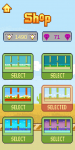
Flappy bird like game with 42 birds & 6 backgrounds. Eat flies to unlock them.
- By ujjawal49
- Apps & Games
- 0 Replies
Save your little insane bird through the pipes
How to play - just tap on your screen and the bird will fly and guide your bird through the pipes.
Features -
* Wide variety of birds including 42 birds.
* Variety of themes with different backgrounds (6).
* Smooth controls.
* Unlock birds and backgrounds by eating flies.
* Good sound track I guess.
* Less ads.
Guys please download and rate it. It would be really appreciated.
Thanks.
Link :- https://play.google.com/store/apps/details?id=com.InsaneBird.WeakDirtStudio
Screenshots :-
How to play - just tap on your screen and the bird will fly and guide your bird through the pipes.
Features -
* Wide variety of birds including 42 birds.
* Variety of themes with different backgrounds (6).
* Smooth controls.
* Unlock birds and backgrounds by eating flies.
* Good sound track I guess.
* Less ads.
Guys please download and rate it. It would be really appreciated.
Thanks.
Link :- https://play.google.com/store/apps/details?id=com.InsaneBird.WeakDirtStudio
Screenshots :-
Attachments
-
 Screenshot_2020-05-31-13-37-11-764_com.InsaneBird.WeakDirtStudio.png13.5 KB · Views: 221
 -
 Screenshot_2020-05-31-13-36-19-692_com.InsaneBird.WeakDirtStudio.png67.2 KB · Views: 164
 -
 Screenshot_2020-05-31-13-36-10-347_com.InsaneBird.WeakDirtStudio.png57 KB · Views: 195
 -
 Screenshot_2020-05-31-13-37-30-338_com.InsaneBird.WeakDirtStudio.png57.3 KB · Views: 189
 -
 Screenshot_2020-05-31-13-37-24-289_com.InsaneBird.WeakDirtStudio.png75.3 KB · Views: 203
New Game: Total Racing (Version 1.0)
- By App Update
- Apps & Games
- 0 Replies
EXTRA INFO
- Rating: 4.8
- Installs: 50+
- Download Size: Varies with device
- Version: 1.0
Load more