
Install the app
How to install the app on iOS
Follow along with the video below to see how to install our site as a web app on your home screen.
Note: This feature may not be available in some browsers.
-
After 15+ years, we've made a big change: Android Forums is now Early Bird Club. Learn more here.
You are using an out of date browser. It may not display this or other websites correctly.
You should upgrade or use an alternative browser.
You should upgrade or use an alternative browser.
Root Custom recovery on x!!!!!!!
- Thread starter D13
- Start date
-
- Tags
- motorola droid x


OMJ
Bazinga
Maybe I'll try it, but I've never used RSDLite before....
meh RSD Lite is not scary at all. I used it on my Droid like 50 times. Although no point in Froyo until someone makes it work with a 2.1 kernel like you said

Breukdance
Well-Known Member
For some reason when I hit reboot recovery my phone won't reboot...any suggestions?
the only thing I am worried about is if there are different formats to the updates then the devs will either have to make both versions or eventually phase one out
May the best one win!
And now I just restored my backup just for fun
How fun was it?
 talk about nerdy
I did also.

and for extra kicks I pulled the battery to see if it would boot to recovery also.
You can also get it on the Market for $2.00 and support the developer.
I think its Droid X recovery if not that's close enough to find it.

Airmaxx23
Android Expert
Any brave REVOlution users can try the custom font
Obviously, it works. I was brave enough to try , heh.
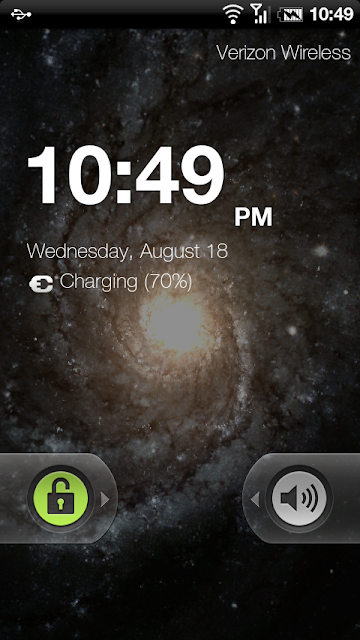
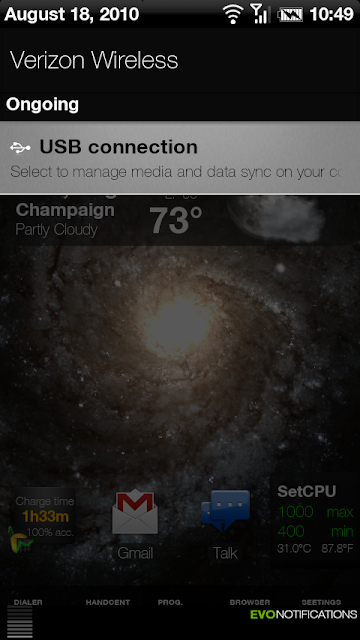
Evolution_Font.zip
Put it on the root of your sdcard, select install .zip from sd card, choose the file, and go
I'm not sure what I'm doing wrong, Once it's on my sdcard, using ASTRO I have no option to install it.
So if i do the reboot recovery, is there certain options I should choose over others? Can I easily get back into normal phone mode by just turning it off and on again?
Also, the whole battery pull method--what if I take my battery out to do something to my sd card, if it boots into recovery mode, is it easy to rectify and just reboot into "normal mode".
Sorry for the, maybe pointless, questions, I just want to get some things clarified before I start doing this. First smartphone and never realized all this stuff was possible.
1. yes just reboot
2. Yes once in recovery select reboot device and your good.
OMJ
Bazinga
I'm not sure what I'm doing wrong, Once it's on my sdcard, using ASTRO I have no option to install it.
you have to install it through recovery not through astro
It says something about the logwrapper, logwrapper.bin and another file must be there or we are screwed.
What could I have done to remove those files? Is it safe to assume that they are still there and I did nothing to them---but then again, I really don't know. Basically, would I have to know exactly what I am doing to have somehow removed those files?
Really, thanks so much for the help to everyone.
Those files are part of the app and I believe the only way you'd lose them is if you did something like delete /system or where ever it is stored. If this happens you're not that screwed you just need the sbf file that's floating around.
On a side note:
Can someone tell me how does multi quote work?

jreed2560
Android Expert
i wanna do all that crazy stuff like deoDEX, use app inventor, cook roms and stuff
i have no fear when it comes to technology
i also wanna be a cool Phone Guide and be all green
I know I wanna be green too!
I have the entire system from the dev phone...but I'm too afraid to try to flash it, lol.
Grow some balls, go for it
I'm not sure what I'm doing wrong, Once it's on my sdcard, using ASTRO I have no option to install it.
you do it from recovery update.zip option, don't you?

D13
Android Expert
I know I wanna be green too!
Who doesn't
You doThose files are part of the app and I believe the only way you'd lose them is if you did something like delete /system or where ever it is stored. If this happens you're not that screwed you just need the sbf file that's floating around.
On a side note:
Can someone tell me how does multi quote work?
Grow some balls, go for it
it like
you do it from recovery update.zip option, don't you?
this
Airmaxx23
Android Expert
you have to install it through recovery not through astro
I'm learning as I go. How, exactly do I go get into recovery and do this?
D13
Android Expert
I'm learning as I go. How, exactly do I go about doing this through recovery?
Press reboot recovery in the bootstrap app
in recovery go to install zip from sdcard
press choose zip from sdcard
find it
click on it and install it
then reboot
use the volume up+down to scroll
camera to select
power to go back
Who doesn't
You do
it like
this
Smart a$$ I'll get you for that
I'm learning as I go. How, exactly do I go get into recovery and do this?
You downloaded the app last night didn't you? Its what this thread is all about. Droid x bootstrap.
D13
Android Expert
Smart a$$ I'll get you for that

On a side note
rainabba
Everyone should tell Koush how awesome his recovery is. Especially the busybox he included. It's PACKED and very useful.
19 minutes ago via web
Airmaxx23
Android Expert
Press reboot recovery in the bootstrap app
in recovery go to install zip from sdcard
press choose zip from sdcard
find it
click on it and install it
then reboot
use the volume up+down to scroll
camera to select
power to go back
Thanks, is there more than 1 font type included it the zip?
Airmaxx23
Android Expert
You downloaded the app last night didn't you? Its what this thread is all about. Droid x bootstrap.
Yes I downloaded and installed it but it's all new to me so I wasn't sure how to use it other than to back up the system.
D13
Android Expert
Thanks, is there more than 1 font type included it the zip?
no... its supposed to be a but that doesn't mean there is other zips in it unless the maker specifies you need to unzip it

VIO
Android Enthusiast
OK so now Anything that that works on the Stock kernel can be flashed?
How deep of a change to a ROM does that allow, anyone know? What I mean is how much of the AOSP source (tangent: is pre 2.2 source even available anymore?) can be altered and still require only a stock kernel, clearly froyo changes enough to need an altered kernel, but how about things like lockscreen enhancements, color alterations, etc?
I would imagine that kernel related stuff is mostly performance based tweaks, but it would also include added hardware functionality (ie anything the hardware could do, but the software isn't asking for) as well no?
How deep of a change to a ROM does that allow, anyone know? What I mean is how much of the AOSP source (tangent: is pre 2.2 source even available anymore?) can be altered and still require only a stock kernel, clearly froyo changes enough to need an altered kernel, but how about things like lockscreen enhancements, color alterations, etc?
I would imagine that kernel related stuff is mostly performance based tweaks, but it would also include added hardware functionality (ie anything the hardware could do, but the software isn't asking for) as well no?
D13
Android Expert
OK so now Anything that that works on the Stock kernel can be flashed?
How deep of a change to a ROM does that allow, anyone know? What I mean is how much of the AOSP source (tangent: is pre 2.2 source even available anymore?) can be altered and still require only a stock kernel, clearly froyo changes enough to need an altered kernel, but how about things like lockscreen enhancements, color alterations, etc?
I would imagine that kernel related stuff is mostly performance based tweaks, but it would also include added hardware functionality (ie anything the hardware could do, but the software isn't asking for) as well no?
I think we can have anything that isn't froyo
Airmaxx23
Android Expert
no... its supposed to be a but that doesn't mean there is other zips in it unless the maker specifies you need to unzip it
Thanks again, sorry for all of the questions, I'm learning as I go. One more for now, how do I go back to the stock font? I'm finding the font a little too "thin" for smaller text.