
Install the app
How to install the app on iOS
Follow along with the video below to see how to install our site as a web app on your home screen.
Note: This feature may not be available in some browsers.
-
After 15+ years, we've made a big change: Android Forums is now Early Bird Club. Learn more here.
You are using an out of date browser. It may not display this or other websites correctly.
You should upgrade or use an alternative browser.
You should upgrade or use an alternative browser.
Root uggh!!! Need help!!
- Thread starter wb1960
- Start date
-
- Tags
- htc evo 4g

Xtremedays
Android Expert
Ok, when I took the .zip off the pcimg it flashed thru and hboot worked. I could have sworn that I read here in this thread someone said you rename it to .zip Anyways, hboot worked and now when phone rebooted I still have root. Now how do I unroot
you will need to download and flash the s-on tool from recovery, reboot and verify nand is turned back on, then put the ruu for your hboot on the root of your card and name is PC36IMG just like the recovery file and let hboot find it. tell it to update and when it is done, you should be back to "out of the box" stock
The file was named PC36IMG.zip but windows hides extensions so when you put .zip on the end of it, it ended up being PC36IMG.zip.zip
Xtremedays
Android Expert
yeah I shutn off my antivirus but now that doesnt matter. I successfully flashed with hboot and did the update and recovery and reboot. Now what
Do you still want to unroot it or sell it as a rooted Evo?
If you want to unroot, follow the directions in the rooting for dummies guide under "After Rooting"
Xtremedays
Android Expert
lol, guess I didnt want to see that. Now this phone is fully rooted? Thanks again
The rom might not be rooted. Would have to download Terminal Emulator and check to see if it is. Nand is unlocked and recovery flashed now so if the rom is not rooted, flashing a custom rom or rooted stock rom will fix that.

evomattnc
Android Expert
lol, guess I didnt want to see that. Now this phone is fully rooted? Thanks again
Lol apparently you wanted to confuse me today...told you I had never seen it not work

jimcraig
Well-Known Member
evomatt, you rock. can you lend a hand with me now? I sent it to you in PM but will post here for anyone that might run into this situation too.
when you boot into hboot and it scans the SD card, what is it supposed to say? It flashes quickly but it says something about pc36img bad or something. I have downloaded the pc36img from your link & saved to root of my SD, but I cant volume up to accept update when Im in hboot. Can I accomplish this through emulator? Also, reason I am asking this is my 2 backup points wont load. I tried flashing a ROM without wiping all data and I think this is the culprit. When I did finally wipe data I get a Fresh ROM to load. I didnt like it and went to restore to a backup, it locked up on my custom unrEVOked boot screen. I have lost all my contacts as they were saved to my phone & not google. I am trying to boot into a backup to save them to google.
Help?
when you boot into hboot and it scans the SD card, what is it supposed to say? It flashes quickly but it says something about pc36img bad or something. I have downloaded the pc36img from your link & saved to root of my SD, but I cant volume up to accept update when Im in hboot. Can I accomplish this through emulator? Also, reason I am asking this is my 2 backup points wont load. I tried flashing a ROM without wiping all data and I think this is the culprit. When I did finally wipe data I get a Fresh ROM to load. I didnt like it and went to restore to a backup, it locked up on my custom unrEVOked boot screen. I have lost all my contacts as they were saved to my phone & not google. I am trying to boot into a backup to save them to google.
Help?
Xtremedays
Android Expert
evomatt, you rock. can you lend a hand with me now? I sent it to you in PM but will post here for anyone that might run into this situation too.
when you boot into hboot and it scans the SD card, what is it supposed to say? It flashes quickly but it says something about pc36img bad or something. I have downloaded the pc36img from your link & saved to root of my SD, but I cant volume up to accept update when Im in hboot. Can I accomplish this through emulator? Also, reason I am asking this is my 2 backup points wont load. I tried flashing a ROM without wiping all data and I think this is the culprit. When I did finally wipe data I get a Fresh ROM to load. I didnt like it and went to restore to a backup, it locked up on my custom unrEVOked boot screen. I have lost all my contacts as they were saved to my phone & not google. I am trying to boot into a backup to save them to google.
Help?
So you can't get to recovery then or you can't get a backup to restore?
evomattnc
Android Expert
evomatt, you rock. can you lend a hand with me now? I sent it to you in PM but will post here for anyone that might run into this situation too.
when you boot into hboot and it scans the SD card, what is it supposed to say? It flashes quickly but it says something about pc36img bad or something. I have downloaded the pc36img from your link & saved to root of my SD, but I cant volume up to accept update when Im in hboot. Can I accomplish this through emulator? Also, reason I am asking this is my 2 backup points wont load. I tried flashing a ROM without wiping all data and I think this is the culprit. When I did finally wipe data I get a Fresh ROM to load. I didnt like it and went to restore to a backup, it locked up on my custom unrEVOked boot screen. I have lost all my contacts as they were saved to my phone & not google. I am trying to boot into a backup to save them to google.
Help?
Technically you don't need to wipe prior to a restore. Unless you didn't back up cache then you need to wipe that.
We can flash your recovery through emulator with out using a volume button. Download the recovery and extract the recovery.img file and put it on your root. Check and see if you have flash_image recovery by typing which flash image into emulator. It will give you a bin or not found...
Xtremedays
Android Expert
The way I understand he can't restore a backup his recovery is working but he wants to change from cw to amon ra...
ah, ok. Thanks for clarifying. I take it he has hardware issues too as his volume up button isnt working?
evomattnc
Android Expert
ah, ok. Thanks for clarifying. I take it he has hardware issues too as his volume up button isnt working?
Lol a few, he even took it apart once

Xtremedays
Android Expert
Lol a few, he even took it apart once
Eeeewwwwww!!!! Mine is under warranty(when unrooted) so it would have gone back to Sprint first
jimcraig
Well-Known Member
I can boot into recovery, when I try to "install" a backup point while in recovery it says its successfully done and asks to reboot. when I reboot it locks up on my custom boot screen, unrEVOked boot screen.So you can't get to recovery then or you can't get a backup to restore?
Xtremedays
Android Expert
I can boot into recovery, when I try to "install" a backup point while in recovery it says its successfully done and asks to reboot. when I reboot it locks up on my custom boot screen, unrEVOked boot screen.
have you tried wiping everything before restoring the nandroid? i and some others have had issues here and there with that
jimcraig
Well-Known Member
Eeeewwwwww!!!! Mine is under warranty(when unrooted) so it would have gone back to Sprint first

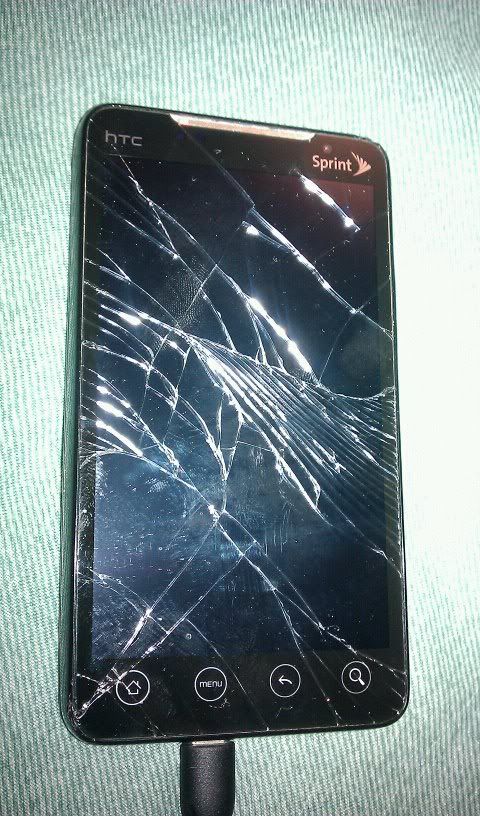
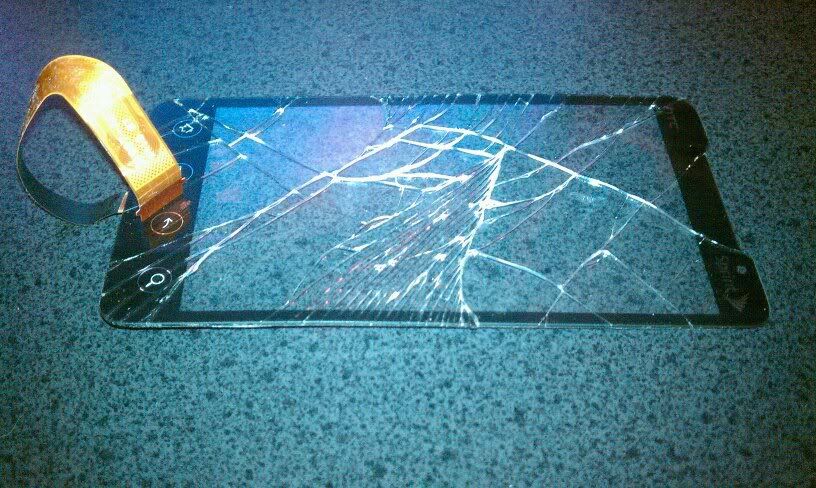

jimcraig
Well-Known Member
I dont think so, you mean like a factory reset? Is that going to do anything more drastic then the wipe I have already dont? I know my SD card wont be touched, and I have already nuked my phones info, as I now have no contacts. and I HAVE been doing backups in ROM Manager, but will from now on do it in recovery & try to move away from ROM Manager, we will address this after this fiasco is rectified!have you tried wiping everything before restoring the nandroid? i and some others have had issues here and there with that
Xtremedays
Android Expert
jimcraig
Well-Known Member
$40 and about 1 hour and it was fixed. Granted I heated the first corner up too much with the heat gun and melted\warped my housing. Which in turn has now let some dust under the screen, I work in a homebrew shop and there is grain dust EVERYWHERE!. But it works like a champ. It even rocked it hard with the shattered screen for a week. After I found the tiny slivers of glass just barely holding on with the tip of my fingerOuch!
