• After 15+ years, we've made a big change: Android Forums is now Early Bird Club. Learn more here.

Apps Android Studio change build folder

AS does not seem to support changing the build folder. I found some suggestions on the net. One involved adding a few lines to build.gradle in the root project folder. it seemed to work fine, until it came to loading the app onto my phone, at which point I was inundated with error messages from my phone (param such and such undefined), so I went back to having the build in place, and things are working well (I only need to tell my backup software to exclude the build folder). Has anyone else dealt with this?

Help New unknown tab

Hmmm... ...Samsung has some weird game booster and another game feature that I can't find at the moment. I wonder if it is one of those. Beyond that, I'm kind of stumped. I'm going to move this to the Note 9 area as I know some folks that are way better at Sammy's than I am will see this. :)
Thank you, I've been having a look at the game booster settings too, but nothing obvious there

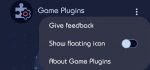
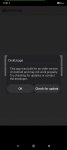
I've figured it out, it's from a toggle setting in the game plugins app. Didn't toggle it on myself, must've gone on with the update.

@mods, please close thread

Attachments

  • Screenshot_20211224-165136_Game Plugins.jpg
    Screenshot_20211224-165136_Game Plugins.jpg
    127.5 KB · Views: 144

[Free] [App] Knot Just Love

Knot Just Love is the app designed for the modern world for Matchmaking, great for finding companionship, love, friendship, arranged relationships, and more. All in one place to help match your lifestyle.

Simply search to Chat and Date with New People - online, near you & around the world!

Why KnotJustLove?

Super user-friendly and very easy to use.
The matching system works based on geolocation and interests. This means you'll find the best people to meet or spend time with.
Being a modern dating service, KnotJustLove is offering a supportive and understanding community that's always ready to help.
Only Real People

No worries about fake people because every user registered on KnotJustLove is verified via photo and mobile phone!

Dating Tips

You can also read the latest in-depth dating articles written official stuff from where you can get more confident.

So, download KnotJustLove right now and get what you are looking for. Happy Life!

Google Play: https://play.google.com/store/apps/details?id=com.arfd.knotjustlove

[17/DEC/21] BUL6. 2nd DECEMBER update

This thread is now for information purposes only.

Only 10 days after their December Android Security patch update, BUL1, Samsung began rolling out their 4th Android 12 release for the S21 series of international devices.

However, as it turns out, this release was short lived and only available for a handful of countries and has since been withdrawn so that Samsung, in conjunction with Google, can fix some Google Play Store issues. (N.B. I have never encountered any Google Play Store issues on either the Beta or Stable Android 12 releases)

Initially, as always, this was a staged rollout to the non-carrier branded, stock Samsung CSC codes first.

The Galaxy S21 international devices that received this update were
  • S21 5G model SM-G991B
  • S21+ 5G model SM-G996B
  • S21 Ultra 5G model SM-G998B
This latest release replaces the previous G99*BXXS3BUL1 build on the international devices.

Changelog
  • Device security improved
  • Bugfixes


System information

qTjFQfYl.jpg


The update = G99*BXXS3BUL6

Download = 213.20MB (TBC)

Build date =14 December 2021

Release date = 17 December 2021

Camera version = 12.0.00.83 (no change)

One UI version = 4.0

Android Security patch = 01 December 2021

This is the 23rd stable update for the Exynos model in 326 days. Average = 1 update every 14 days.

TOP TIP: Wipe the phone's cache partition and use the Galaxy App Booster after updating.

[17/DEC/21] BUL6. 2nd DECEMBER update

This thread is now for information purposes only.

Only 10 days after their December Android Security patch update, BUL1, Samsung began rolling out their 4th Android 12 release for the S21 series of international devices.

However, as it turns out, this release was short lived and only available for a handful of countries and has since been withdrawn so that Samsung, in conjunction with Google, can fix some Google Play Store issues. (N.B. I have never encountered any Google Play Store issues on either the Beta or Stable Android 12 releases)

Initially, as always, this was a staged rollout to the non-carrier branded, stock Samsung CSC codes first.

The Galaxy S21 international devices that received this update were
  • S21 5G model SM-G991B
  • S21+ 5G model SM-G996B
  • S21 Ultra 5G model SM-G998B
This latest release replaces the previous G99*BXXS3BUL1 build on the international devices.

Changelog
  • Device security improved
  • Bugfixes


System information

qTjFQfYl.jpg


The update = G99*BXXS3BUL6

Download = 213.20MB (TBC)

Build date =14 December 2021

Release date = 17 December 2021

Camera version = 12.0.00.83 (no change)

One UI version = 4.0

Android Security patch = 01 December 2021

This is the 23rd stable update for the Exynos model in 326 days. Average = 1 update every 14 days.

TOP TIP: Wipe the phone's cache partition and use the Galaxy App Booster after updating.

[17/DEC/21] BUL6. 2nd DECEMBER update

This thread is now for information purposes only.

Only 10 days after their December Android Security patch update, BUL1, Samsung began rolling out their 4th Android 12 release for the S21 series of international devices.

However, as it turns out, this release was short lived and only available for a handful of countries and has since been withdrawn so that Samsung, in conjunction with Google, can fix some Google Play Store issues. (N.B. I have never encountered any Google Play Store issues on either the Beta or Stable Android 12 releases)

Initially, as always, this was a staged rollout to the non-carrier branded, stock Samsung CSC codes first.

The Galaxy S21 international devices that received this update were
  • S21 5G model SM-G991B
  • S21+ 5G model SM-G996B
  • S21 Ultra 5G model SM-G998B
This latest release replaces the previous G99*BXXS3BUL1 build on the international devices.

Changelog
  • Device security improved
  • Bugfixes


System information

qTjFQfYl.jpg


The update = G99*BXXS3BUL6

Download = 213.20MB (TBC)

Build date =14 December 2021

Release date = 17 December 2021

Camera version = 12.0.00.83 (no change)

One UI version = 4.0

Android Security patch = 01 December 2021

This is the 23rd stable update for the Exynos model in 326 days. Average = 1 update every 14 days.

TOP TIP: Wipe the phone's cache partition and use the Galaxy App Booster after updating.

Christmas - New Year Escape Game

TTN Fun Games released the festival point and click type room escape game for all the escape game addicts. Here we are filled with classical logical puzzles with lots of riddles. It is sure to put an extra happy holiday spring in your step. We hope you have a very Merry Christmas and a Happy New Year❄️!

b9kjSjNQaWOZLkdSFrViy0XL5CBwOyoexwgdylRv1qQrLG-9UADxpSryOV072Y79sy0=s180-rw


https://play.google.com/store/apps/...cape.party.room.holidays.year.game.free&hl=us

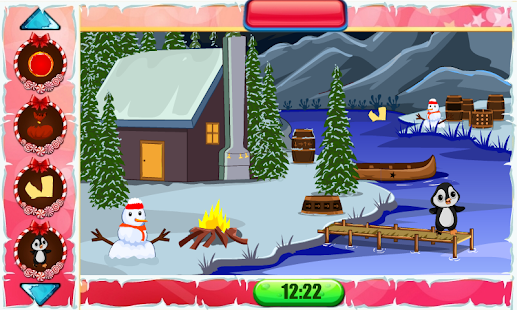
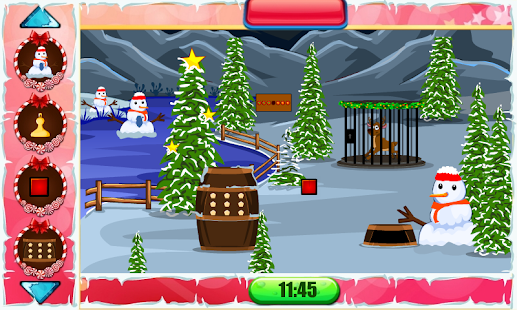
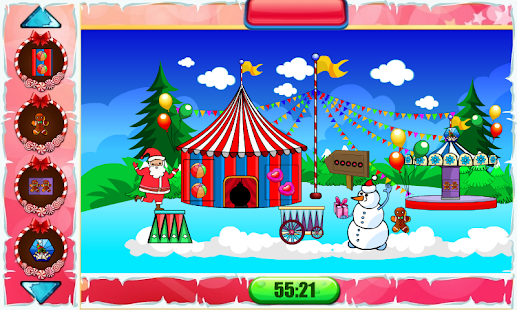
Christmas is coming!❄️ Get ready for one of the most popular holidays in Christianity – celebrate the birth of little Jesus! Christmas 2021 and New year 2022 ❄️ with Christmas Games Pack – a fabulous new puzzle adventure and one of the best escape games, "Christmas Escape Room", "Christmas puzzle games”, Christmas escape games with multiple levels. Hurry up and find objects in rooms – Find for Santa hats, snow globes, sleighs, reindeer, and holiday elves. Free new escape games are waiting for you! It's time to solve the holiday mystery, so enjoy playing mystery escape games!

7hp_To-LjhCDXv_FXMl1CwJ2eaP8O3kPSxiQJ6tTyPtoRdHzq2axjyCbOQN13AMGa-0=w720-h310-rw


3c23WB_teZU7RNzEPDs2POu__phUFGTz75_ip8V0dLXTTGG65BiSywxXq2zzs9q7w0En=w720-h310-rw


WbHNfTa7yWMJruHnKAs6kpTJAXzlTpLcuaDe0kdUVDRmuzfkrG45I2EZY3CTpoY7eA=w720-h310-rw


Prove yourself to best detective and solve this Christmas mysterious

Santa Claus is coming to town! Play this brilliant Christmas Adventure game with charming levels of fun escape games, filled with lots of new challenges!

Christmas countdown 2021 has already begun so get ready to make a merry Christmas wish! If you wished for escape It games for Christmas, you're at the right place! Download Christmas 2021, Escape puzzle adventure and look for Santa, Snowman, and Christmas gifts in incredible puzzles! Merry Christmas!

Christmas Escape Room Game is a challenging free escape game for all ages people like kids and adults.

Christmas celebration brings a happy and joyful experience on New Year 2022. Enjoy Christmas evening with amazing new escape game

We are coming for the 50 levels of different escape puzzle games in one pack of the Christmas festival and celebrate Xmas new year 2022 so lets start to play this best escape game pack this Christmas.

RELAX to background music filled with the free new Christmas spirit!

Features :- Can You Escape - New Christmas Games

⭐ Amazing 50 Levels.
⭐ Great Christmas game with Santa Claus.
⭐ Totally new free game.
⭐ 100% Guaranteed fun
⭐ Challenging festive puzzles
⭐ Addictive & Smooth gameplay.
⭐ Amazing Music and Sound Effects!
⭐ Challenging Escape Missions!
⭐ Unique graphics designs
⭐ Daily Surprising gifts available

So enjoy fun Christmas games and Share your experience and Feedback with us.

Phone stuck in boot loop

My device is a Tecno Spark 3 Pro (KB8). Immediately I plug in my charger, it begins attempting to reboot. Trying to use Volume Up or Down to boot into recovery mode doesn't work either

You probably also need to be holding the power button while pressing volume up or volume down to enter the bootloader or recovery mode. If holding the power button for 10-15 seconds doesn't power off the device, try holding the button combination through a reboot. So keep holding volume down and power or whatever your key combination is, while you're watching the phone try to boot. Continue to hold it when the phone cycles to the reboot and see if it will trigger for you.

Internal Storage OTHER

FYI the Disk Usage app works no problems on my Galaxy Note20 Ultra with Android 11. So I think it should run on a Galaxy S10e as well.

Disk Usage shows that WeChat is consuming 10.1 GiB of storage on my phone, which Samsung counts as the rather useless "OTHER".

View attachment 160577

Thanks. You're right. That looked familiar and I have it on other phones, so I tried again. It had seemed unresponsive. I still got the warning on install, but managed to allow permissions and it's OK.

Like yours, my Storage card is showing as 226gb total and that may account for my Other storage as a quick tally shows the rest adds up. I vaguely remember why it might show 226gb instead of 256 in the way Gb are read perhaps.
I'll look at it again later. :rolleyes::cool:


Screenshot_2021-12-22-17-46-11-193_com.google.android.diskusage.jpg Screenshot_2021-12-22-17-40-54-162_com.google.android.diskusage.jpg

sending unknown phone calls to voice mail

This may depend on your phone, as phone apps vary.

On my current phone (Samsung, android 12) there is an option in the phone app's settings to "block unknown/private numbers", but that is ambiguous about what "block" means and what "unknown" means. My guess is that "unknown" means "caller ID not available" rather than "not in my contacts", while "block" may or may not divert to voicemail.

Those are the only options I have, but a different phone may have others.

There may also be alternative phone apps that can do this. I know there are such apps that screen junk calls, but have never installed one so don't know what options they have.

Help Google Keep Notes Not Displaying Images

UPDATE

Even though I rebooted my phone multiple times when the problem first occurred and this didn't help, I discovered that when I rebooted my phone after I completely uninstalled and reinstalled the app, the problem went away!

So at least I now know the following about Google Keep App:
  • If there is a bug, uninstalling and reinstalling works fine and will not cause any data or image loss
  • Rebooting the phone after uninstalling and reinstalling is required (or at least is smart)
Thanks everyone for the help!

Filter

Back
Top Bottom