Help How to get Ultra to automatically resize images for MMS
- Smartphones
- 2 Replies
Not to my knowledge, I've looked around and wasn't able to get anywhere. Using the native sms/mms messaging, I always have to manually trip clips to send.
Follow along with the video below to see how to install our site as a web app on your home screen.
Note: This feature may not be available in some browsers.
I'm sure it'll be way more than a little faster lolMaybe just a little...


That's how it made me feel like I was being called a thief like I said a coworker gave me phone thinking they were helping me out since I'm still using an galaxy s6. But like I've said I'll give them the phone back tell them they need to take back wherever they got it from.No need to leave or be sorry or think you've done something wrong, stick around for a bit - it's a great forum full of helpful people. Sometimes it's hard to 'read' what people meant but no one was implying you're a thief.
Thanks for your reply. Will post here new release updates and will keep you informed of changes to be made to the channel itself. Thanks againSure, you can posts new information in this thread, or if there is new information for the channel itself, I can update that. Let me know.![]()
just pull the notification bar down to see what it is.
unless this is not your phone which 9 times out of 10 what usually happens here in AF. we get this question everyday. the problem is that there are milllions of apps with notification icons......so unless it is something popular like facebook or youtube, most of the time these threads only get guesses from us. the only true way to know is to either ask or look in the notification bar.
Weird I don't have captcha on his post. I can play the video no problem.
DATE: 02/09/22
SOFTWARE ISSUE PREVENTING CHARGING & THE FIX FROM A RETIRED MOTOROLA ENGINEER.
IT IS THREE EASY STEPS TO FIX PHONE.
1. PLUG YOUR PHONE NORMALLY YOU DO NOT NEED TO WRAP THE WIRE OR KINK THE PLUG. JUST PLUG IT IN AS IF THERE WERE NO ISSUES.
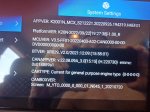
2. WHILE HOLDING THE VOLUME DOWN BUTTON AND THE POWER BUTTON IN SIMULTANEOUSLY WAIT ABOUT 20 SECONDS THEN RELEASE BOTH BUTTONS SIMULTANEOUSLY. THIS LOADS THE PHONES "BOOTLOADER" MENU, SOME CALL IT FASTBOOT IT DOESN'T MATTER. THIS IS WHAT YOU SHOULD SEE NORMALLY....
View attachment 161375
I SAID FIXED IN THE PHOTO ABOVE WHAT I MEANT IS WORKING PROPERLY. IF YOUR SCREEN LOOKS LIKE THIS CONGRATS YOUR A TECH PRODIGY AND FIXED YOUR PHONE IN ONLY 2 STEPS! LEAVE YOUR PHONE IN THIS STATE TO CHARGE OVER NIGHT.
FOR ALL OTHERS WHO HAVE BATTERY STATE INFO THAT SAYS CHANGING SLOWLY AND THE TEXT IS RED (sorry no photo) YOU'LL BE DONE IN ABOUT TWO MORE HOURS! IT'S TIME TO PERFORM THE LAST STEP!
3. NOW DO ONLY THIS...
NOT BY PHONES PLUG BUT BY THE USB END YOU WILL UNPLUG THE PHONE FROM THE WALL OUTLET AND PLUG IT RIGHT BACK IN.
FIXED? YEP THE TEXT IS NOW GREEN AND IT'S CHARGING NORMALLY.
SORRY ABOUT THE 2 MORE HOURS TO GO PRANK, LIGHTEN UP YOU FIXED YOUR PHONE! CONGRATS
TOMORROW MORNING SELECT "START" USING THE VOLUME UP/DOWN BUTTONS WHEN YOU HAVE START HIGHLIGHTED CLICK POWER AND PHONE WILL START NORMALLY ALL CHARGED READY TO GO!
HOPE THAT HELPED!
Okay. The addition will get on next coming updates? We hope so.I was in a chat WITH Samsung last night. Although you don't have a Samsung, I'd encourage you (and everyone else) to provide feedback to your cell phone company and get it in their radar that L2TP is missing. This is what their support folks said :